How to List Local Administrators Using PowerShell?

List Local Administrators Using PowerShell

In this tutorial, I will explain how to use PowerShell to list all the local administrators on a Windows machine. As a system administrator, you may need to audit the local admin accounts to ensure that only authorized users have elevated privileges. PowerShell provides a quick and efficient way to retrieve this information. What are … Read more

How to Get the Windows Version Using PowerShell?

PowerShell get windows version

As a system administrator or developer, I often need to know the specific version of Windows running on a machine. In this tutorial, I will explain how to get the Windows version using PowerShell using different methods. Get the Windows Version Using PowerShell Now, let me show you different methods to get the Windows version … Read more

PowerShell Sort-Object [With Examples]

PowerShell Sort-Object

In this tutorial, I will explain how to use the PowerShell Sort-Object cmdlet to organize and manipulate data effectively. I will show you a few examples of PowerShell Sort-Object cmdlet here. PowerShell Sort-Object The Sort-Object cmdlet in PowerShell is used to sort objects based on their properties. This cmdlet is useful when you need to … Read more

How to Read Log Files with PowerShell?

powershell read log file

In this tutorial, I will explain how to read log files using PowerShell. Recently, while working on a project for a client in New York, I encountered an issue where we needed to extract specific error messages from a large log file generated by our web application. This tutorial will help you tackle similar challenges … Read more

How to Write to a Log File in PowerShell

PowerShell write to log file

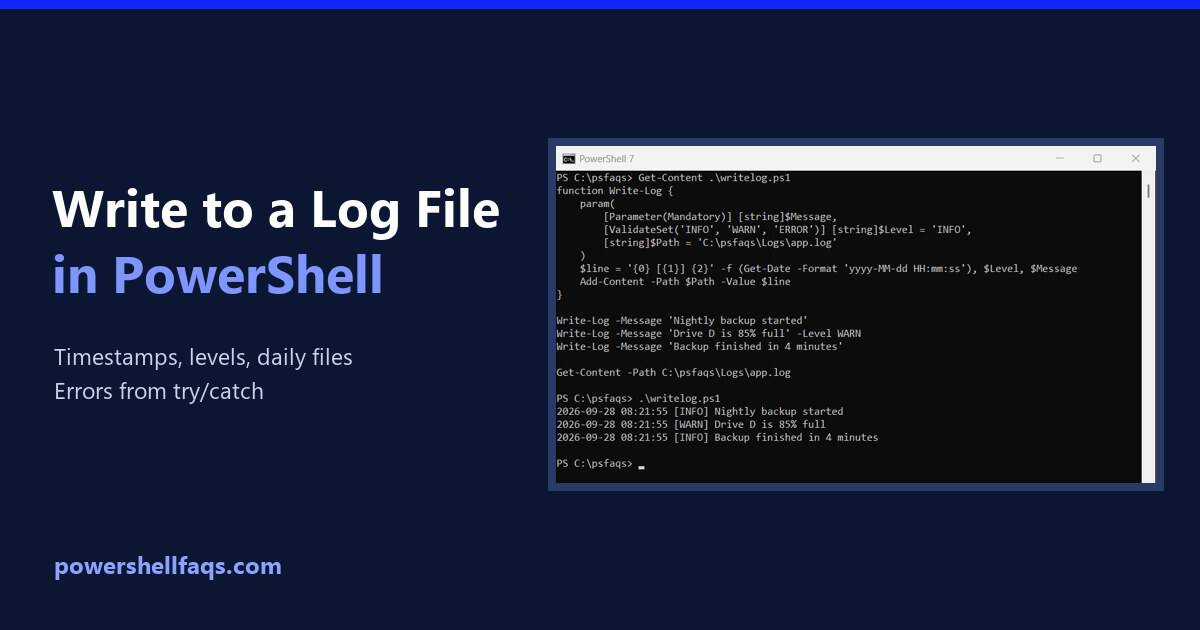
To write to a log file in PowerShell, use Add-Content with a timestamp from Get-Date. Add-Content creates the file the first time and appends a new line on every call after that: Output: Below I turn this into a reusable Write-Log function, add daily log files and error logging, and show one file-name mistake that … Read more

How to Use PowerShell Get-Process?

PowerShell Get-Process

In this tutorial, I will explain how to use the PowerShell Get-Process cmdlet to manage and monitor processes on your computer. As a developer, I once faced an issue where a rogue process consumed excessive CPU resources, causing significant slowdowns. This tutorial will help you understand how to identify and manage such processes effectively using … Read more

PowerShell Compare-Object – How to Use

How to Use PowerShell Compare-Object

In this tutorial, I will explain how to use the PowerShell Compare-Object cmdlet. Recently, while working on a project for a client in San Francisco, I encountered a scenario where I needed to compare two sets of user data to identify discrepancies. This tutorial will help you understand how to use Compare-Object in PowerShell. To … Read more

PowerShell Export-Csv: Export Arrays, Hashtables and Tables to CSV

PowerShell Export-Csv examples

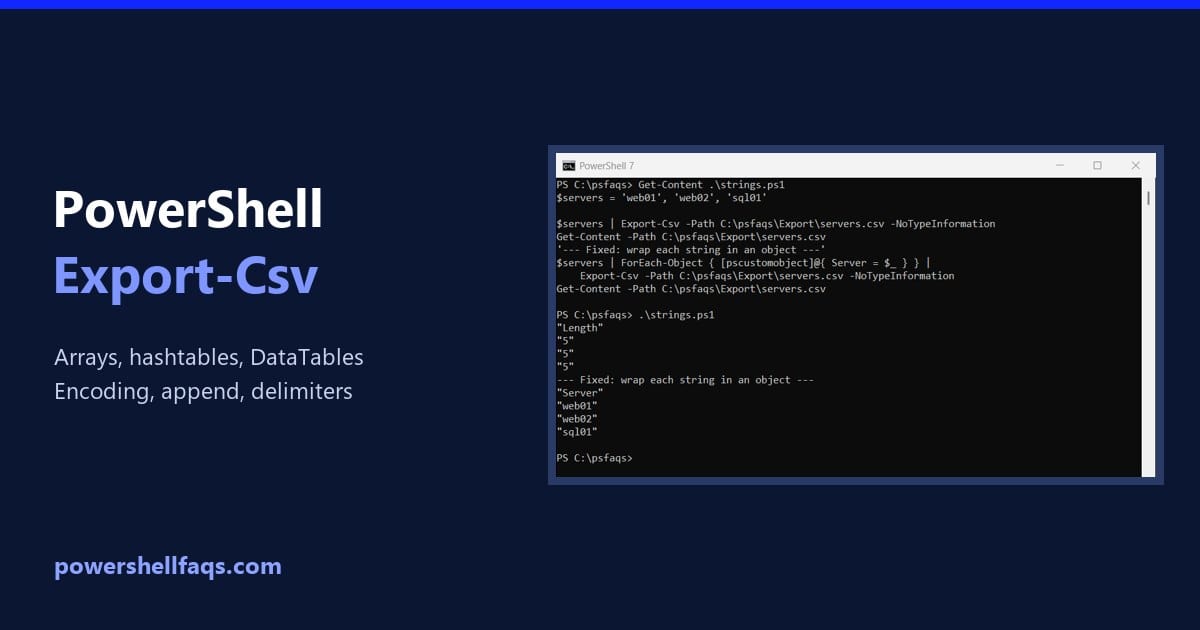
To export data to a CSV file in PowerShell, pipe objects to Export-Csv and give it a path. Each object becomes a row, and each property becomes a column: Output: Add -NoTypeInformation if the script might run in Windows PowerShell 5.1. I ran every example in PowerShell 7.6 and 5.1, and I point out each … Read more

PowerShell New-Item: Create Files, Folders and Empty Files

PowerShell New-Item

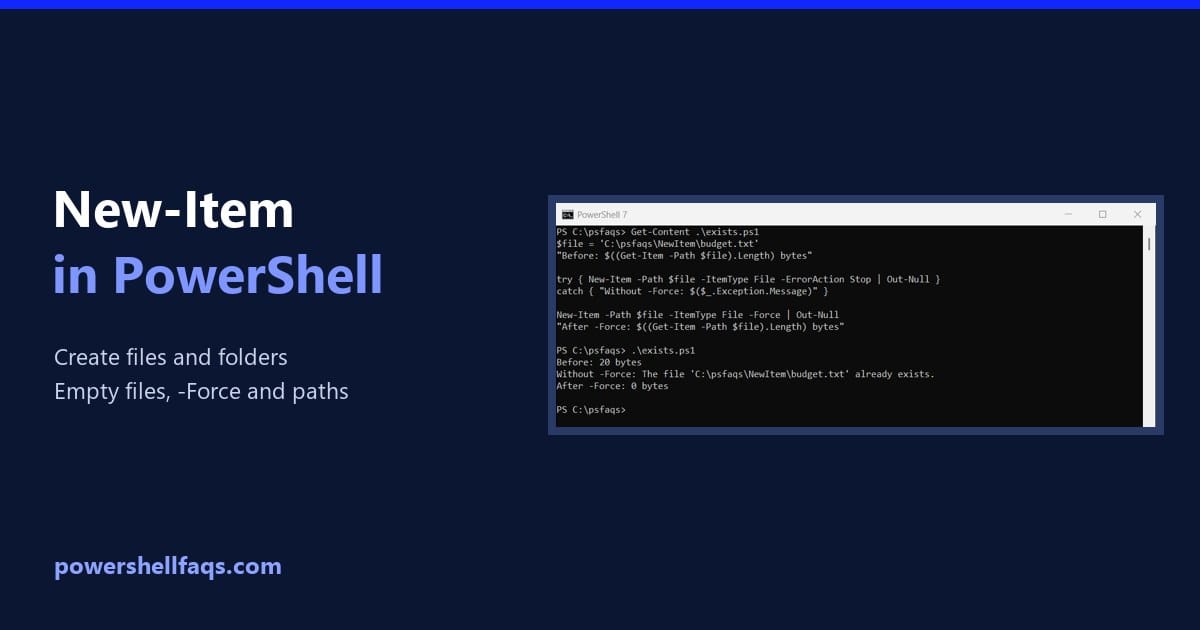
To create a file or folder in PowerShell, use New-Item with -ItemType File or -ItemType Directory. It returns the new item, so you can use it right away: Output: A new file is empty, 0 bytes, which makes New-Item the simplest way to create an empty file. I ran every example in PowerShell 7.6 and … Read more

PowerShell Test-Path: Check If a File or Folder Exists

PowerShell Test-Path examples

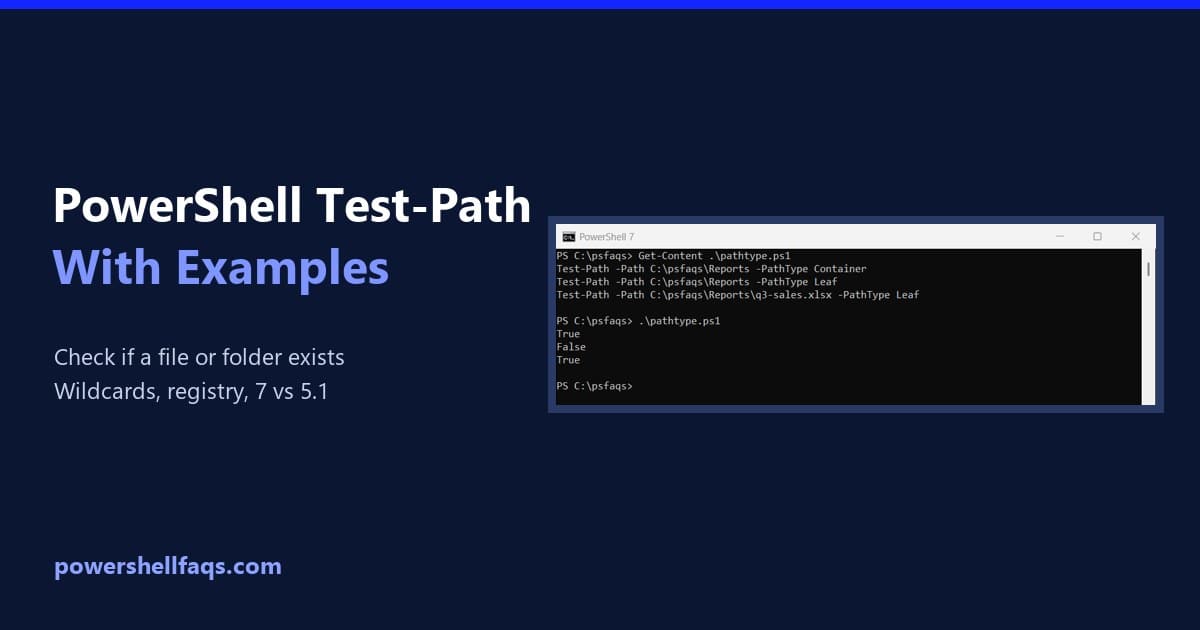
Test-Path is the PowerShell cmdlet that checks whether a file, folder or other path exists. It returns True or False, so it drops straight into an if statement: Output: It never throws an error for a missing path, which makes it the safest check before you read, copy or delete something. I ran each example … Read more