How to Check If Date Is Older Than 30 Days in PowerShell?

PowerShell If Date Is Older Than 30 Days

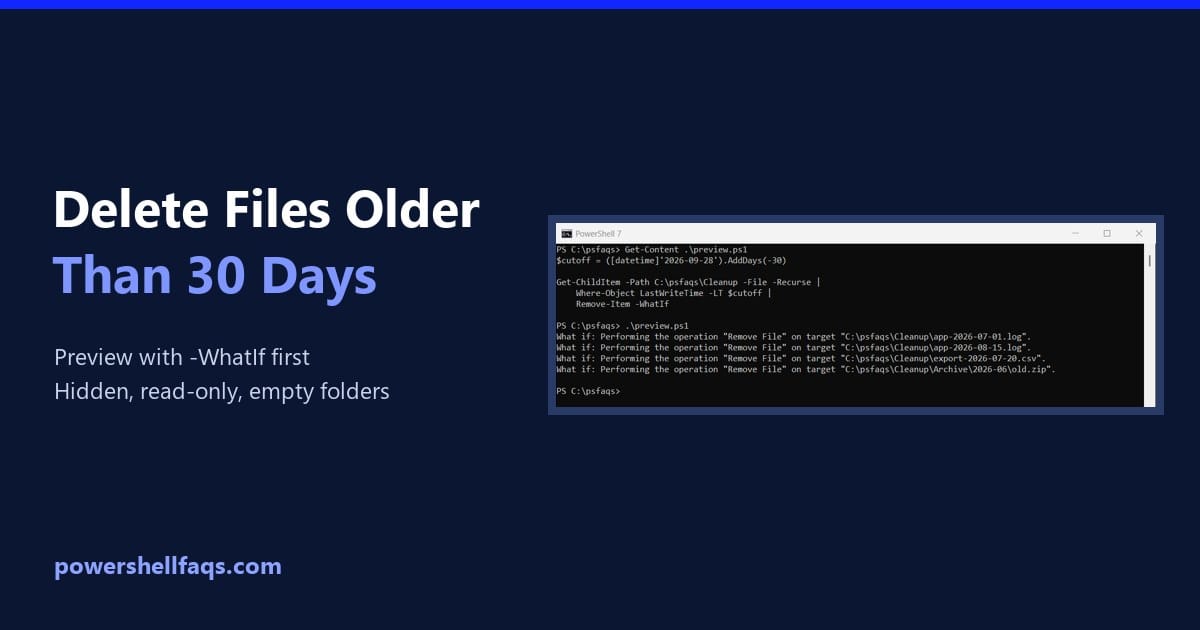
As an IT professional, you may often need to automate tasks related to date comparisons. Recently, I got a requirement to check if a date is older than 30 days using PowerShell. In this tutorial, I will explain how to check if a date is older than 30 days in PowerShell. To check if a … Read more

How to Get Date Differences Between Two Dates in PowerShell?

powershell date differences between two dates

While working on a PowerShell automation script, one of my team members recently received a requirement to calculate the date differences between two dates. This is an interesting topic. I will explain various methods to calculate date differences in PowerShell, including days, months, years, hours, minutes, and even milliseconds. To calculate the difference between two … Read more

How to Add Days to a Date in PowerShell?

powershell get-date add days

If you’re working with dates in PowerShell, one of the most common tasks you might need to perform is adding days to a specific date. In this tutorial, I will explain how to add days to a date in PowerShell with examples. To add days to a date in PowerShell, you can use the AddDays … Read more

PowerShell Get-Date Minus 1 Day

powershell get-date minus 1 day

Recently, one of my team members needed to get the date for the previous day using PowerShell. I provided the solution for this. In this tutorial, I will explain everything about “PowerShell Get-Date minus 1 day.” To get the previous day’s date in PowerShell, you can use the Get-Date cmdlet combined with the AddDays method. … Read more

How to Get Date and Time in 24-Hour Format in PowerShell?

powershell get-date 24 hour format

One of my team members was recently required to get date in 24-hour format in PowerShell. I suggested a solution. If you’re working with PowerShell and need to display the current date and time in a 24-hour format, then read this complete tutorial. To display the current date and time in 24-hour format using PowerShell, … Read more

How to Get Date Without Time in PowerShell?

PowerShell Get-Date Without Time

One of my team members asked me about getting date without time in PowerShell. In this tutorial, I will explain how to get date without time in PowerShell with a few examples. To get the current date without the time in PowerShell, you can use the ToString() method with the Get-Date cmdlet. Simply run the … Read more

How to Format Date in PowerShell [With Examples]

PowerShell Get-Date Format yyyymmddhhmmss

The Get-Date cmdlet in PowerShell is used to retrieve the current date and time. Everyone knows, but I will explain how to format data in PowerShell with examples. To format the current date and time in PowerShell as yyyymmddhhmmss, you can use the Get-Date cmdlet with the -Format parameter. The command is Get-Date -Format “yyyyMMddHHmmss”, … Read more

PowerShell Get-Date

powershell get-date

While planning for a PowerShell webinar, I prepared for PowerShell Get-Date. In this tutorial, I will explain the PowerShell Get-Date cmdlet with examples. The Get-Date cmdlet in PowerShell is used to retrieve the current date and time of the system. Simply running Get-Date without any parameters will return the current date and time in the … Read more

How to Prompt for Variable in PowerShell?

powershell prompt for variable

Someone from the team asked about the PowerShell prompt for variables. We can do this by using the Read-Host cmdlet. In this tutorial, let me explain the PowerShell prompt for a variable with some examples. To prompt for a variable in PowerShell, use the Read-Host cmdlet. The basic syntax is $variable = Read-Host “Prompt message”, … Read more

How to Trim the Last 4 Characters from a Variable in PowerShell?

powershell trim last 4 characters from variable

In PowerShell, you might need to trim the last few characters from a string for various reasons, such as processing file names, user input, or any data where the trailing characters are not needed. This is a very common requirement among PowerShell developers. In this tutorial, I’ll explain how to trim the last 4 characters … Read more

100 PowerShell cmdlets download free

100 POWERSHELL CMDLETS E-BOOK

FREE Download an eBook that contains 100 PowerShell cmdlets with complete script and examples.