
To convert a string to Base64 in PowerShell, turn the text into bytes with [System.Text.Encoding]::UTF8.GetBytes(), then pass the bytes to [System.Convert]::ToBase64String():
$text   = 'Invoice 1042 paid: $1,249.50'
$bytes  = [System.Text.Encoding]::UTF8.GetBytes($text)
$base64 = [System.Convert]::ToBase64String($bytes)

$base64
Output:
SW52b2ljZSAxMDQyIHBhaWQ6ICQxLDI0OS41MA==To decode Base64 back to text, reverse the two steps. FromBase64String() returns the bytes, and GetString() turns them into text:
$base64 = 'SW52b2ljZSAxMDQyIHBhaWQ6ICQxLDI0OS41MA=='
$bytes  = [System.Convert]::FromBase64String($base64)

[System.Text.Encoding]::UTF8.GetString($bytes)
Output:
Invoice 1042 paid: $1,249.50I ran every example in PowerShell 7.6 and Windows PowerShell 5.1. The methods are the same .NET calls in both, so the results matched, apart from one error message.
Why does the same text give different Base64?
Base64 encodes bytes, not text, so the same word gives different Base64 depending on how you turn it into bytes:
$text = 'Hello'

$utf8    = [System.Convert]::ToBase64String([System.Text.Encoding]::UTF8.GetBytes($text))
$unicode = [System.Convert]::ToBase64String([System.Text.Encoding]::Unicode.GetBytes($text))
"UTF-8:   $utf8"
"Unicode: $unicode"

$wrong = [System.Text.Encoding]::UTF8.GetString([System.Convert]::FromBase64String($unicode))
"Unicode Base64 decoded as UTF-8: $($wrong.Replace([char]0, '.'))"
Output:
UTF-8:   SGVsbG8=
Unicode: SABlAGwAbABvAA==
Unicode Base64 decoded as UTF-8: H.e.l.l.o.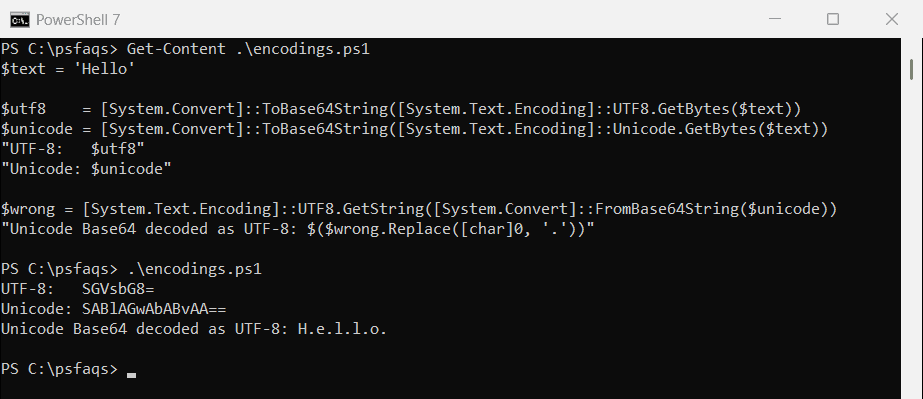
Unicode here means UTF-16, which uses two bytes per letter, so you get the dots between letters when you decode it as UTF-8. Always decode with the encoding that was used to encode. For data from web APIs and most files, that’s UTF-8.
For more on bytes and encodings, see how to convert a byte array to a string.
Encode a command for -EncodedCommand
This is the one place PowerShell itself needs Base64. -EncodedCommand runs a Base64 command, which avoids quoting problems in scheduled tasks and remote calls. It must be Unicode (UTF-16LE), not UTF-8:
$command = "Get-Date -Year 2026 -Month 9 -Day 28 -Format 'MMMM d, yyyy'"
$encoded = [System.Convert]::ToBase64String([System.Text.Encoding]::Unicode.GetBytes($command))

$encoded
pwsh -NoProfile -EncodedCommand $encoded
Output in PowerShell 7:
RwBlAHQALQBEAGEAdABlACAALQBZAGUAYQByACAAMgAwADIANgAgAC0ATQBvAG4AdABoACAAOQAgAC0ARABhAHkAIAAyADgAIAAtAEYAbwByAG0AYQB0ACAAJwBNAE0ATQBNACAAZAAsACAAeQB5AHkAeQAnAA==
September 28, 2026
Windows PowerShell 5.1 accepts exactly the same encoded string:
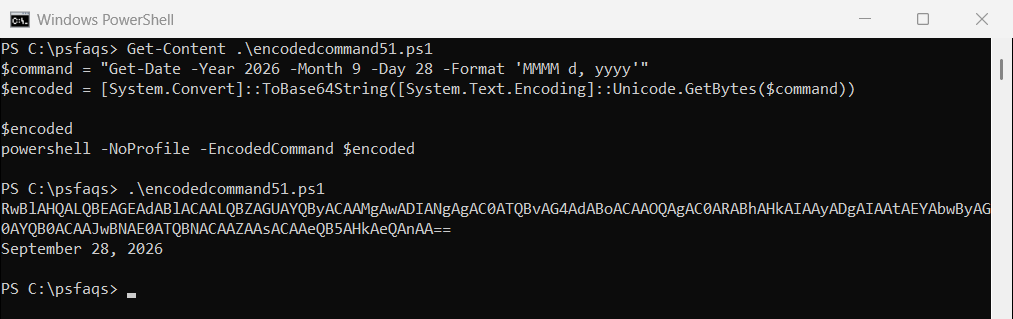
When I encoded the same command as UTF-8 instead, PowerShell decoded it into garbled characters and failed with “is not recognized”. And since anyone can decode Base64, never use it to hide passwords or secrets.
Fix “not a valid Base-64 string” errors
Base64 text length must be a multiple of 4, padded with = at the end. Some systems strip the padding, and then decoding fails:
$value = 'SGVsbG8'

try {
    [System.Convert]::FromBase64String($value)
}
catch {
    "Failed: $($_.Exception.InnerException.Message)"
}

switch ($value.Length % 4) {
    2 { $value += '==' }
    3 { $value += '=' }
}
"Fixed:  $value -> $([System.Text.Encoding]::UTF8.GetString([System.Convert]::FromBase64String($value)))"
Output in PowerShell 7:
Failed: The input is not a valid Base-64 string as it contains a non-base 64 character, more than two padding characters, or an illegal character among the padding characters.
Fixed:  SGVsbG8= -> Hello
Windows PowerShell 5.1 gave a clearer message for the same problem: “Invalid length for a Base-64 char array or string.” Either way, adding back one or two = characters fixes it, as the switch does here.
URL-safe Base64
Standard Base64 uses +, / and =, which have special meanings in URLs. The URL-safe variant, used in web tokens, swaps the first two for - and _ and drops the padding:
$bytes    = [byte[]](251, 255)
$standard = [System.Convert]::ToBase64String($bytes)
$urlSafe  = $standard.TrimEnd('=').Replace('+', '-').Replace('/', '_')

"Standard: $standard"
"URL-safe: $urlSafe"

$back = $urlSafe.Replace('-', '+').Replace('_', '/')
$back = $back.PadRight($back.Length + (4 - $back.Length % 4) % 4, '=')
"Decoded:  $([System.Convert]::FromBase64String($back) -join ', ')"
Output:
Standard: +/8=
URL-safe: -_8
Decoded:  251, 255
The last three lines convert it back: swap the characters again, restore the padding, then decode as usual.
Convert a file to Base64 and back
To embed a small file in JSON or an email, read its bytes, encode them, and decode them later into a new file. Get-FileHash confirms the copy is identical:
$source = 'C:\psfaqs\logo.png'
$copy   = 'C:\psfaqs\logo-copy.png'

$base64 = [System.Convert]::ToBase64String([System.IO.File]::ReadAllBytes($source))
"File size: $((Get-Item -Path $source).Length) bytes, Base64 length: $($base64.Length) characters"

[System.IO.File]::WriteAllBytes($copy, [System.Convert]::FromBase64String($base64))
"Same file after decoding: $((Get-FileHash $source).Hash -eq (Get-FileHash $copy).Hash)"
Output:
File size: 3000 bytes, Base64 length: 4000 characters
Same file after decoding: True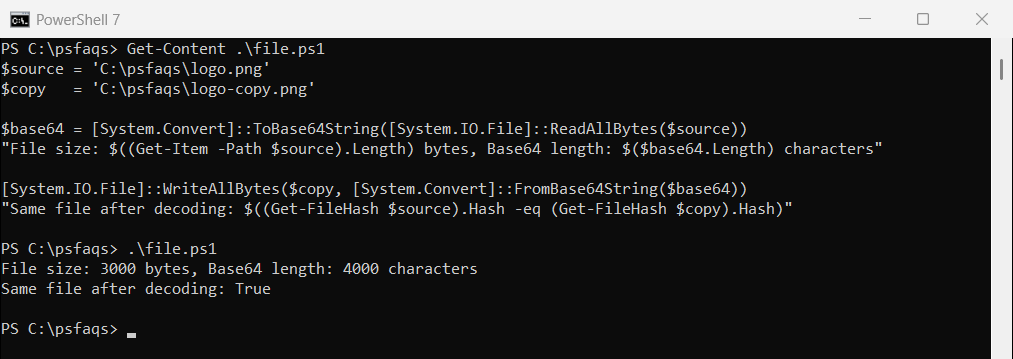
Base64 always makes data about a third bigger: every 3 bytes become 4 characters, which is why 3,000 bytes became 4,000. For large files, copy the file itself instead. Converting files to Base64 covers more file types.
Base64 with line breaks
Email standards expect Base64 lines of 76 characters. ToBase64String() can add the breaks for you:
$bytes   = [byte[]](1..120)
$wrapped = [System.Convert]::ToBase64String($bytes, [System.Base64FormattingOptions]::InsertLineBreaks)

$lines = $wrapped -split "`r`n"
"Lines: $($lines.Count), first line length: $($lines[0].Length)"
Output:
Lines: 3, first line length: 76FromBase64String() ignores those line breaks