
To remove items from an array in PowerShell, build a new array without them and assign it back. Where-Object does this in one line:
$servers = 'WEB01', 'WEB02', 'SQL01', 'WEB02'

$servers = $servers | Where-Object { $_ -ne 'WEB02' }
$servers -join ', '
Output:
WEB01, SQL01PowerShell arrays have a fixed size, so you can’t delete an item in place. I ran every example in PowerShell 7.6 and Windows PowerShell 5.1 and note the one 7-only option.
Why .Remove() and $null don’t work
Arrays have a Remove method, but it always fails. Setting an item to $null doesn’t remove it either, it just leaves an empty slot:
$servers = 'WEB01', 'WEB02', 'SQL01'

try { $servers.Remove('SQL01') } catch { "Remove() failed: $($_.Exception.InnerException.Message)" }

$servers[1] = $null
"After setting item 1 to `$null, Count is still $($servers.Count)"
Output:
Remove() failed: Collection was of a fixed size.
After setting item 1 to $null, Count is still 3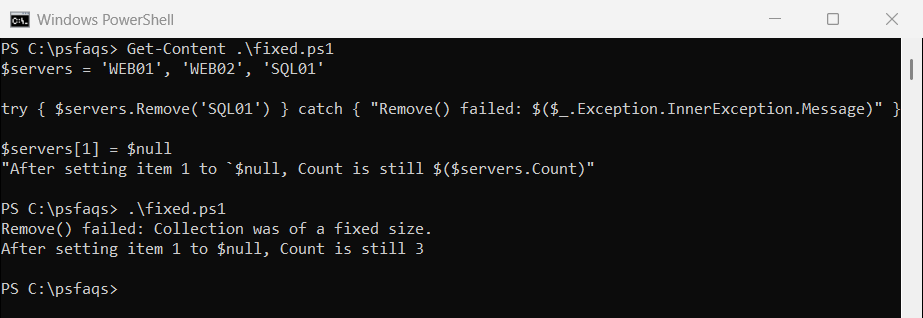
If you add and remove items often, switch to a List, shown further down. Microsoft’s guide to arrays explains why arrays work this way.
Remove items by value
-ne on an array returns every item that doesn’t match, so it removes all copies of a value. It ignores case, and -cne doesn’t:
$servers = 'WEB01', 'WEB02', 'SQL01', 'web02'

"-ne 'WEB02' removes both: $(($servers -ne 'WEB02') -join ', ')"
"-cne 'WEB02' keeps web02: $(($servers -cne 'WEB02') -join ', ')"
"Remove several values:    $(($servers | Where-Object { $_ -notin 'WEB02', 'SQL01' }) -join ', ')"
Output:
-ne 'WEB02' removes both: WEB01, SQL01
-cne 'WEB02' keeps web02: WEB01, SQL01, web02
Remove several values:    WEB01
Use -notin inside Where-Object to remove several values at once. The -ne operator explains why it filters arrays.
Use a List to remove items in place
A generic List can shrink. Remove deletes the first match and returns True or False, and RemoveAt deletes by position:
$servers = [System.Collections.Generic.List[string]]@('WEB01', 'WEB02', 'SQL01', 'WEB02')

"Remove('WEB02'): $($servers.Remove('WEB02')) -> $($servers -join ', ')"
"Remove('sql01'): $($servers.Remove('sql01')) -> $($servers -join ', ')"
$servers.RemoveAt(0)
"RemoveAt(0):     $($servers -join ', ')"
Output:
Remove('WEB02'): True -> WEB01, SQL01, WEB02
Remove('sql01'): False -> WEB01, SQL01, WEB02
RemoveAt(0):     SQL01, WEB02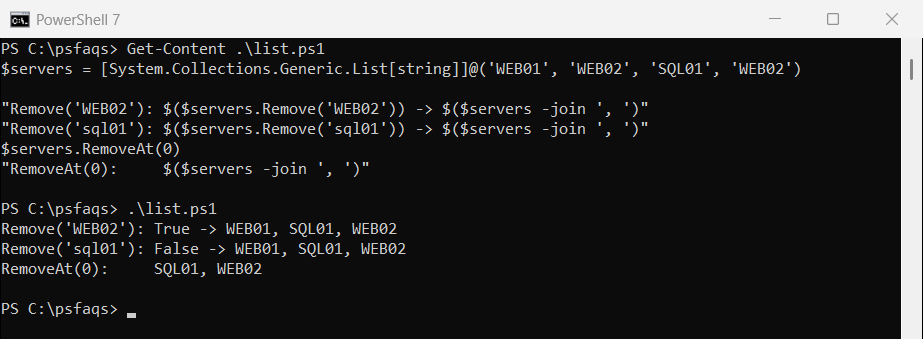
List.Remove is case-sensitive, so ‘sql01’ didn’t match SQL01. It also removes only the first WEB02.
Remove an element by index
A common trick slices the array around the index. It breaks for index 0, because 0..-1 means “item 0, then the last item”:
$servers = 'WEB01', 'WEB02', 'SQL01', 'FILE01'
$i = 0

"Slicing:      $(($servers[0..($i - 1)] + $servers[($i + 1)..($servers.Count - 1)]) -join ', ')"
"Index filter: $((0..($servers.Count - 1) | Where-Object { $_ -ne $i } | ForEach-Object { $servers[$_] }) -join ', ')"
Output:
Slicing:      WEB01, FILE01, WEB02, SQL01, FILE01
Index filter: WEB02, SQL01, FILE01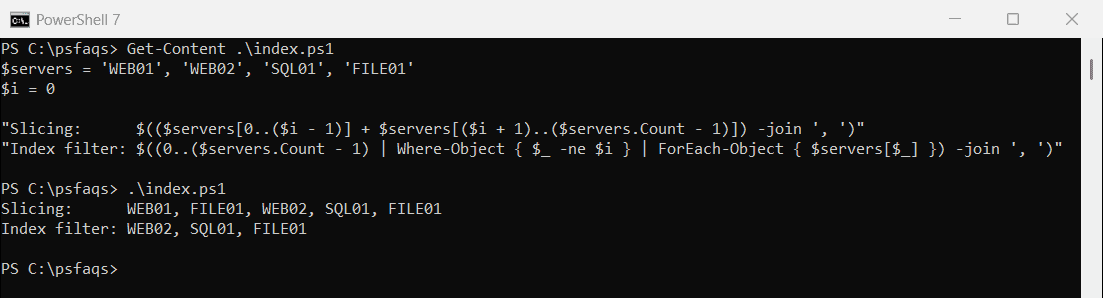
Filtering the index numbers works for every position. First and last array items shows the same 0..-1 trap.
PowerShell 7: Select-Object -SkipIndex
PowerShell 7 can skip positions directly. Windows PowerShell 5.1 doesn’t have -SkipIndex:
$servers = 'WEB01', 'WEB02', 'SQL01', 'FILE01'
($servers | Select-Object -SkipIndex 0, 2) -join ', '
Output in PowerShell 7:
WEB02, FILE01Remove the first or last element
Select-Object -Skip and -SkipLast work in both versions and handle short arrays correctly:
$servers = 'WEB01', 'WEB02', 'SQL01'

"Without the last:  $(($servers | Select-Object -SkipLast 1) -join ', ')"
"Without the first: $(($servers | Select-Object -Skip 1) -join ', ')"
Output:
Without the last:  WEB01, WEB02
Without the first: WEB02, SQL01
The Select-Object documentation lists -First, -Last, -Skip and -SkipLast.
Keep the result an array
If only one item is left, PowerShell returns that item, not a one-item array. Indexing a lone string then returns a character:
$servers = 'WEB01', 'SQL01'

$left = $servers | Where-Object { $_ -ne 'SQL01' }
"Without @(): a $($left.GetType().Name), first item [$($left[0])]"

$left = @($servers | Where-Object { $_ -ne 'SQL01' })
"With @():    a $($left.GetType().Name), first item [$($left[0])]"
Output:
Without @(): a String, first item [W]
With @():    a Object[], first item [WEB01]
Wrap the filter in @() whenever you plan to index the result or check its Count.
Remove items while looping
You can’t remove items from a List inside a foreach over the same List. RemoveAll with a condition does the whole job safely:
$servers = [System.Collections.Generic.List[string]]@('WEB01', 'WEB02', 'SQL01')

try { foreach ($s in $servers) { if ($s -like 'WEB*') { [void]$servers.Remove($s) } } }
catch { "Removing inside foreach failed: $($_.Exception.Message)" }

$servers = [System.Collections.Generic.List[string]]@('WEB01', 'WEB02', 'SQL01')
$removed = $servers.RemoveAll([Predicate[string]] { param($s) $s -like 'WEB*' })
"RemoveAll removed $removed, left: $($servers -join ', ')"
Output:
Removing inside foreach failed: Collection was modified; enumeration operation may not execute.
RemoveAll removed 2, left: SQL01
Microsoft documents it under List.RemoveAll. With a plain array, the Where-Object filter at the top is the simplest option.
Frequently Asked Questions
How do I remove an item from an array in PowerShell?
Create a new array without it: $array = $array | Where-Object { $_ -ne 'WEB02' }. Arrays can’t shrink in place.
Why does $array.Remove() fail?
Arrays have a fixed size, so Remove throws “Collection was of a fixed size.” Use a filter or a List instead.
How do I remove an element by index in PowerShell?
Filter the positions: 0..($a.Count - 1) | Where-Object { $_ -ne $i } | ForEach-Object { $a[$_] }. In PowerShell 7, use Select-Object -SkipIndex.
How do I remove the last element of an array?
Use $array | Select-Object -SkipLast 1. It works for arrays of any size.
How do I remove all matching items from a List?
Use RemoveAll with a condition: $list.RemoveAll([Predicate[string]] { param($s) $s -like 'WEB*' }).
Once the unwanted items are gone, these guides cover what comes next:
- Replace values in an array
- Check if an array contains a value
- Array vs ArrayList
- Create an array of objects

Bijay Kumar is an esteemed author and the mind behind PowerShellFAQs.com, where he shares his extensive knowledge and expertise in PowerShell, with a particular focus on SharePoint projects. Recognized for his contributions to the tech community, Bijay has been honored with the prestigious Microsoft MVP award. With over 15 years of experience in the software industry, he has a rich professional background, having worked with industry giants such as HP and TCS. His insights and guidance have made him a respected figure in the world of software development and administration. Read more.