
To find the most recent file in a directory with PowerShell, list the files with Get-ChildItem, sort them by LastWriteTime from newest to oldest, and keep the first one:
Get-ChildItem -Path C:\psfaqs\Backups -File |
    Sort-Object -Property LastWriteTime -Descending |
    Select-Object -First 1 -Property Name, LastWriteTime
Output:
Name       LastWriteTime
----       -------------
backup.log 9/28/2026 2:15:00 AM
LastWriteTime is the date Windows shows as Date modified. I ran every example in PowerShell 7.6 and Windows PowerShell 5.1 against the same sample folder, with the same results.
Get the newest file of one type
Add -Filter to look at one extension only, and save the result in a variable so you can use its name and path:
$newest = Get-ChildItem -Path C:\psfaqs\Backups -Filter *.bak -File |
    Sort-Object -Property LastWriteTime -Descending |
    Select-Object -First 1

"Newest backup: $($newest.Name)"
"Full path:     $($newest.FullName)"
"Modified:      $($newest.LastWriteTime.ToString('yyyy-MM-dd HH:mm'))"
Output:
Newest backup: db-2026-09-28.bak
Full path:     C:\psfaqs\Backups\db-2026-09-28.bak
Modified:      2026-09-28 02:00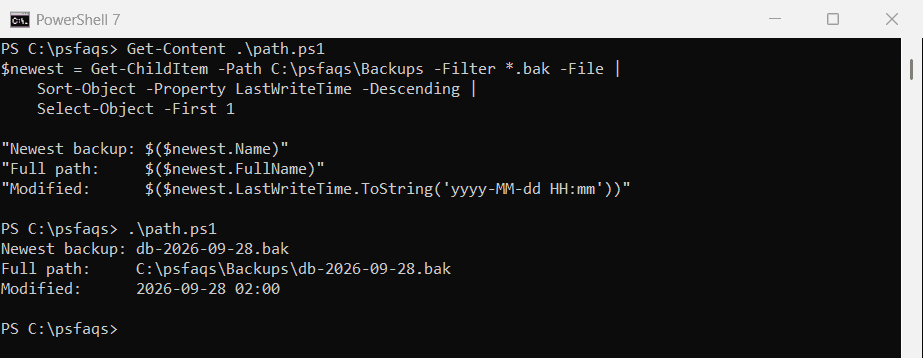
-File leaves out folders, which otherwise sort in with the files. Pass $newest.FullName to Copy-Item or Import-Csv to work with the file.
Include subfolders
-Recurse searches every subfolder too, so the newest file can come from anywhere in the tree:
$newest = Get-ChildItem -Path C:\psfaqs\Backups -File -Recurse |
    Sort-Object -Property LastWriteTime -Descending |
    Select-Object -First 1

"Newest anywhere: $($newest.FullName.Replace('C:\psfaqs\Backups\', ''))"
Output:
Newest anywhere: Finance\ledger-2026-09.xlsxFor big folder trees, see the faster method near the end. Listing all files in a folder covers the other Get-ChildItem options.
LastWriteTime or CreationTime?
They can point to different files. Copying a file gives the copy a new CreationTime but keeps the original LastWriteTime:
$files = Get-ChildItem -Path C:\psfaqs\Backups -Filter *.bak -File

"Newest by LastWriteTime: $(($files | Sort-Object -Property LastWriteTime -Descending | Select-Object -First 1).Name)"
"Newest by CreationTime:  $(($files | Sort-Object -Property CreationTime -Descending | Select-Object -First 1).Name)"
Output:
Newest by LastWriteTime: db-2026-09-28.bak
Newest by CreationTime:  db-2026-09-26.bak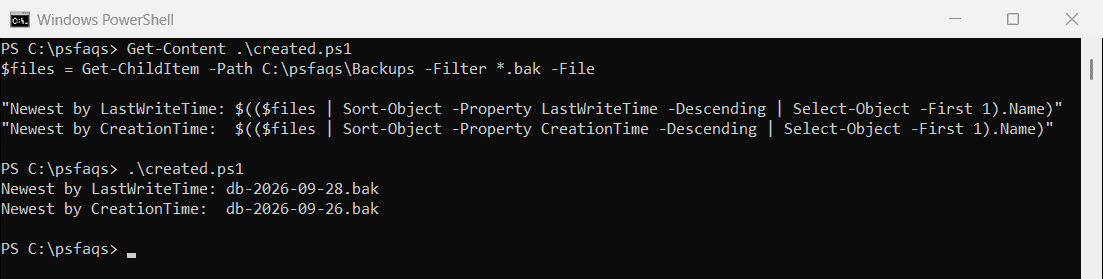
Use LastWriteTime for “latest version” questions, like the newest backup or log. Use CreationTime for “what arrived last” in a drop folder.
Get the newest few files
Change -First to the number you need. Formatting the date yourself keeps the output the same on every PC:
Get-ChildItem -Path C:\psfaqs\Backups -File -Recurse |
    Sort-Object -Property LastWriteTime -Descending |
    Select-Object -First 3 |
    ForEach-Object { '{0}  {1}' -f $_.LastWriteTime.ToString('yyyy-MM-dd HH:mm'), $_.Name }
Output:
2026-09-29 09:40  ledger-2026-09.xlsx
2026-09-28 02:15  backup.log
2026-09-28 02:00  db-2026-09-28.bak
Get the oldest file
Drop -Descending and the oldest file comes first instead:
$oldest = Get-ChildItem -Path C:\psfaqs\Backups -Filter *.bak -File |
    Sort-Object -Property LastWriteTime |
    Select-Object -First 1
"Oldest backup: $($oldest.Name)"
Output:
Oldest backup: db-2026-09-26.bakDeleting files older than 30 days uses the same date filtering to clean up old backups.
Newest file in each subfolder
Group the files by folder with Group-Object, then pick the newest from each group:
Get-ChildItem -Path C:\psfaqs\Backups -File -Recurse |
    Group-Object -Property DirectoryName |
    ForEach-Object {
        $latest = $_.Group | Sort-Object -Property LastWriteTime -Descending | Select-Object -First 1
        '{0,-8} {1}' -f (Split-Path -Path $_.Name -Leaf), $latest.Name
    }
Output:
Backups  backup.log
Finance  ledger-2026-09.xlsx
Sales    forecast.csv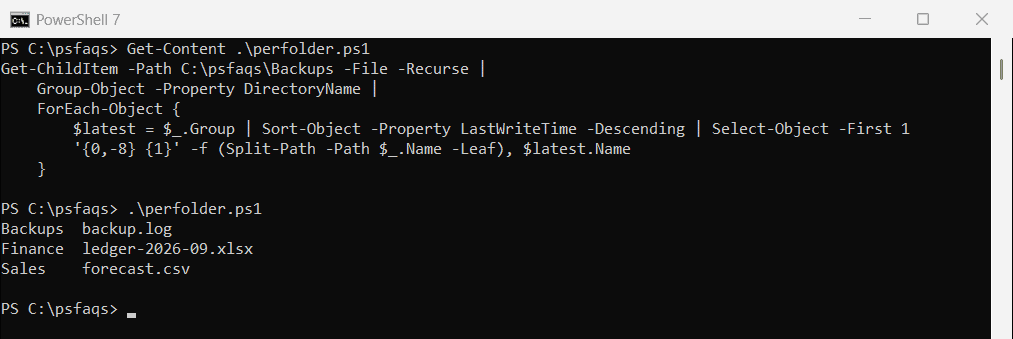
When the folder is empty
If there are no files, the result is $null, and code like $newest.FullName quietly returns nothing. Check the result before using it:
$newest = Get-ChildItem -Path C:\psfaqs\Backups\Empty -File |
    Sort-Object -Property LastWriteTime -Descending |
    Select-Object -First 1

if ($newest) { "Newest: $($newest.Name)" }
else { 'No files found in C:\psfaqs\Backups\Empty' }
Output:
No files found in C:\psfaqs\Backups\EmptyA faster way for large folders
Sort-Object has to collect every file before it can sort. For folders with tens of thousands of files, a single loop that remembers the newest one so far is quicker and uses less memory:
$newest = $null
foreach ($file in [System.IO.Directory]::EnumerateFiles('C:\psfaqs\Backups', '*', 'AllDirectories')) {
    $time = [System.IO.File]::GetLastWriteTime($file)
    if ($null -eq $newest -or $time -gt $newest.Time) {
        $newest = [pscustomobject]@{ Path = $file; Time = $time }
    }
}
"Newest: $(Split-Path -Path $newest.Path -Leaf) at $($newest.Time.ToString('yyyy-MM-dd HH:mm'))"
Output:
Newest: ledger-2026-09.xlsx at 2026-09-29 09:40EnumerateFiles reads one file at a time instead of building the whole list first. Microsoft covers the usual cmdlets in the Get-ChildItem and Sort-Object references.
Frequently Asked Questions
How do I get the newest file in a folder with PowerShell?
Run Get-ChildItem -Path C:\Backups -File | Sort-Object LastWriteTime -Descending | Select-Object -First 1.
How do I find the most recent file including subfolders?
Add -Recurse to Get-ChildItem. The sort then covers every file in the folder tree.
How do I get the latest file of a certain type?
Add a filter, like Get-ChildItem -Path C:\Backups -Filter *.bak -File, before sorting.
How do I get the oldest file in a folder?
Sort by LastWriteTime without -Descending, then take the first result with Select-Object -First 1.
Should I sort by LastWriteTime or CreationTime?
LastWriteTime for the latest version of a file. CreationTime changes when a file is copied, so it shows what arrived last.
Related file-finding guides:
- Find files modified after a date
- Get all files in a folder
- Add a date to a file name
- Delete files older than 30 days

Bijay Kumar is an esteemed author and the mind behind PowerShellFAQs.com, where he shares his extensive knowledge and expertise in PowerShell, with a particular focus on SharePoint projects. Recognized for his contributions to the tech community, Bijay has been honored with the prestigious Microsoft MVP award. With over 15 years of experience in the software industry, he has a rich professional background, having worked with industry giants such as HP and TCS. His insights and guidance have made him a respected figure in the world of software development and administration. Read more.