
To check if a string is null or empty in PowerShell, use [string]::IsNullOrEmpty($value). It returns True for $null and for an empty string, and False for anything else:
foreach ($value in 'Alice', '', $null) {
    '[{0}] is null or empty: {1}' -f $value, [string]::IsNullOrEmpty($value)
}
Output:
[Alice] is null or empty: False
[] is null or empty: True
[] is null or empty: True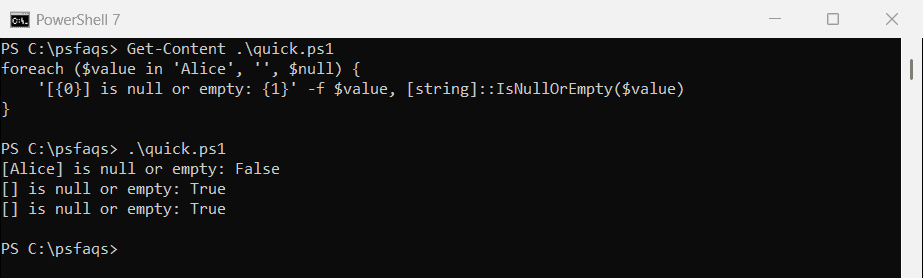
That covers most scripts. Below I compare it with the other null checks, since each one treats values like spaces and 0 differently.
I ran every example in PowerShell 7.6 and Windows PowerShell 5.1. The results matched, except for two operators that only exist in PowerShell 7.
Which null or empty check should I use?
I ran four common checks against the same values. Here’s what each one returns:
$cases = [ordered]@{
    '$null' = $null; "''" = ''; "' '" = ' '; "'0'" = '0'
    '0' = 0; '@()' = @(); "'False'" = 'False'; '$false' = $false
}

'{0,-8} {1,-14} {2,-19} {3,-6} {4}' -f 'Value', 'IsNullOrEmpty', 'IsNullOrWhiteSpace', 'if()', '$null -eq'
foreach ($c in $cases.GetEnumerator()) {
    '{0,-8} {1,-14} {2,-19} {3,-6} {4}' -f $c.Key,
        [string]::IsNullOrEmpty($c.Value), [string]::IsNullOrWhiteSpace($c.Value),
        [bool]$c.Value, ($null -eq $c.Value)
}
Output:
Value    IsNullOrEmpty  IsNullOrWhiteSpace  if()   $null -eq
$null    True           True                False  True
''       True           True                False  False
' '      False          True                True   False
'0'      False          False               True   False
0        False          False               False  False
@()      True           True                False  False
'False'  False          False               True   False
$false   False          False               False  False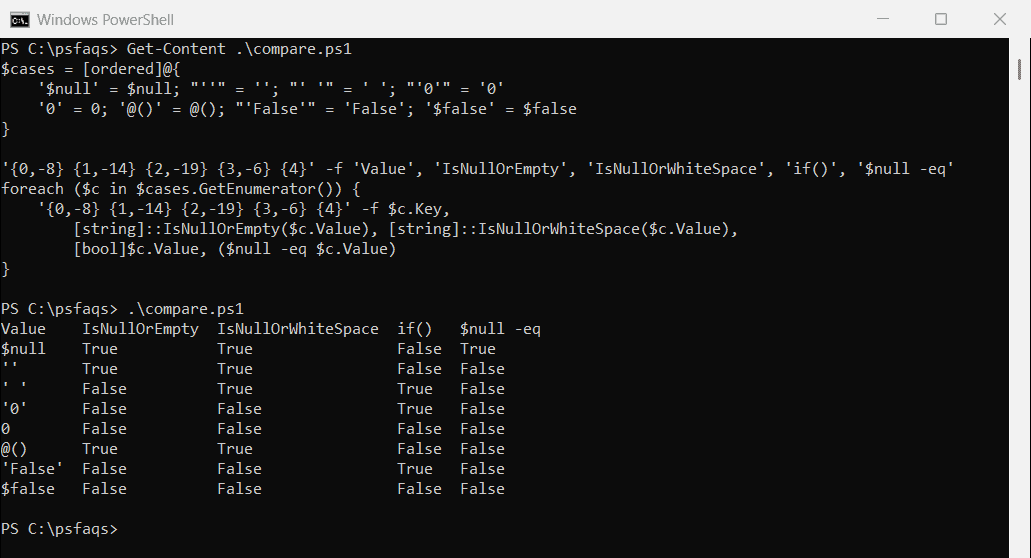
A few results are easy to miss. A plain if ($value) treats 0 and $false as empty, but the text ‘0’ and ‘False’ as filled in. $null -eq is True only for $null.
| Use this | When you want to catch |
|---|---|
$null -eq $value | Only a missing value |
[string]::IsNullOrEmpty($value) | Missing or empty text |
[string]::IsNullOrWhiteSpace($value) | Missing, empty or blank text, like user input |
$items.Count -eq 0 | An empty array or hashtable |
For strings that only contain spaces, compare the two methods in IsNullOrEmpty vs IsNullOrWhiteSpace.
IsNullOrWhiteSpace for user input
A value of only spaces isn’t empty, so IsNullOrEmpty lets it through. IsNullOrWhiteSpace catches it:
$city = '   '

"IsNullOrEmpty:      $([string]::IsNullOrEmpty($city))"
"IsNullOrWhiteSpace: $([string]::IsNullOrWhiteSpace($city))"
Output:
IsNullOrEmpty:      False
IsNullOrWhiteSpace: True
For names, addresses and anything else people type, I use IsNullOrWhiteSpace. IsNullOrEmpty vs IsNullOrWhiteSpace compares the two in more detail.
Check if a variable is null: put $null on the left
Write $null -eq $value, not $value -eq $null. When the value is an array, the second form filters the array instead of testing it:
$values = @('Austin', $null, $null)

if ($values -eq $null) { '$values -eq $null says: null' }
if ($null -eq $values) { '$null -eq $values says: null' } else { '$null -eq $values says: not null' }
Output:
$values -eq $null says: null
$null -eq $values says: not null