
To break out of a foreach loop in PowerShell, use the break keyword. The loop stops right away and the script carries on with the next line after the loop:
$servers = 'web01', 'web02', 'sql01', 'sql02'

foreach ($server in $servers) {
    if ($server -eq 'sql01') {
        "Found $server, stopping"
        break
    }
    "Checked $server"
}
'Done with the loop'
Output:
Checked web01
Checked web02
Found sql01, stopping
Done with the loop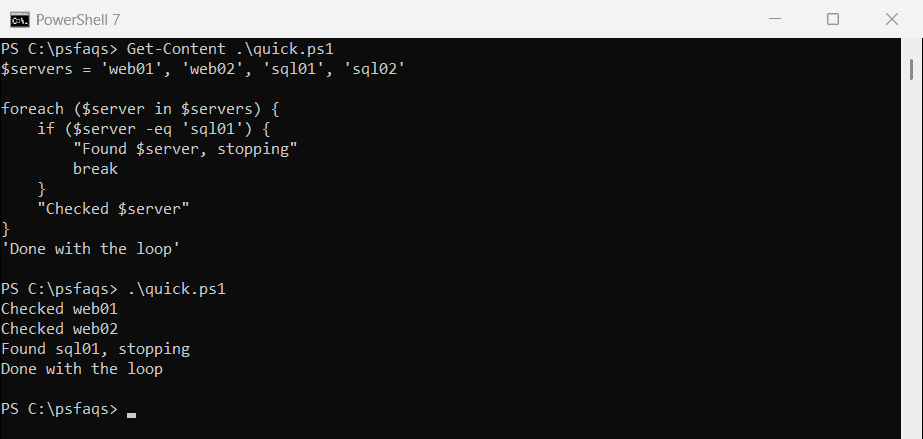
To skip just one item and move on to the next, use continue instead. Both behave differently in ForEach-Object and switch, which I cover below. Every example ran in PowerShell 7.6 and Windows PowerShell 5.1, with the same results.
Skip to the next item with continue
continue ends the current pass through the loop and jumps to the next item. It’s the clean way to skip blank lines, comments or anything you don’t want to process:
$lines = 'web01', '', '# old server', 'sql01', '  ', 'sql02'

foreach ($line in $lines) {
    if ([string]::IsNullOrWhiteSpace($line) -or $line.StartsWith('#')) { continue }
    "Processing $line"
}
Output:
Processing web01
Processing sql01
Processing sql02
It works the same way in foreach, for, while and do loops. Microsoft documents it in about_Continue.
Don’t use break in ForEach-Object
ForEach-Object isn’t a loop, it’s a cmdlet running a script block. break inside it looks for an enclosing loop, finds none, and stops the whole script:
'Before the pipeline'
1..5 | ForEach-Object {
    if ($_ -eq 3) { break }
    "Item $_"
}
'After the pipeline'
Output:
Before the pipeline
Item 1
Item 2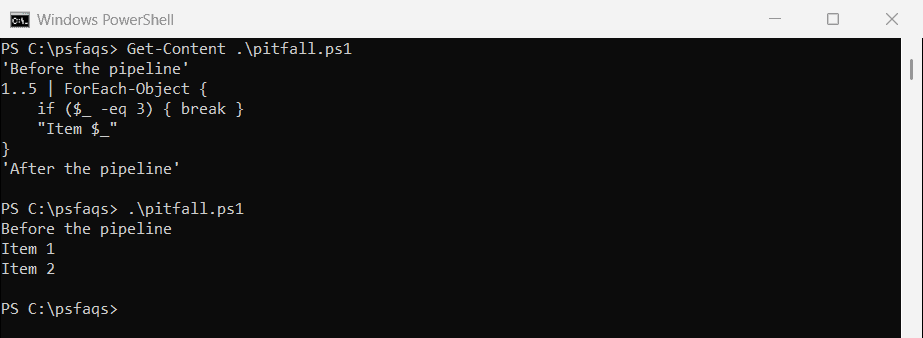
There’s no error, which makes this hard to spot. If the pipeline sits inside a foreach loop, break exits that outer loop instead.
Use return to skip an item
Inside ForEach-Object, return ends the script block for the current item only. It acts like continue:
'Before the pipeline'
1..5 | ForEach-Object {
    if ($_ -eq 3) { return }
    "Item $_"
}
'After the pipeline'
Output:
Before the pipeline
Item 1
Item 2
Item 4
Item 5
After the pipeline
Use Select-Object -First to stop early
To stop a pipeline once you have what you need, end it with Select-Object -First. It stops the commands before it, so the rest of the input is never processed:
$timer = [System.Diagnostics.Stopwatch]::StartNew()
$firstBig = 1..10000000 | Where-Object { $_ % 7919 -eq 0 } | Select-Object -First 1
$timer.Stop()

"First multiple of 7919: $firstBig"
"Finished early: $($timer.Elapsed.TotalSeconds -lt 5)"
Output:
First multiple of 7919: 7919
Finished early: True
Where-Object checked only 7,919 of the 10 million numbers before the pipeline stopped. Or switch to a foreach statement, where break works normally. foreach vs ForEach-Object explains the other differences.
Break out of nested loops with a label
A plain break only exits the innermost loop. Put a label like :regions before the outer loop, then break regions to exit both at once:
$regions = [ordered]@{
    'us-east' = 'web01', 'web02'
    'us-west' = 'web03', 'sql09', 'web04'
    'us-central' = 'web05'
}

:regions foreach ($region in $regions.Keys) {
    foreach ($server in $regions[$region]) {
        if ($server -like 'sql*') {
            "Found $server in $region, stopping both loops"
            break regions
        }
        "OK: $region/$server"
    }
}
Output:
OK: us-east/web01
OK: us-east/web02
OK: us-west/web03
Found sql09 in us-west, stopping both loops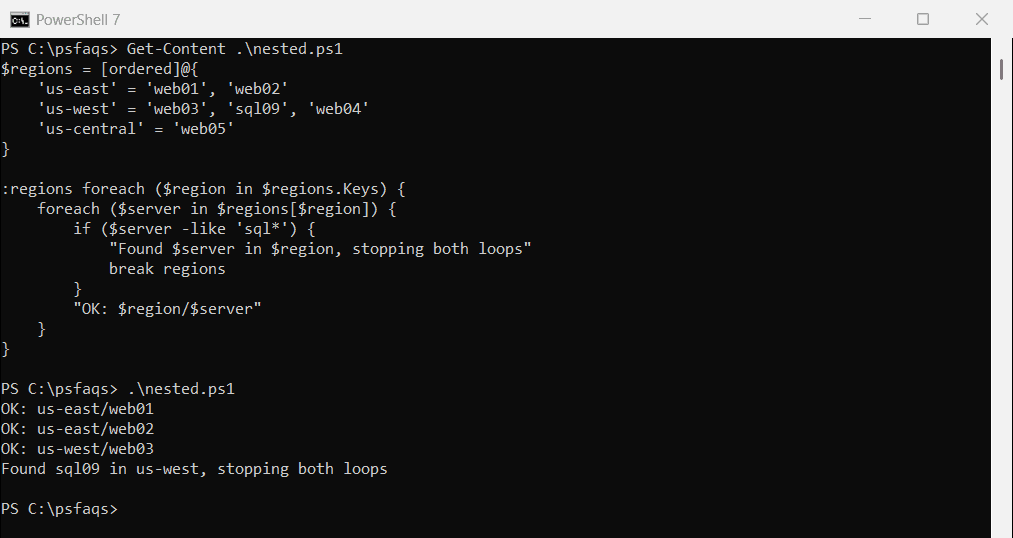
continue works with labels too. continue regions skips to the next region.
break and continue inside switch
switch counts as a loop of its own. So break and continue inside a switch affect the switch, not the foreach around it:
foreach ($code in 200, 404, 200, 500) {
    switch ($code) {
        404 { "Skipping $code"; continue }
        500 { "Stopping at $code"; break }
    }
    "Handled $code"
}
Output:
Handled 200
Skipping 404
Handled 404
Handled 200
Stopping at 500
Handled 500
Handled 404 and Handled 500 still print, because only the switch stopped. Add a label to the foreach and use it in the switch:
:codes foreach ($code in 200, 404, 200, 500) {
    switch ($code) {
        404 { "Skipping $code"; continue codes }
        500 { "Stopping at $code"; break codes }
    }
    "Handled $code"
}
Output:
Handled 200
Skipping 404
Handled 200
Stopping at 500
Now 404 skips to the next code and 500 ends the loop, as intended. Microsoft covers this in about_Break.
break in while loops
A while ($true) loop runs until something calls break. It’s a common pattern for retrying until a service comes online:
$attempt = 0
while ($true) {
    $attempt++
    $online = $attempt -ge 3
    "Attempt ${attempt}: online = $online"
    if ($online) { break }
}
"Connected after $attempt attempts"
Output:
Attempt 1: online = False
Attempt 2: online = False
Attempt 3: online = True
Connected after 3 attempts
Add a maximum number of attempts in real scripts, so a service that never comes back doesn’t keep the loop running forever.
Frequently Asked Questions
How do I break out of a foreach loop in PowerShell?
Use break inside the loop. It stops the loop and the script continues after it.
How do I skip to the next item in a PowerShell loop?
Use continue in foreach, for or while loops. In ForEach-Object, use return instead.
Why does break in ForEach-Object stop my whole script?
ForEach-Object isn’t a loop, so break exits the nearest real loop or, if there is none, the script. Use return or Select-Object -First.
How do I exit nested loops in PowerShell?
Label the outer loop, like :outer foreach (...), then use break outer.
Why doesn’t continue work inside switch?
switch acts as its own loop, so continue moves to its next value. Label the outer loop and use continue label.
Related loop guides:

Bijay Kumar is an esteemed author and the mind behind PowerShellFAQs.com, where he shares his extensive knowledge and expertise in PowerShell, with a particular focus on SharePoint projects. Recognized for his contributions to the tech community, Bijay has been honored with the prestigious Microsoft MVP award. With over 15 years of experience in the software industry, he has a rich professional background, having worked with industry giants such as HP and TCS. His insights and guidance have made him a respected figure in the world of software development and administration. Read more.