
To get the last reboot time with PowerShell, read LastBootUpTime from Win32_OperatingSystem. Subtract it from the current time to get the uptime:
$boot = (Get-CimInstance -ClassName Win32_OperatingSystem).LastBootUpTime
$uptime = (Get-Date) - $boot

"Last reboot: $($boot.ToString('yyyy-MM-dd HH:mm'))"
"Uptime:      $($uptime.Days) days, $($uptime.Hours) hours"
Output:
Last reboot: 2026-09-23 07:20
Uptime:      7 days, 1 hours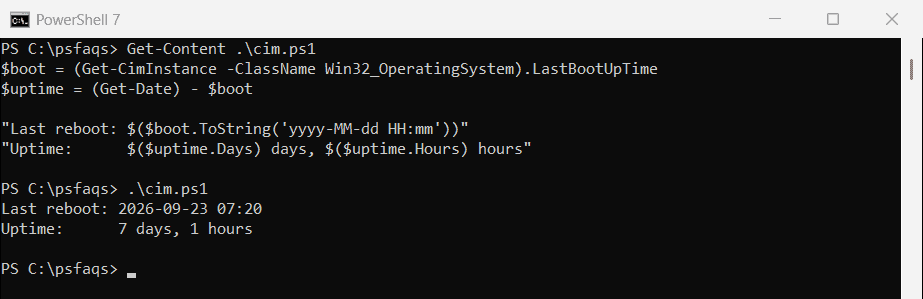
Get-CimInstance returns a normal DateTime, so no conversion is needed. Below I show the shorter PowerShell 7 cmdlet, the reboot history from the event log, remote PCs and one Fast Startup catch.
Use Get-Uptime in PowerShell 7
PowerShell 7 has Get-Uptime. -Since returns the boot time, and without it you get a TimeSpan:
"Up since: $((Get-Uptime -Since).ToString('yyyy-MM-dd HH:mm'))"
$u = Get-Uptime
"Uptime:   $($u.Days) days, $($u.Hours) hours"
Output:
Up since: 2026-09-23 07:20
Uptime:   7 days, 1 hours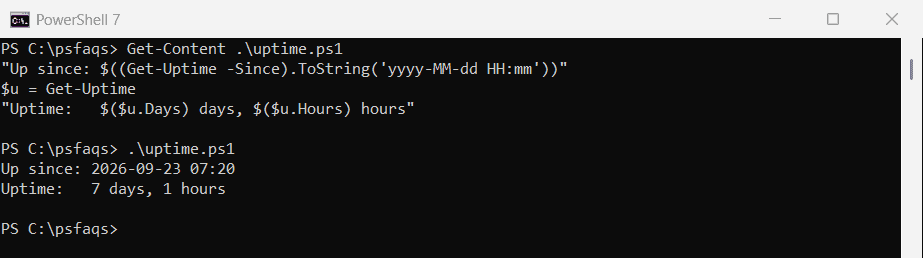
It isn’t in Windows PowerShell 5.1, so use the CIM method there. See the Get-Uptime reference.
See the reboot history in the event log
The System log records every start, shutdown and crash. This lists the latest ones by event ID:
$meaning = @{
    12   = 'Windows started'
    13   = 'Windows shut down'
    41   = 'Restarted without a clean shutdown'
    1074 = 'Restart or shutdown was requested'
    6008 = 'Previous shutdown was unexpected'
}
$filter = @{
    LogName      = 'System'
    ProviderName = 'Microsoft-Windows-Kernel-General', 'Microsoft-Windows-Kernel-Power', 'User32', 'EventLog'
    Id           = 12, 13, 41, 1074, 6008
}
Get-WinEvent -FilterHashtable $filter -MaxEvents 6 |
    ForEach-Object { '{0:yyyy-MM-dd HH:mm}  {1,4}  {2}' -f $_.TimeCreated, $_.Id, $meaning[$_.Id] }
Output:
2026-09-23 07:21    12  Windows started
2026-09-23 07:20    13  Windows shut down
2026-09-23 07:20  1074  Restart or shutdown was requested
2026-09-13 16:41    41  Restarted without a clean shutdown
2026-09-13 16:42  6008  Previous shutdown was unexpected
2026-09-13 16:41    12  Windows started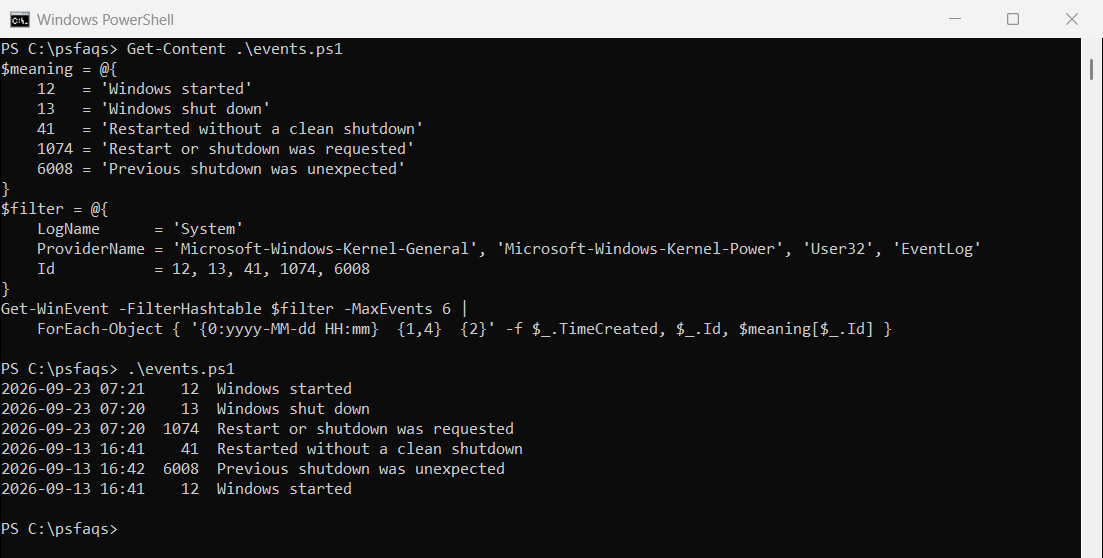
I print only the time and ID because event 1074’s message includes the user and PC name. Event 41 means Windows restarted without shutting down cleanly, usually from a crash or power loss. Microsoft explains it in Event ID 41 troubleshooting.
Find out who restarted the PC
Event 1074 records the account and program that asked for the restart. Read its message to see them:
Get-WinEvent -FilterHashtable @{ LogName = 'System'; Id = 1074 } -MaxEvents 5 |
    Select-Object -Property TimeCreated, Message
Why the reboot time looks too old
With Fast Startup on, Shut down doesn’t fully restart Windows, so LastBootUpTime stays the same. Only Restart resets it. Fast Startup is on by default on most PCs.
Use event 13 and event 12 to see shutdowns and starts that LastBootUpTime misses. The Win32_OperatingSystem reference documents LastBootUpTime.
Get the last reboot time of remote computers
Add -ComputerName, and PSComputerName shows which result is which. You need admin rights and WinRM on those PCs:
Get-CimInstance -ClassName Win32_OperatingSystem -ComputerName PC-SALES-07, PC-SALES-08 |
    Select-Object -Property PSComputerName, LastBootUpTime
Restarting a computer shows how to restart them from PowerShell.
Other ways to check
| Command | Works in | Notes |
|---|---|---|
| (Get-CimInstance Win32_OperatingSystem).LastBootUpTime | 7 and 5.1 | Best for scripts |
| Get-Uptime -Since | 7 only | Shortest |
| systeminfo | findstr /C:”System Boot Time” | Any shell | Slow, and the text depends on the Windows language |
| Task Manager > Performance > CPU | Windows | Shows uptime, not the boot time |
Get-WmiObject also works in 5.1, but it’s gone from PowerShell 7, so stick with Get-CimInstance.
Frequently Asked Questions
How do I get the last reboot time in PowerShell?
Run (Get-CimInstance -ClassName Win32_OperatingSystem).LastBootUpTime. In PowerShell 7, Get-Uptime -Since works too.
How do I check uptime with PowerShell?
Run Get-Uptime in PowerShell 7, or subtract LastBootUpTime from Get-Date in 5.1.
Why doesn’t LastBootUpTime change after I shut down?
Fast Startup keeps Windows partly running after Shut down. Only Restart resets LastBootUpTime.
Which event ID shows a restart?
Event 12 marks each start and 13 each shutdown. Event 1074 shows who requested a restart, and 41 an unexpected one.
How do I get the last reboot time of a remote computer?
Run Get-CimInstance Win32_OperatingSystem -ComputerName PC01 and read LastBootUpTime.
If you’re troubleshooting a PC, these come in handy:

Bijay Kumar is an esteemed author and the mind behind PowerShellFAQs.com, where he shares his extensive knowledge and expertise in PowerShell, with a particular focus on SharePoint projects. Recognized for his contributions to the tech community, Bijay has been honored with the prestigious Microsoft MVP award. With over 15 years of experience in the software industry, he has a rich professional background, having worked with industry giants such as HP and TCS. His insights and guidance have made him a respected figure in the world of software development and administration. Read more.