
The PowerShell switch statement compares a value against a list of conditions and runs the script block of every condition that matches. It’s a cleaner replacement for a long chain of if/elseif statements.
Here’s the basic form, with a default block for anything that doesn’t match:
$state = 'TX'

switch ($state) {
    'CA'    { 'California' }
    'TX'    { 'Texas' }
    'WA'    { 'Washington' }
    default { 'Unknown state' }
}
Output:
TexasIn this guide, I’ll cover multiple conditions, greater than and less than checks, wildcards, regex, case sensitivity and arrays. I’ll also show the difference between break and continue, which trips up almost everyone.
I ran every example in PowerShell 7.6 and Windows PowerShell 5.1, and the switch statement behaves the same in both.
Store the result of a switch in a variable
A switch statement outputs whatever its script blocks output, so you can assign it directly:
$code = 404

$message = switch ($code) {
    200     { 'OK' }
    404     { 'Not Found' }
    500     { 'Server Error' }
    default { "Unexpected status $code" }
}

"Status ${code}: $message"
Output:
Status 404: Not FoundWhy does PowerShell switch run more than one case?
PowerShell doesn’t stop at the first match. It checks every condition and runs each one that matches:
$score = 92

switch ($score) {
    { $_ -ge 90 } { 'Grade A' }
    { $_ -ge 80 } { 'Grade B' }
    { $_ -ge 70 } { 'Grade C' }
}
Output:
Grade A
Grade B
Grade C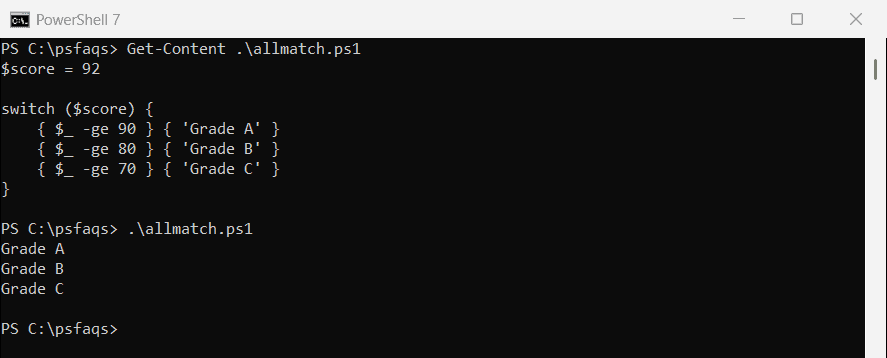
Add break to stop after the first match. This is the pattern you want for ranges like grades:
$score = 92

switch ($score) {
    { $_ -ge 90 } { 'Grade A'; break }
    { $_ -ge 80 } { 'Grade B'; break }
    { $_ -ge 70 } { 'Grade C'; break }
    default       { 'Grade F' }
}
Output:
Grade ASwitch with greater than and less than conditions
A condition can be a script block. PowerShell runs it with the current value in $_ and treats a $true result as a match:
$ages = 12, 25, 47, 70

foreach ($age in $ages) {
    $group = switch ($age) {
        { $_ -lt 18 }                 { 'Minor'; break }
        { $_ -ge 18 -and $_ -lt 35 }  { 'Young adult'; break }
        { $_ -ge 35 -and $_ -lt 65 }  { 'Adult'; break }
        default                       { 'Senior' }
    }
    "$age -> $group"
}
Output:
12 -> Minor
25 -> Young adult
47 -> Adult
70 -> Senior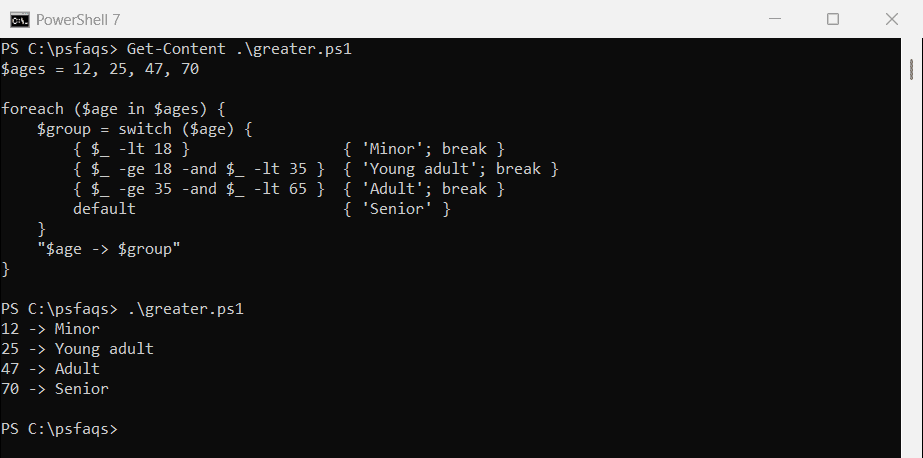
Because each range has break, an age matches only one group even if later conditions would also be true.
Switch with multiple conditions for one action
To run the same code for several values, use -in inside a script block condition:
$day = 'Saturday'

switch ($day) {
    { $_ -in 'Saturday', 'Sunday' } { 'Weekend'; break }
    { $_ -in 'Monday', 'Friday' }   { 'Long meeting day'; break }
    default                         { 'Regular workday' }
}
Output:
WeekendYou might expect to write the values as a comma-separated list. That’s a syntax error in PowerShell:
switch ('b') {
    'a', 'b' { 'Matched a or b' }
}
Output:
ParserError: C:\psfaqs\comma.ps1:2
Line |
   2 |      'a', 'b' { 'Matched a or b' }
     |         ~
     | Missing statement block in switch statement clause.
A regex alternation such as switch -Regex ($day) { '^(Saturday|Sunday)$' { 'Weekend' } } also works if you prefer patterns.
Use wildcards in a switch statement
Add -Wildcard to match with * and ?, just like the -like operator:
$files = 'report-2026.xlsx', 'backup.ps1', 'notes.txt', 'Q3-report.pdf'

foreach ($file in $files) {
    switch -Wildcard ($file) {
        '*.ps1'    { "$file is a script" }
        '*report*' { "$file is a report" }
        '*.txt'    { "$file is plain text" }
    }
}
Output:
report-2026.xlsx is a report
backup.ps1 is a script
notes.txt is plain text
Q3-report.pdf is a report
Each file matched one pattern here. A name like report.txt would match two patterns, and both blocks would run.
Some articles suggest putting an array of patterns in one condition. It doesn’t work, because PowerShell doesn’t compare against each element:
switch -Wildcard ('banana') {
    @('apple', 'banana') { 'Matched the array' }
    default              { 'No match' }
}
Output:
No matchCheck if a string contains text
For a “contains” check, wrap the text in * wildcards. Wildcard matching is case-insensitive too:
$subject = 'URGENT: Server SRV01 is down'

switch -Wildcard ($subject) {
    '*urgent*' { 'Flag as high priority' }
    '*down*'   { 'Open an incident' }
}
Output:
Flag as high priority
Open an incident
Use regex in a switch statement
-Regex treats each condition as a regular expression. Capture groups land in the automatic $Matches variable, so you can pull values out of each line:
$lines = 'ERROR 404 on /login', 'WARN disk at 91%', 'INFO user signed in'

foreach ($line in $lines) {
    switch -Regex ($line) {
        '^ERROR (\d+)'   { "Error code: $($Matches[1])" }
        '^WARN .* (\d+)%' { "Warning at $($Matches[1]) percent" }
        '^INFO'          { 'Info message, ignoring' }
    }
}
Output:
Error code: 404
Warning at 91 percent
Info message, ignoring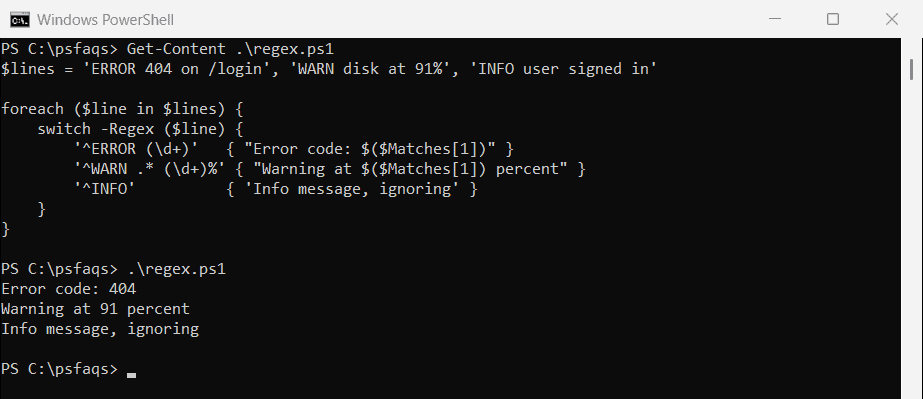
If you’re new to patterns, my PowerShell regex guide covers the syntax.
Is the PowerShell switch statement case-sensitive?
No. String matches ignore case by default. Add -CaseSensitive when case matters:
switch ('Apple') { 'apple' { 'Default match is case-insensitive' } }

switch -CaseSensitive ('Apple') {
    'apple' { 'Matched' }
    default { 'No match with -CaseSensitive' }
}
Output:
Default match is case-insensitive
No match with -CaseSensitive
Numbers and strings also compare loosely. switch (5) { '5' { ... } } matches, because PowerShell converts the values before comparing.
Switch on an array of values
Pass an array and the switch runs once per item, with the current item in $_:
$ports = 22, 80, 443, 3389

switch ($ports) {
    22      { "$_ = SSH" }
    80      { "$_ = HTTP" }
    443     { "$_ = HTTPS" }
    default { "$_ = something else" }
}
Output:
22 = SSH
80 = HTTP
443 = HTTPS
3389 = something else
break vs. continue with an array
This is where break and continue behave differently. break stops processing the whole array. continue only skips the remaining conditions for the current item:
'--- break ---'
switch (1, 2, 3) {
    2       { 'two'; break }
    default { "item $_" }
}

'--- continue ---'
switch (1, 2, 3) {
    2       { 'two'; continue }
    default { "item $_" }
}
Output:
--- break ---
item 1
two
--- continue ---
item 1
two
item 3
With break, item 3 never gets processed. With continue, it does. Use continue in array switches unless you really want to stop.
Watch out: default doesn’t run for an empty array
If the input is an empty array, the switch has nothing to loop over, so even default is skipped:
$servers = @()

switch ($servers) {
    default { 'No servers found' }
}

'The default block did not run'
Output:
The default block did not runCheck the count first, for example if (-not $servers) { 'No servers found' }, when an empty result needs a message.
Process a file line by line with switch -File
-File reads a text file and runs the switch for every line. Combined with -Regex, it’s a quick log filter:
switch -Regex -File C:\psfaqs\app.log {
    'ERROR' { "Found: $_" }
}
Output:
Found: 2026-09-25 08:14 ERROR Could not reach SQL01
Found: 2026-09-25 09:45 ERROR Disk D: is full
Microsoft’s about_Switch documentation lists every parameter, including -Exact.
Frequently Asked Questions
Does the PowerShell switch statement stop at the first match?
No. It runs every matching condition. Add break to a block to stop after it matches.
How do I match multiple values in one switch case?
Use a script block with -in, like { $_ -in 'Saturday', 'Sunday' } { 'Weekend' }. A comma-separated list of values is a syntax error.
How do I use greater than in a PowerShell switch?
Use a script block condition: { $_ -gt 100 } { 'Large' }. Add break if ranges overlap.
How do I use wildcards or regex in a switch statement?
Add -Wildcard for * and ? patterns, or -Regex for regular expressions. With -Regex, captures are in $Matches.
What’s the difference between break and continue in a switch?
With an array input, break stops processing all remaining items, while continue moves on to the next item.
You may also like:
- If else statements in PowerShell
- PowerShell switch parameters in functions
- PowerShell regex
- PowerShell comparison operators

Bijay Kumar is an esteemed author and the mind behind PowerShellFAQs.com, where he shares his extensive knowledge and expertise in PowerShell, with a particular focus on SharePoint projects. Recognized for his contributions to the tech community, Bijay has been honored with the prestigious Microsoft MVP award. With over 15 years of experience in the software industry, he has a rich professional background, having worked with industry giants such as HP and TCS. His insights and guidance have made him a respected figure in the world of software development and administration. Read more.