
To split a string and get the second element in PowerShell, split it with -split and read index [1], because arrays start at 0:
('INV-1042,Maria Lopez,Austin' -split ',')[1] # Maria LopezThe parentheses matter: they finish the split before PowerShell applies the index. Below I cover the .Split() method, extra spaces, special delimiters, missing values and whole files, with the spots where PowerShell 7 and Windows PowerShell 5.1 give different answers.
Get the second element with -split and index [1]
Here’s the same order record read three ways. Each one returns the second field, and .Count tells you how many pieces the split produced:
$order = 'INV-1042,Maria Lopez,Austin,1250'

$parts = $order -split ','
"Second element: $($parts[1])"
"One-liner:      $(($order -split ',')[1])"
"Split method:   $($order.Split(',')[1])"
"Element count:  $($parts.Count)"
Output:
Second element: Maria Lopez
One-liner:      Maria Lopez
Split method:   Maria Lopez
Element count:  4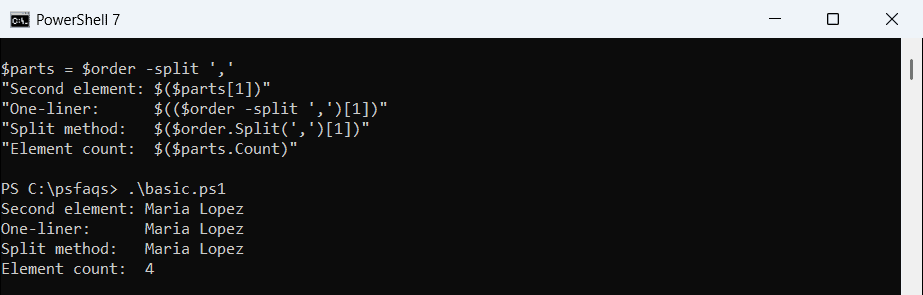
Index [0] is the first element, [1] the second and [-1] the last. If you need the wider picture first, splitting strings in PowerShell walks through every split option.
Why does the second element have a leading space?
Text like “Maria Lopez, Austin, TX” has a space after each comma. Splitting on the comma alone leaves that space at the front of the second element:
$s = 'Maria Lopez, Austin, TX'

"-split ','      -> [$(($s -split ',')[1])]"
"Trim()          -> [$(($s -split ',')[1].Trim())]"
"-split ',\s*'   -> [$(($s -split ',\s*')[1])]"
Output:
-split ','      -> [ Austin]
Trim()          -> [Austin]
-split ',\s*'   -> [Austin]
You can call .Trim() on the result, or make the space part of the delimiter with ‘,\s*’, which means a comma plus any spaces after it. I prefer the regex because every element comes out clean. Trimming strings in PowerShell covers the other cleanup methods.
Split() method vs -split operator in PowerShell 7 and 5.1
This is where most scripts break when they move between versions. Passing more than one character to the .Split() method behaves differently in each shell:
$s = 'Maria Lopez, Austin, TX'
$id = 'INV-1042--Austin--1250'

".Split(', ')  -> [$($s.Split(', ')[1])], parts: $($s.Split(', ').Count)"
".Split('--')  -> [$($id.Split('--')[1])]"
"-split '--'   -> [$(($id -split '--')[1])]"
Output:
.Split(', ')  -> [Austin], parts: 3
.Split('--')  -> [Austin]
-split '--'   -> [Austin]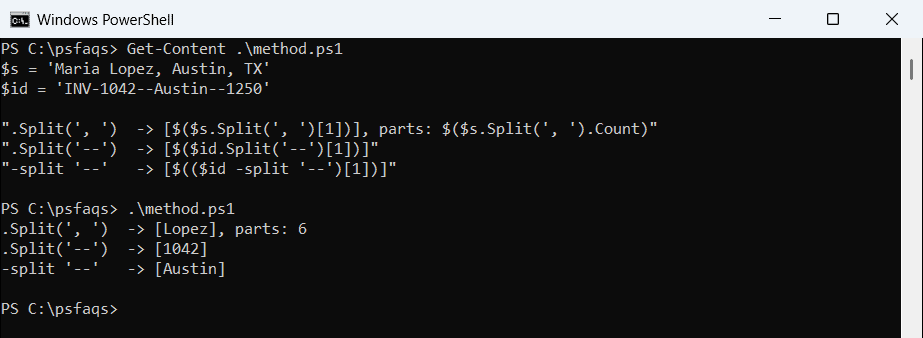
PowerShell 7 runs on .NET, which has a .Split(string) overload, so ‘, ‘ is one separator. Windows PowerShell 5.1 runs on .NET Framework, which turns the string into separate characters. The comma and the space each split the text, so [1] is Lopez.
The -split operator returned Austin in both shells. When a script has to run on both versions, use -split for multi-character delimiters. The PowerShell regex guide explains the patterns -split accepts.
Split on multiple delimiters or extra spaces
Real data rarely uses one clean separator. A character class handles several delimiters at once, and unary -split treats any run of whitespace as one break:
$line = 'Tom Baker;Denver|CO, 80202'
"Any of ; | , -> [$(($line -split '[;|,]\s*')[1])]"

$padded = 'PC-AUSTIN-01    Online    2026-10-14'
"Unary -split  -> [$((-split $padded)[1])]"

$csv = 'Dana Reyes,,Seattle'
$opt = [StringSplitOptions]::RemoveEmptyEntries
"Skip empties  -> [$($csv.Split(',', $opt)[1])]"
Output:
Any of ; | , -> [Denver]
Unary -split  -> [Online]
Skip empties  -> [Seattle]
Unary -split is the easiest way to read columns from command output that’s padded with spaces. RemoveEmptyEntries skips the blank field between two commas, so [1] lands on Seattle instead of an empty string.
Keep in mind that skipping empties changes positions. If the second column is sometimes blank, keep the empty entry so the other columns stay in place, which is how removing blank entries from an array differs from splitting.
How do I split on a dot, pipe or other special character?
-split reads its delimiter as a regular expression, so a dot means any character. Escape it, use [regex]::Escape(), or pass the SimpleMatch option:
$file = 'report.2026.final.xlsx'

"-split '.'                -> $(($file -split '.').Count) empty parts"
"-split '\.'               -> [$(($file -split '\.')[1])]"
"-split '.', 0, 'SimpleMatch' -> [$(($file -split '.', 0, 'SimpleMatch')[1])]"
"Escape('|')               -> [$(('NYC|10001|NY' -split [regex]::Escape('|'))[1])]"
Output:
-split '.'                -> 23 empty parts
-split '\.'               -> [2026]
-split '.', 0, 'SimpleMatch' -> [2026]
Escape('|')               -> [10001]
A bare dot matched every character and returned 23 empty strings. SimpleMatch only works when you also give a maximum substring count, which is why the 0 (return all) is there. Escaping special characters in PowerShell lists the other characters that need care.
Limit the split to keep the rest of the string together
A log line often has a level, then a message that contains the delimiter itself. A max-substrings value of 2 splits once and keeps everything after the first space as the second element:
$log = 'ERROR 2026-10-14 Disk C: is 95% full on