
To convert a string to a hashtable in PowerShell, use ConvertFrom-StringData. It reads text with one key=value pair per line and returns a hashtable:
$text = @'
Name = Emma Carter
Office = Seattle
Role = Finance Manager
'@

$user = ConvertFrom-StringData -StringData $text
"Type:   $($user.GetType().Name)"
"Name:   $($user.Name)"
"Office: $($user['Office'])"
Output:
Type:   Hashtable
Name:   Emma Carter
Office: Seattle
Below I handle one-line strings, backslashes, JSON and value types, then go the other way and turn a hashtable back into a string. Every example ran in PowerShell 7.6 and Windows PowerShell 5.1 unless I say otherwise.
Convert a one-line key=value string
ConvertFrom-StringData needs each pair on its own line. For a string like Server=web01;Port=443, replace the semicolons with new lines first:
$line = 'Server=web01;Port=443;Region=us-west'

$settings = ConvertFrom-StringData -StringData ($line -replace ';', "`n")
$settings.GetEnumerator() | Sort-Object -Property Name | ForEach-Object { '{0,-7} = {1}' -f $_.Name, $_.Value }
Output:
Port    = 443
Region  = us-west
Server  = web01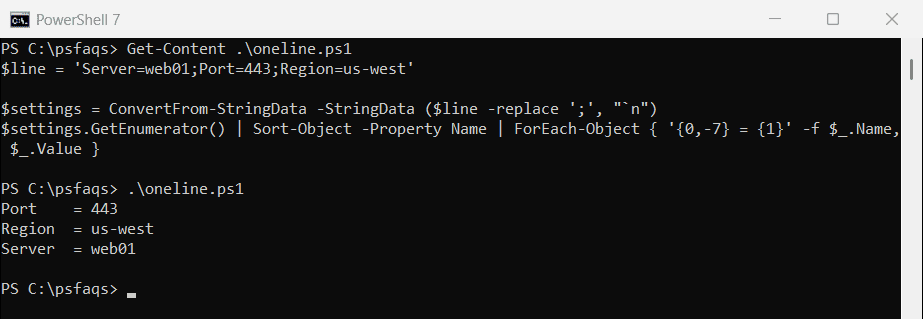
Hashtables don’t keep the original order, so I sorted the keys for display. PowerShell 7 also has a -Delimiter parameter for pairs separated by something other than =.
Every value is a string
ConvertFrom-StringData doesn’t guess types. Numbers and True/False come back as text, so convert them before you do math or comparisons:
$settings = ConvertFrom-StringData -StringData "Port=443`nEnabled=true"

"Port is a $($settings.Port.GetType().Name), Enabled is a $($settings.Enabled.GetType().Name)"
$port = [int]$settings.Port
$enabled = [System.Convert]::ToBoolean($settings.Enabled)
"After converting: $($port.GetType().Name) $port, $($enabled.GetType().Name) $enabled"
Output:
Port is a String, Enabled is a String
After converting: Int32 443, Boolean True
Converting strings to Booleans explains why ToBoolean is safer than a [bool] cast here.
Backslashes need doubling
ConvertFrom-StringData treats a backslash as the start of an escape sequence, like \n. A Windows path such as C:\Logs fails, because \L isn’t a valid sequence:
$paths = ConvertFrom-StringData -StringData "LogPath=C:\\Logs\\app"
"Doubled backslashes: $($paths.LogPath)"

try {
    $bad = ConvertFrom-StringData -StringData 'LogPath=C:\Logs\app'
    "Single backslashes:  $($bad.LogPath)"
}
catch { 'Single backslashes:  Failed. \L is not a valid escape sequence' }
Output:
Doubled backslashes: C:\Logs\app
Single backslashes:  Failed. \L is not a valid escape sequence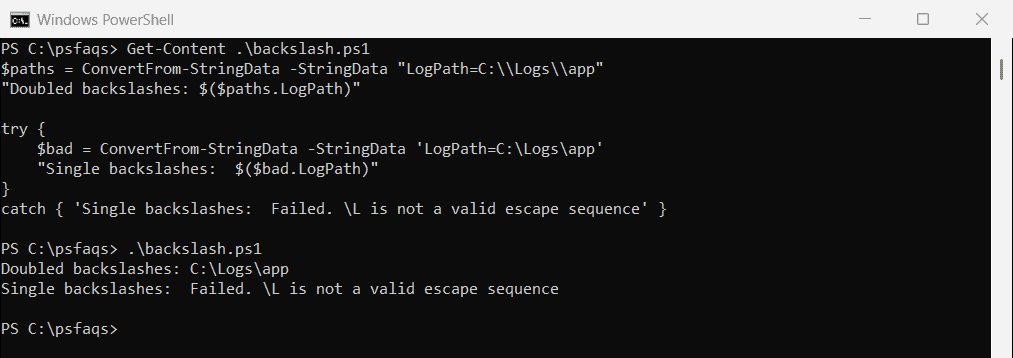
For text you read from a file, double them with -replace before converting. In the pattern, \\ matches one backslash, and in the replacement it writes two:
$line = 'LogPath=C:\Logs\app'
$escaped = $line -replace '\\', '\\'

"Escaped text: $escaped"
"Value:        $((ConvertFrom-StringData -StringData $escaped).LogPath)"
Output:
Escaped text: LogPath=C:\\Logs\\app
Value:        C:\Logs\app
Microsoft covers the escape rules in the ConvertFrom-StringData documentation.
Convert a JSON string to a hashtable
For JSON, PowerShell 7 has ConvertFrom-Json -AsHashtable. It handles nested arrays too, and in PowerShell 7.6 it returns an OrderedHashtable, which keeps the JSON key order:
$json = '{ "Name": "Emma Carter", "Office": "Seattle", "Groups": ["Sales", "VPN Users"] }'

$user = $json | ConvertFrom-Json -AsHashtable
"Type: $($user.GetType().Name)"
"Groups: $($user.Groups -join ', ')"
Output:
Type: OrderedHashtable
Groups: Sales, VPN Users
Windows PowerShell 5.1 has no -AsHashtable. Convert to an object first, then copy each property into a hashtable:
$json = '{ "Name": "Emma Carter", "Office": "Seattle" }'

$object = $json | ConvertFrom-Json
$user = @{}
foreach ($p in $object.PSObject.Properties) { $user[$p.Name] = $p.Value }
"Type: $($user.GetType().Name), Name: $($user.Name), Office: $($user.Office)"
Output:
Type: Hashtable, Name: Emma Carter, Office: SeattleThe ConvertFrom-Json documentation covers -AsHashtable and -Depth.
Convert a hashtable to a string
Putting a hashtable straight into a string gives only its type name. Join the pairs yourself, or use ConvertTo-Json for a compact one-line version:
$user = [ordered]@{ Name = 'Emma Carter'; Office = 'Seattle'; Role = 'Finance Manager' }

"Plain string:   $user"
"key=value list: $(($user.GetEnumerator() | ForEach-Object { "$($_.Key)=$($_.Value)" }) -join '; ')"
"JSON:           $($user | ConvertTo-Json -Compress)"
Output:
Plain string:   System.Collections.Specialized.OrderedDictionary
key=value list: Name=Emma Carter; Office=Seattle; Role=Finance Manager
JSON:           {"Name":"Emma Carter","Office":"Seattle","Role":"Finance Manager"}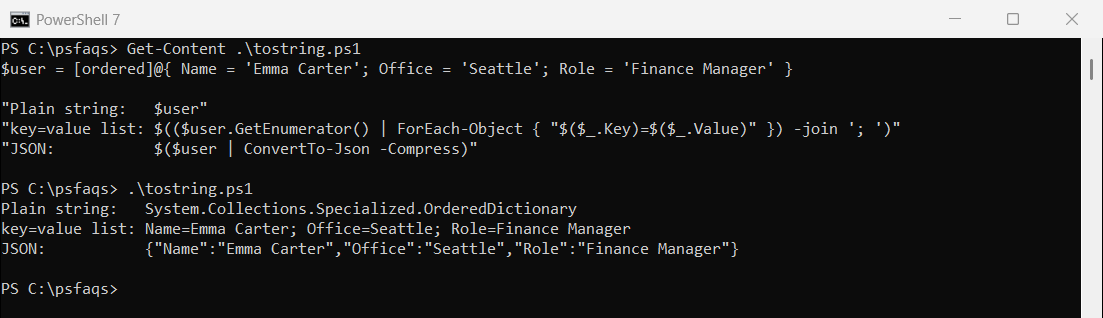
The key=value form is easy to read in logs. JSON is better when another script or program needs to read it back.
Out-String for a table
Out-String captures the same table PowerShell shows on screen, as one multi-line string:
$user = [ordered]@{ Name = 'Emma Carter'; Office = 'Seattle' }

$table = $user | Out-String
"Out-String gave $($table.Trim().Split("`n").Count) lines:"
$table.Trim()
Output:
Out-String gave 4 lines:
Name                           Value
----                           -----
Name