
PowerShell Write-Host vs Write-Output comes down to where the text goes. Write-Output sends data down the pipeline, so you can save it or pass it on, while Write-Host only displays text on the screen:
$fromOutput = Write-Output 'Sent to the pipeline'
$fromHost = Write-Host 'Shown on screen only'

"`$fromOutput holds: '$fromOutput'"
"`$fromHost holds:   '$fromHost'"
Output:
Shown on screen only
$fromOutput holds: 'Sent to the pipeline'
$fromHost holds:   ''
Below I compare both with echo, Out-Host, Write-Information, Write-Verbose and Write-Error. Every example ran in PowerShell 7.6 and Windows PowerShell 5.1, with the same results.
Why it matters in functions
Everything a function sends to the pipeline becomes its return value. Write-Host messages stay out of it, so the caller gets only the data:
function Get-OrderTotal {
    Write-Host 'Adding up the orders...'
    Write-Output (249.99 + 89.50)
}

$total = Get-OrderTotal
"The function returned: $total"
Output:
Adding up the orders...
The function returned: 339.49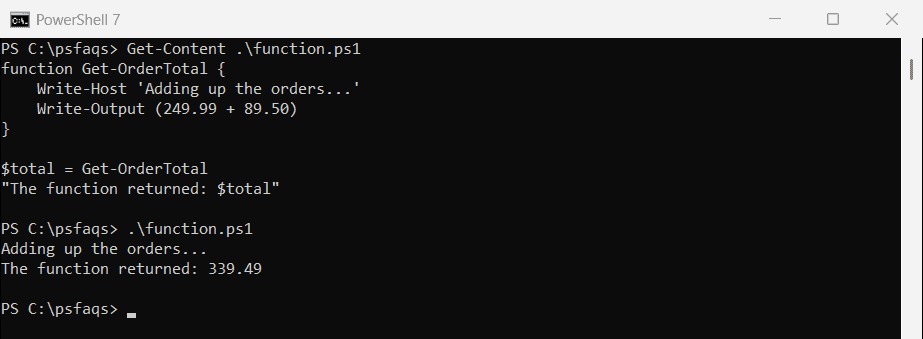
Switch that message to Write-Output, and it becomes part of the result:
function Get-OrderTotal {
    Write-Output 'Adding up the orders...'
    Write-Output (249.99 + 89.50)
}

$total = Get-OrderTotal
"The function returned $($total.Count) values: $($total -join ' | ')"
Output:
The function returned 2 values: Adding up the orders... | 339.49Now $total is an array of two values, and any math on it breaks. This is the most common bug caused by mixing the two up.
Write-Output works with the pipeline
Only Write-Output passes objects to the next command. Write-Host prints its values and passes nothing along:
$a = Write-Output 'web01', 'web02', 'sql01' | Measure-Object
$b = Write-Host 'web01', 'web02', 'sql01' | Measure-Object
"Items that reached Measure-Object: Write-Output $($a.Count), Write-Host $($b.Count)"
Output:
web01 web02 sql01
Items that reached Measure-Object: Write-Output 3, Write-Host 0
In practice you rarely need to type Write-Output. A value on its own line, like “Backup complete”, is sent to the pipeline the same way.
echo is Write-Output
echo and write are built-in aliases for Write-Output, not for Write-Host:
Get-Alias -Name echo, write | ForEach-Object { '{0,-6} -> {1}' -f $_.Name, $_.Definition }Output:
echo   -> Write-Output
write  -> Write-Output
So echo behaves exactly like Write-Output, including in functions. Use the full name in scripts that others will read.
Colors and formatting need Write-Host
Write-Host is the right choice for messages meant only for the person watching. It supports colors and -NoNewline, which Write-Output doesn’t:
Write-Host 'Checking servers...'
Write-Host 'web01  ' -NoNewline; Write-Host 'PASS' -ForegroundColor Green
Write-Host 'web02  ' -NoNewline; Write-Host 'PASS' -ForegroundColor Green
Write-Host 'sql01  ' -NoNewline; Write-Host 'FAIL' -ForegroundColor White -BackgroundColor DarkRed
Output:
Checking servers...
web01  PASS
web02  PASS
sql01  FAIL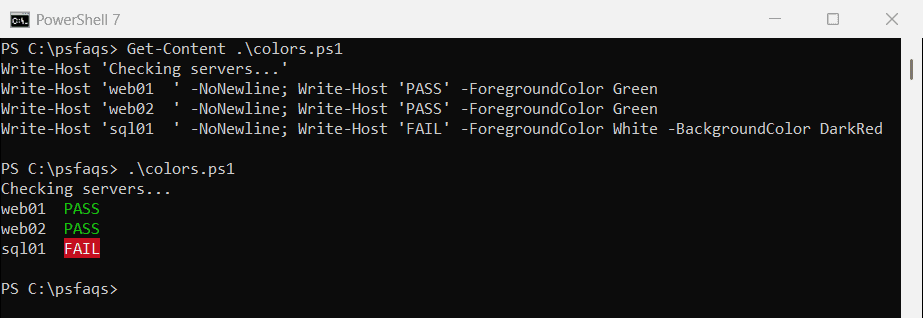
The colors show in the console but not when the text is captured or logged.
Write-Host can still be captured
Since PowerShell 5.0, Write-Host writes to the information stream, number 6. Redirect that stream with 6>&1 and you can save the messages:
$messages = & { Write-Host 'Deploying build 2026.09.29' } 6>&1

"Captured type: $($messages[0].GetType().Name)"
"Message text:  $($messages[0].MessageData)"
"Tags:          $($messages[0].Tags -join ', ')"
Output:
Captured type: InformationRecord
Message text:  Deploying build 2026.09.29
Tags:          PSHOST
Each message comes back as an InformationRecord with the tag PSHOST. That’s how logging and CI tools collect Write-Host output.
Write-Information and Write-Verbose
These two are for messages that should be hidden until someone asks for them. Write-Information shows with -InformationAction Continue, and Write-Verbose shows with -Verbose:
function Invoke-Backup {
    [CmdletBinding()]
    param()
    Write-Information 'Backing up C:\Data'
    Write-Verbose 'Found 1,204 files'
    'Backup complete'
}

'--- Default ---'
Invoke-Backup
'--- With -InformationAction Continue ---'
Invoke-Backup -InformationAction Continue
'--- With -Verbose ---'
Invoke-Backup -Verbose
Output:
--- Default ---
Backup complete
--- With -InformationAction Continue ---
Backing up C:\Data
Backup complete
--- With -Verbose ---
VERBOSE: Found 1,204 files
Backup complete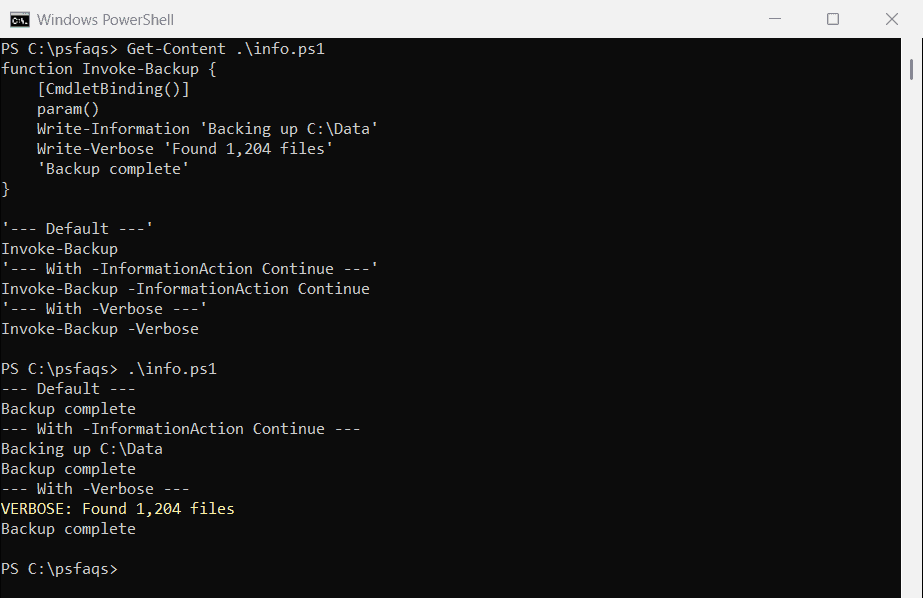
Both need [CmdletBinding()] on the function for those parameters to work. Use Write-Verbose for troubleshooting details, and Write-Information for status messages a caller might want to capture.
Write-Error: reporting a problem
Write-Error writes to the error stream, number 2. By default the script keeps going after it, which is called a non-terminating error:
$out = & {
    Write-Error -Message 'web03 did not respond'
    'The script kept going'
} 2>&1

"Item 1 is a(n) $($out[0].GetType().Name): $($out[0])"
"Item 2: $($out[1])"
Output:
Item 1 is a(n) ErrorRecord: web03 did not respond
Item 2: The script kept going
Callers can hide these with -ErrorAction SilentlyContinue or collect them with -ErrorVariable. Use throw instead when the script shouldn’t continue. PowerShell error variables covers the details.