
The fastest way to find duplicates in an array in PowerShell is Group-Object: it groups equal values, and any group with a Count above 1 is a duplicate:
$cities | Group-Object | Where-Object Count -gt 1 | ForEach-Object NameI’ll also count each value, make the check case-sensitive, find duplicate positions and duplicate objects, and show why Group-Object crawls in Windows PowerShell 5.1 and what to use there instead.
Create a sample array with duplicate values
Every example uses the same list of nine US cities. It has three repeats plus a lowercase “austin”, which is where case sensitivity starts to matter:
$cities = 'Austin', 'Denver', 'Seattle', 'austin', 'Boston',
           'Denver', 'Miami', 'Denver', 'Seattle'

"Items:  $($cities.Count)"
"Unique: $(($cities | Group-Object).Count)"
Output:
Items:  9
Unique: 5
Nine items but only five distinct cities, so four entries are extra copies. If you only need to check whether one value is in the list, the -contains operator is quicker than any of the methods below.
Find duplicates in an array with Group-Object
Group-Object puts equal values into one group and gives each group a Name and a Count. Keep the groups with a Count greater than 1, then print the Name:
$cities = 'Austin', 'Denver', 'Seattle', 'austin', 'Boston',
           'Denver', 'Miami', 'Denver', 'Seattle'

$cities | Group-Object | Where-Object Count -gt 1 | ForEach-Object Name
Output:
Austin
Denver
Seattle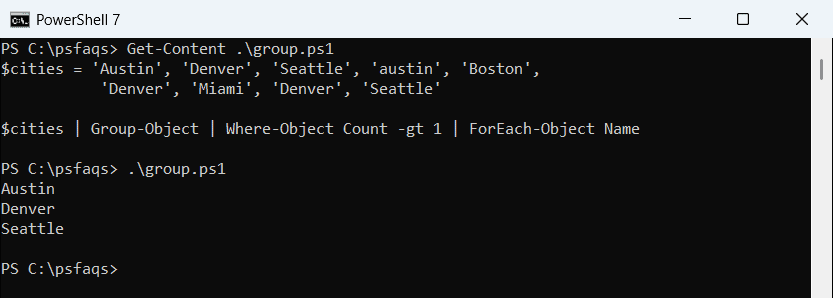
Austin is listed because Group-Object ignores case by default, so “Austin” and “austin” land in the same group. The output is sorted by name, not by where the value first appeared.
Where-Object Count -gt 1 is the short comparison syntax. The longer scriptblock form works the same way, as shown in Where-Object with multiple conditions.
How do I count how many times each value appears?
Drop the filter and add -NoElement, which leaves out the grouped items and keeps only Count and Name. Then sort by Count:
$cities = 'Austin', 'Denver', 'Seattle', 'austin', 'Boston',
           'Denver', 'Miami', 'Denver', 'Seattle'

$cities | Group-Object -NoElement |
    Sort-Object @{ Expression = 'Count'; Descending = $true }, Name |
    Format-Table Count, Name -AutoSize
Output:
Count Name
----- ----
    3 Denver
    2 Austin
    2 Seattle
    1 Boston
    1 Miami
I sort by Count and then by Name on purpose. Windows PowerShell 5.1’s Sort-Object isn’t stable, so without the second key Austin and Seattle swapped places between runs. Sorting on several properties fixes that.
Watch the type when the array holds numbers. Group-Object turns every Name into a string, while the Group property keeps the original values:
$scores = 3, 7, 3, 12, 7, 7, 40
$dupes = $scores | Group-Object | Where-Object Count -gt 1

"Name values: $($dupes.Name -join ', ') ($($dupes[0].Name.GetType().Name))"
"Original:    $($dupes.ForEach({ $_.Group[0] }) -join ', ') ($($dupes[0].Group[0].GetType().Name))"
Output:
Name values: 3, 7 (String)
Original:    3, 7 (Int32)
Use Group[0] when you need to do math with the duplicate values, or cast the Name back to [int].
Make the duplicate check case-sensitive
For IDs, product codes or file names on Linux, “Austin” and “austin” aren’t the same value. Add -CaseSensitive to Group-Object:
$cities = 'Austin', 'Denver', 'Seattle', 'austin', 'Boston',
           'Denver', 'Miami', 'Denver', 'Seattle'

"Default:        $(($cities | Group-Object | Where-Object Count -gt 1).Name -join ', ')"
"-CaseSensitive: $(($cities | Group-Object -CaseSensitive | Where-Object Count -gt 1).Name -join ', ')"
Output:
Default:        Austin, Denver, Seattle
-CaseSensitive: Denver, Seattle
Now Austin drops out, because each spelling appears only once. To treat everything as the same case without the switch, convert the strings to lowercase first.
Find duplicates with a hashtable
A hashtable gives you the same counts in one loop. Each city is a key, and ++ adds 1 to its value, starting from nothing:
$cities = 'Austin', 'Denver', 'Seattle', 'austin', 'Boston',
           'Denver', 'Miami', 'Denver', 'Seattle'

$counts = @{}
foreach ($city in $cities) { $counts[$city]++ }

$counts.GetEnumerator() | Where-Object Value -gt 1 | Sort-Object Name |
    ForEach-Object { '{0,-8} {1} times' -f $_.Key, $_.Value }
Output:
Austin   2 times
Denver   3 times
Seattle  2 times
Hashtable keys ignore case in PowerShell, so this matches Group-Object’s default. A plain hashtable doesn’t keep the insertion order, which is why I sort by name before printing. The foreach loop runs fast in both versions.
Get each repeated value as it appears with a HashSet
A HashSet stores each value once. Its Add method returns False when the value is already there, so every False is a duplicate. The OrdinalIgnoreCase comparer makes it ignore case:
$cities = 'Austin', 'Denver', 'Seattle', 'austin', 'Boston',
           'Denver', 'Miami', 'Denver', 'Seattle'

$seen  = [System.Collections.Generic.HashSet[string]]::new([StringComparer]::OrdinalIgnoreCase)
$extra = [System.Collections.Generic.List[string]]::new()

foreach ($city in $cities) {
    if (-not $seen.Add($city)) { $extra.Add($city) }
}
"Extra copies:     $($extra -join ', ')"
"Duplicate values: $(($extra | Sort-Object -Unique) -join ', ')"
Output:
Extra copies:     austin, Denver, Denver, Seattle
Duplicate values: austin, Denver, Seattle