
To create an empty array in PowerShell, assign @() to a variable. You can then add items with +=, and Count tells you how many it holds:
$servers = @()
"Empty array with $($servers.Count) items"

$servers += 'WEB01'
$servers += 'SQL01'
"Now it has $($servers.Count): $($servers -join ', ')"
Output:
Empty array with 0 items
Now it has 2: WEB01, SQL01
That’s fine for small lists. Below I cover typed and fixed-size arrays, a faster List, and the checks that trip people up. I ran every example in PowerShell 7.6 and Windows PowerShell 5.1, with the same results.
Use a List when you’ll add many items
Each += copies the whole array into a new one. For lists that grow in a loop, start with an empty generic List and call Add:
$servers = [System.Collections.Generic.List[string]]::new()
$servers.Add('WEB01')
$servers.Add('SQL01')
"List with $($servers.Count) items: $($servers -join ', ')"
Output:
List with 2 items: WEB01, SQL01Array vs ArrayList shows how big the speed difference gets.
Create an empty typed array
A type in front of the variable makes PowerShell convert or reject every item you add later:
[string[]]$names = @()
$names += 42
"42 was stored as a $($names[0].GetType().Name)"

[int[]]$ports = @()
try { $ports += 'abc' } catch { "Adding 'abc' to an [int[]] array failed" }
Output:
42 was stored as a String
Adding 'abc' to an [int[]] array failed
A [string[]] array quietly turns numbers into text, while an [int[]] array refuses text that isn’t a number.
Create an array of a fixed size
Use ::new(size) to create an array with that many slots, or multiply a one-item array to repeat a value:
$zeros  = [int[]]::new(5)
$blanks = [string[]]::new(3)
$filled = @('TBD') * 3

"[int[]]::new(5):    $($zeros -join ', ')"
"[string[]]::new(3): $(($blanks | Where-Object { $null -eq $_ }).Count) null items"
"@('TBD') * 3:       $($filled -join ', ')"
Output:
[int[]]::new(5):    0, 0, 0, 0, 0
[string[]]::new(3): 3 null items
@('TBD') * 3:       TBD, TBD, TBD
Number arrays start with zeros and string arrays start with $null. Microsoft covers the options in about_Arrays.
Returning an empty array from a function
A function that returns @() gives the caller $null, because PowerShell unrolls the array and there’s nothing inside. Put a comma in front to return the array itself:
function Get-FailedLogins { return @() }
function Get-FailedLoginsSafe { return , @() }

$a = Get-FailedLogins
$b = Get-FailedLoginsSafe
"return @():   is `$null = $($null -eq $a)"
"return ,@():  is `$null = $($null -eq $b), type $($b.GetType().Name), count $($b.Count)"
Output:
return @():   is $null = True
return ,@():  is $null = False, type Object[], count 0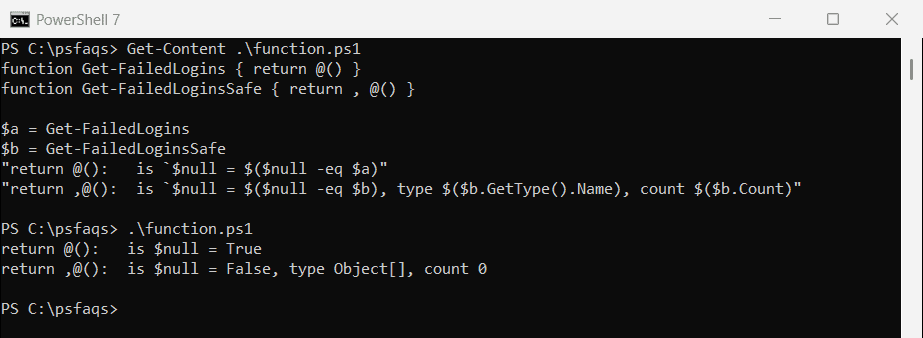
This matters when the caller runs .Count or passes the result to Compare-Object.
Check if an array’s length is greater than a number
Compare Count, or Length, with -gt:
$servers = 'WEB01', 'WEB02', 'SQL01', 'FILE01'

if ($servers.Count -gt 3) { "More than 3 servers ($($servers.Count)), splitting into batches" }
Output:
More than 3 servers (4), splitting into batchesA single result isn’t an array
When a command returns one item, you get the item itself. For a string, .Length is then the number of characters, not the number of items:
$result = 'Austin'

".Length: $($result.Length)"
".Count:  $($result.Count)"
"@().Length: $(@($result).Length)"
Output:
.Length: 6
.Count:  1
@().Length: 1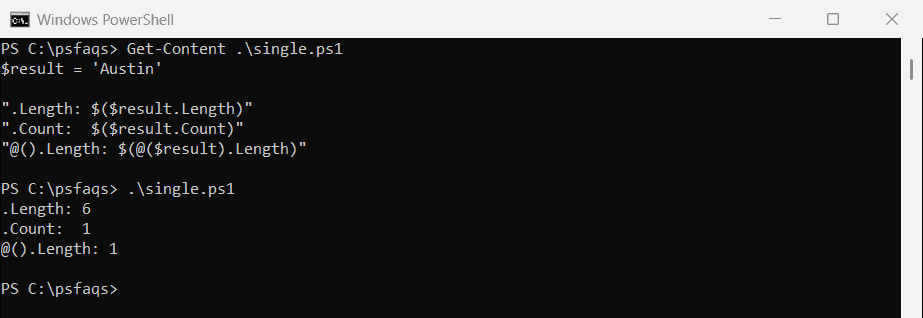
Use .Count, or wrap the result in @() before checking .Length. String length in PowerShell covers the string side.
Check for items with Count, not if ($array)
An array that holds only 0, an empty string or $null counts as False in an if statement:
$codes = @(0)

"if (`$codes):             $(if ($codes) { 'has items' } else { 'looks empty' })"
"if (`$codes.Count -gt 0): $(if ($codes.Count -gt 0) { 'has items' } else { 'looks empty' })"
Output:
if ($codes):             looks empty
if ($codes.Count -gt 0): has items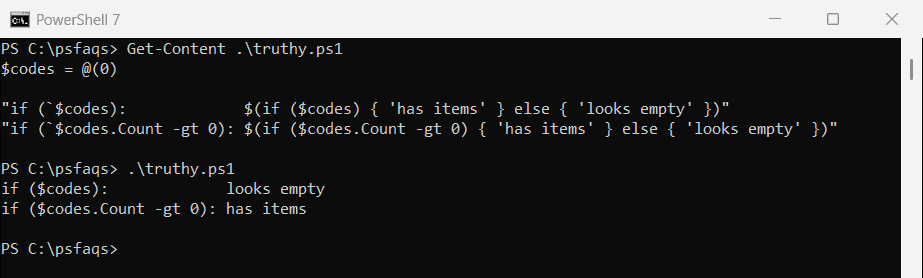
Logical operators lists every value that counts as False.
Frequently Asked Questions
How do I create an empty array in PowerShell?
Use $items = @(). For a list you’ll add to often, use [System.Collections.Generic.List[string]]::new().
How do I create an empty string array?
Use [string[]]$names = @(). Every item you add is converted to a string.
How do I create an array with a fixed size?
Use [int[]]::new(5) for five zeros, or [string[]]::new(3) for three empty slots.