
To check if a string starts with a number in PowerShell, use -match with the pattern ^\d. The caret anchors the match to the start, and \d is any digit:
'123 Main St' -match '^\d' # TrueFor strict 0 to 9 only, use ^[0-9] instead, because \d accepts digits from other alphabets too. I tested every example in PowerShell 7 and Windows PowerShell 5.1.
Check if a string starts with a digit with -match
Here’s the check on a few street addresses. Only Suite 400 doesn’t start with a number:
$addresses = '123 Main St', '7th Avenue', 'Suite 400', '1600 Pennsylvania Ave'

foreach ($a in $addresses) {
    '{0,-24} starts with a number: {1}' -f $a, ($a -match '^\d')
}
Output:
123 Main St              starts with a number: True
7th Avenue               starts with a number: True
Suite 400                starts with a number: False
1600 Pennsylvania Ave    starts with a number: True
-match returns True or False, so it drops straight into an if statement. The -match operator explains anchors and the $Matches variable in more depth.
Compare four ways to check the first character
Regex, wildcards and the IsDigit method mostly agree, but not on every input. I ran all four against some awkward strings:
$tests = '123 Main St', 'Suite 400', '', ' 42 Elm St', "$([char]0xFF17)-Eleven", '-15 degrees'

$tests | ForEach-Object {
    [pscustomobject]@{
        Text      = "'" + ($_ -replace '[^\x20-\x7E]', '#') + "'"
        RegexD    = $_ -match '^\d'
        Regex09   = $_ -match '^[0-9]'
        Like      = $_ -like '[0-9]*'
        IsDigit   = $_.Length -gt 0 -and [char]::IsDigit($_[0])
    }
} | Format-Table -AutoSize
Output:
Text          RegexD Regex09  Like IsDigit
----          ------ -------  ---- -------
'123 Main St'   True    True  True    True
'Suite 400'    False   False False   False
''             False   False False   False
' 42 Elm St'   False   False False   False
'#-Eleven'      True   False False    True
'-15 degrees'  False   False False   False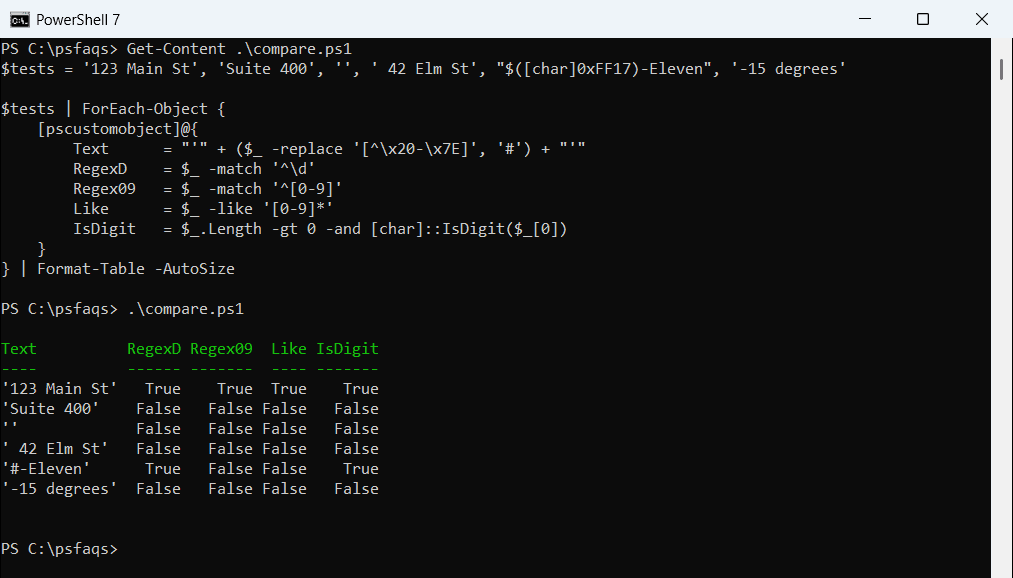
The fifth row starts with a full-width 7 (U+FF17) from East Asian text, shown as # because the console font can’t draw it. \d and IsDigit treat it as a digit, while [0-9] and -like don’t. Microsoft documents \d as any Unicode decimal digit.
A leading space fails every check, so call .Trim() first if your data might have one. The empty string is also safe here, because I test Length before reading the first character. Removing whitespace covers trimming in detail.
Get the number at the start of a string
Often you need the number, not just a yes or no. After a successful -match, $Matches[0] holds the matched text. Adding -? also catches negative numbers:
$items = '123 Main St', '7th Avenue', ' 42 Elm St', '-15 degrees', 'Suite 400'

foreach ($s in $items) {
    if ($s.Trim() -match '^-?\d+') {
        '{0,-14} -> {1}' -f "'$s'", [int]$Matches[0]
    }
    else {
        '{0,-14} -> no leading number' -f "'$s'"
    }
}
Output:
'123 Main St'  -> 123
'7th Avenue'   -> 7
' 42 Elm St'   -> 42
'-15 degrees'  -> -15
'Suite 400'    -> no leading number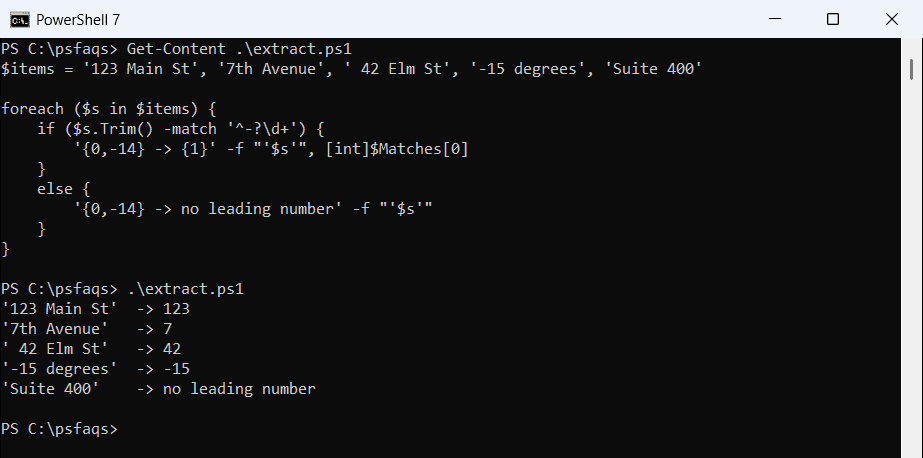
Casting with [int] turns the text into a real number you can add or compare. Converting a string to an integer shows what happens with values that don’t fit.
Filter a list to items that start with a number
The same test works inside Where-Object. Here I split file names into ones that start with a number and ones that don’t:
$files = '2026-10-07 Austin report.xlsx', 'budget.xlsx', '3Q summary.docx', 'Q4 plan.pptx', '10 tips.pdf'

"Start with a number:"
$files | Where-Object { $_ -match '^\d' } | ForEach-Object { "  $_" }
"Don't:"
$files | Where-Object { $_ -notmatch '^\d' } | ForEach-Object { "  $_" }
Output:
Start with a number:
  2026-10-07 Austin report.xlsx
  3Q summary.docx
  10 tips.pdf
Don't:
  budget.xlsx
  Q4 plan.pptx
Q4 plan.pptx stays in the second group, because Q isn’t a digit. To search file contents instead of names, use Select-String with a pattern.
How do I check if a string starts with a letter?
A character range like ‘A’..’Z’ reads nicely, but it only works in PowerShell 6 and later. Here’s the same script in both versions:
$word = 'Austin'
try {
    $upper = 'A'..'Z'
    "Starts with an uppercase letter: $($word[0] -cin $upper)"
}
catch {
    "Failed. $($_.Exception.Message)"
}
"Regex check works everywhere: $($word -cmatch '^[A-Z]')"
Output:
Starts with an uppercase letter: True
Regex check works everywhere: True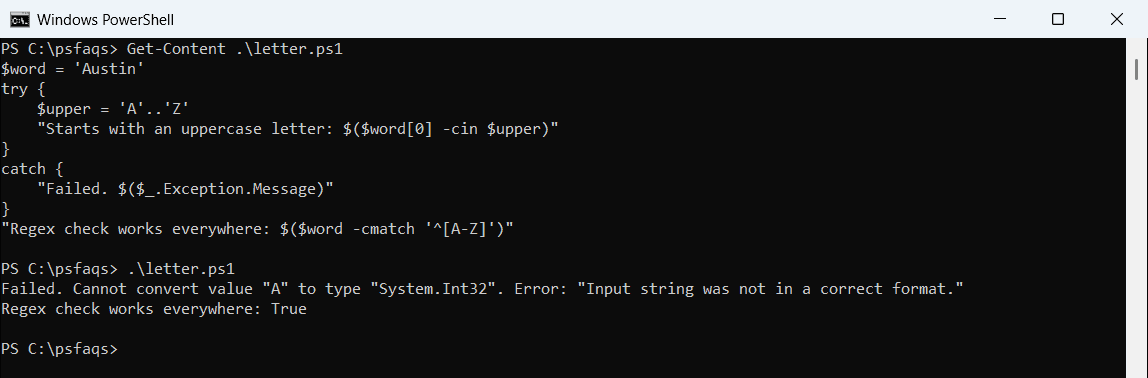
That’s PowerShell 7. Windows PowerShell 5.1 tries to turn “A” into a number and fails.
The regex ^[A-Z] with -cmatch works in both, and -cmatch makes it case-sensitive. PowerShell regex has more patterns like this.
Frequently Asked Questions
How do I check if a string starts with a number in PowerShell?
Use $string -match '^\d'