
To remove an environment variable in PowerShell for the current session, run Remove-Item on the Env: drive:
Remove-Item -Path Env:\REPORT_CITYThat only affects the current window. To delete a variable permanently, use the .NET method with the User or Machine scope, which I cover below. I also show a change in PowerShell 7.5 that trips up older scripts.
Remove a variable from the current session
The Env: drive works like a folder of variables, so Remove-Item deletes one. Test-Path confirms it’s gone:
$env:REPORT_CITY = 'Austin'
"Before: $(Test-Path -Path Env:\REPORT_CITY)"

Remove-Item -Path Env:\REPORT_CITY
"After:  $(Test-Path -Path Env:\REPORT_CITY)"
Output:
Before: True
After:  False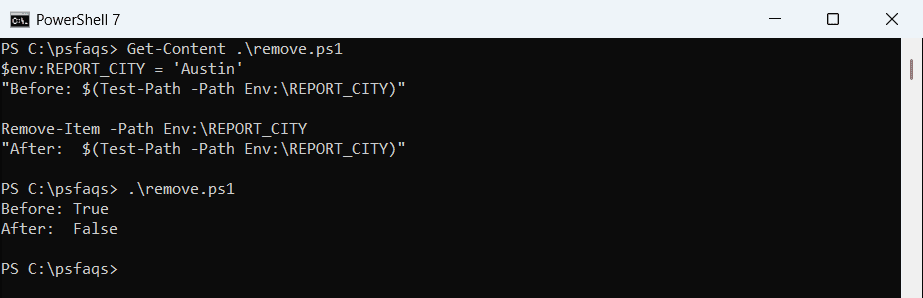
Setting the variable to $null does the same thing in every version:
$env:REPORT_CITY = 'Austin'
$env:REPORT_CITY = $null
"Still exists: $(Test-Path -Path Env:\REPORT_CITY)"
Output:
Still exists: FalseChild processes started after this point won’t see the variable, but programs that are already running keep their own copy. Remove-Item works the same way on files and registry keys, as shown in PowerShell Remove-Item.
Remove several variables with a wildcard
Remove-Item accepts wildcards, which is handy for cleaning up all the variables a script created:
$env:REPORT_CITY = 'Austin'
$env:REPORT_DAYS = '30'
$env:REPORT_SENDTO = 'ops@contoso.com'

Remove-Item -Path Env:\REPORT_*
"REPORT_ variables left: $(@(Get-ChildItem -Path Env:\REPORT_*).Count)"
Output:
REPORT_ variables left: 0Prefix your script’s variables, like REPORT_ here, so a wildcard can’t catch anything else. To see what’s set, read listing all environment variables in PowerShell.
Empty strings no longer remove variables in PowerShell 7.5+
In Windows PowerShell 5.1, assigning an empty string deleted the variable. Since PowerShell 7.5, an empty string is a real value, and the variable stays:
$env:REPORT_CITY = 'Austin'
$env:REPORT_CITY = ''
"Still exists: $(Test-Path -Path Env:\REPORT_CITY)"
Output:
Still exists: True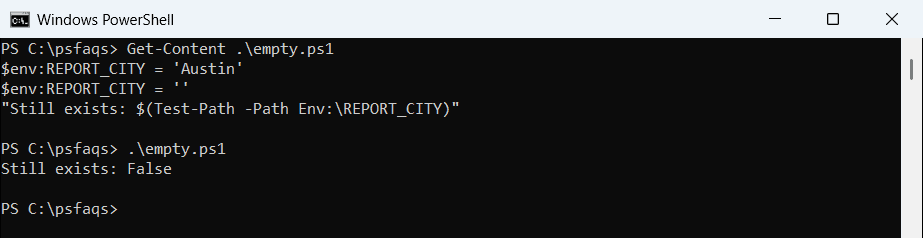
PowerShell 7.6 prints True for the same code. If a script uses $env:NAME = '' to clean up, change it to Remove-Item or $null.
The .NET method needs [NullString]::Value
[Environment]::SetEnvironmentVariable() has the same catch. In PowerShell 7.5+, $null becomes an empty string on the way to .NET, so the variable stays. [NullString]::Value passes a real null:
$env:REPORT_CITY = 'Austin'
[Environment]::SetEnvironmentVariable('REPORT_CITY', $null)
"After `$null:             $(Test-Path -Path Env:\REPORT_CITY)"

$env:REPORT_CITY = 'Austin'
[Environment]::SetEnvironmentVariable('REPORT_CITY', [NullString]::Value)
"After [NullString]::Value: $(Test-Path -Path Env:\REPORT_CITY)"
Output:
After $null:             True
After [NullString]::Value: False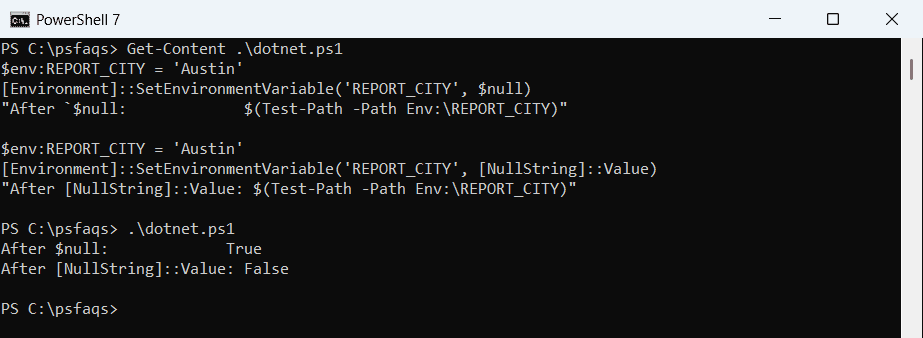
In Windows PowerShell 5.1 both lines print False.
Delete a user or system variable permanently
Remove-Item has no -Scope parameter, so older examples that use it fail:
try { Remove-Item -Path Env:\REPORT_CITY -Scope Machine -ErrorAction Stop }
catch { "Failed. $($_.Exception.Message)" }
Output:
Failed. A parameter cannot be found that matches parameter name 'Scope'.Use the .NET method with a third argument instead. An empty string deletes the variable from that scope:
# Current user (no admin rights needed)
[Environment]::SetEnvironmentVariable('REPORT_CITY', '', 'User')

# All users (run PowerShell as administrator)
[Environment]::SetEnvironmentVariable('REPORT_CITY', '', 'Machine')
Windows stores these under HKEY_CURRENT_USER\Environment and the Session Manager\Environment key in HKEY_LOCAL_MACHINE. Use the method above rather than editing the registry, because it also tells running apps about the change.
Check which scope a variable lives in
Before you delete anything, find out where it’s defined. Reading every scope is safe and doesn’t change anything:
foreach ($scope in 'Process', 'User', 'Machine') {
    $value = [Environment]::GetEnvironmentVariable('OS', $scope)
    '{0,-8} {1}' -f $scope, ($null -ne $value)
}
Output:
Process  True
User     False
Machine  True
OS comes from the Machine scope, so deleting it from User would do nothing. Close and reopen PowerShell after a permanent change, because the current session keeps its old copy.
Remove one folder from PATH
PATH is a list, so you remove an entry rather than the whole variable. This drops C:\OldTool from the user PATH:
$userPath = [Environment]::GetEnvironmentVariable('Path', 'User')
$newPath  = ($userPath -split ';' | Where-Object { $_ -and $_ -ne 'C:\OldTool' }) -join ';'
[Environment]::SetEnvironmentVariable('Path', $newPath, 'User')
Copy the old value to a text file first, in case you need to undo it. To add variables instead, see setting and getting environment variables.