
A PowerShell function returns every value it outputs, not just what follows the return keyword. Any expression you don’t assign or discard goes back to the caller:
function Get-SalesTax {
    param([decimal]$Amount, [decimal]$Rate = 0.0825)
    [math]::Round($Amount * $Rate, 2)
}

$tax = Get-SalesTax -Amount 249.99
"Tax on `$249.99 in Austin: `$$tax"
Output:
Tax on $249.99 in Austin: $20.62return only ends the function early. Below I show the most common surprise with extra output, and the clean ways to return one value, several values or an object. Everything runs the same in PowerShell 7.6 and 5.1.
Why functions return extra values
Some .NET methods output a value you didn’t ask for. ArrayList.Add returns the new item’s index, so those numbers end up in the result:
function Get-OrderIds {
    $ids = [System.Collections.ArrayList]::new()
    $ids.Add('ORD-5812')
    $ids.Add('ORD-5813')
    return $ids
}
$result = Get-OrderIds
"Returned $($result.Count) items: $($result -join ', ')"

function Get-OrderIdsFixed {
    $ids = [System.Collections.ArrayList]::new()
    [void]$ids.Add('ORD-5812')
    $null = $ids.Add('ORD-5813')
    return $ids
}
$fixed = Get-OrderIdsFixed
"Fixed version returned $($fixed.Count) items: $($fixed -join ', ')"
Output:
Returned 4 items: 0, 1, ORD-5812, ORD-5813
Fixed version returned 2 items: ORD-5812, ORD-5813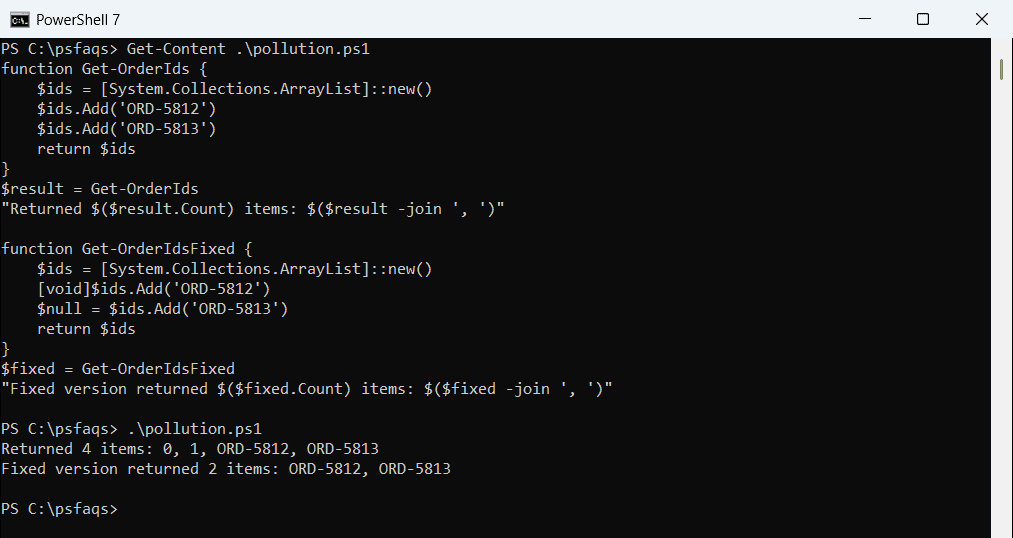
Cast to [void] or assign to $null to throw a value away. Piping to Out-Null works too, but it’s slower in loops.
Write-Host doesn’t return anything
Write-Host prints to the screen and never reaches the caller. Use it for messages, and plain output for data you want to return.
If a function needs to change a variable in the caller instead of returning a value, see reference variables in PowerShell.
Return several values as an object
For related values, a [pscustomobject] is the cleanest option. The caller gets named properties instead of positions:
function Get-StoreSummary {
    param([string]$City)
    [pscustomobject]@{
        City    = $City
        Orders  = 142
        Revenue = 18420.50
        TopItem = 'Wireless Mouse'
    }
}

$summary = Get-StoreSummary -City 'Dallas'
"$($summary.City): $($summary.Orders) orders, `$$($summary.Revenue.ToString('N2')), top item $($summary.TopItem)"
Output:
Dallas: 142 orders, $18,420.50, top item Wireless Mouse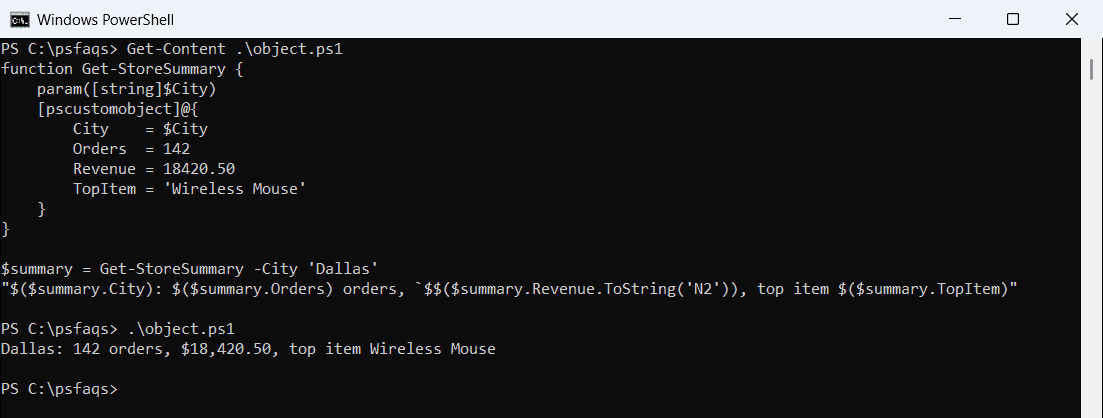
Objects also work well down the pipeline and with Export-Csv. Functions in PowerShell covers parameters and the basics.
Return multiple values and unpack them
Output a comma-separated list, and assign it to several variables at once on the calling side:
function Get-MinMax {
    param([int[]]$Numbers)
    $sorted = $Numbers | Sort-Object
    return $sorted[0], $sorted[-1]
}

$low, $high = Get-MinMax -Numbers 72, 95, 68, 88
"Lowest: $low  Highest: $high"
Output:
Lowest: 68 Highest: 95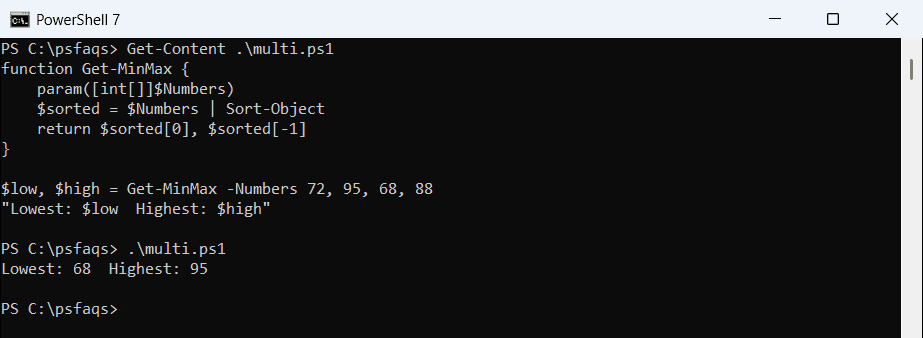
This is quick for two or three values. Past that, an object is easier to read and harder to get wrong.
Return an array with one item
PowerShell unrolls arrays on output, so an array with one item comes back as that single item. A leading comma keeps it as an array:
function Get-OneItem { return @('Austin') }
function Get-OneItemArray { return , @('Austin') }

"Without comma: $((Get-OneItem).GetType().Name)"
"With comma:    $((Get-OneItemArray).GetType().Name)"
Output:
Without comma: String
With comma:    Object[]
Write-Output -NoEnumerate $list does the same thing. This matters when the caller uses .Count or indexing.
Document the return type
[OutputType()] tells readers and tab completion what a function returns. It doesn’t change the output:
function Get-SalesTax {
    [OutputType([decimal])]
    param([decimal]$Amount, [decimal]$Rate = 0.0825)
    [math]::Round($Amount * $Rate, 2)
}
Microsoft documents it in about_Functions_OutputTypeAttribute.
Frequently Asked Questions
How do I return a value from a PowerShell function?
Output it. Any value you don’t assign or discard is returned, with or without the return keyword.
Why does my PowerShell function return extra values?
Some commands and methods output values, such as ArrayList.Add returning an index. Discard them with [void] or $null = .
How do I return multiple values from a function?
Return a [pscustomobject] with named properties, or output a list and use $a, $b = MyFunction.
What does the return keyword do in PowerShell?
It exits the function. Anything written after return on the same line is also output.
How do I return an array with a single element?
Use a leading comma: return , @('item'), or Write-Output -NoEnumerate.
More on functions and parameters: