
To check if an array is empty in PowerShell, test its Count property. An empty array has a Count of 0, and so does a variable that holds $null:
if ($array.Count -eq 0) { 'The array is empty' }The traps are $null on the wrong side, one-item arrays that look empty, and objects with no Count in Windows PowerShell 5.1. I’ll show where PowerShell 7 and 5.1 disagree.
Check if an array is empty with Count
Here’s one array with three cities and one with nothing in it yet:
$cities  = @('Austin', 'Denver', 'Seattle')
$pending = @()

foreach ($name in 'cities', 'pending') {
    $arr = Get-Variable $name -ValueOnly
    if ($arr.Count -eq 0) { "$name is empty" }
    else                  { "$name has $($arr.Count) items" }
}
"Length of pending: $($pending.Length)"
Output:
cities has 3 items
pending is empty
Length of pending: 0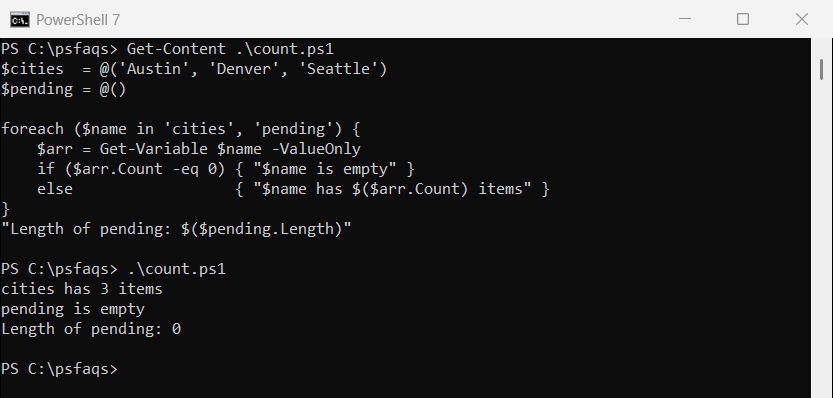
Length gives the same number for arrays, so $pending.Length -eq 0 works too. I prefer Count because lists and other collections have it as well.
To start one, see how to create an empty array. Getting the array length covers Count in more depth.
Why should $null go on the left side?
With an array on the left, -eq doesn’t compare the whole array. It filters the array and returns the matching items:
foreach ($arr in @(), @($null)) {
    "Items: $($arr.Count)"
    "  `$arr -eq `$null -> $([bool]($arr -eq $null))"
    "  `$arr -ne `$null -> $([bool]($arr -ne $null))"
    "  `$null -eq `$arr -> $($null -eq $arr)"
}
Output:
Items: 0
  $arr -eq $null -> False
  $arr -ne $null -> False
  $null -eq $arr -> False
Items: 1
  $arr -eq $null -> False
  $arr -ne $null -> False
  $null -eq $arr -> False
Both -eq and -ne say False for the empty array and for an array holding one $null. Microsoft’s guidance is to write $null -eq $arr, which compares the variable itself.
$null -eq @() is False too, because an empty array is an object with zero items. Indexing into a real $null gives the Cannot index into a null array error.
Check if an array is null or empty
When a variable might be $null or an empty array, check both in one line. -or stops at the first True, so Count never runs on a missing value:
function Test-Empty ($Value) {
    $null -eq $Value -or $Value.Count -eq 0
}

$notSet  = $null
$empty   = @()
$oneNull = @($null)
$orders  = @(1001, 1002)

"notSet:  $(Test-Empty $notSet)"
"empty:   $(Test-Empty $empty)"
"oneNull: $(Test-Empty $oneNull)"
"orders:  $(Test-Empty $orders)"
"@(`$notSet).Count = $(@($notSet).Count)"
Output:
notSet:  True
empty:   True
oneNull: False
orders:  False
@($notSet).Count = 1
An array holding one $null has one item, so it isn’t empty. That’s also why @($notSet).Count returns 1, not 0.
For strings, use the dedicated method instead, covered in PowerShell IsNullOrEmpty.
Is if (-not $array) a safe empty check?
An empty array is False in an if statement, but a one-item array takes the truth value of its only item:
$tests = [ordered]@{
    'empty @()'    = @()
    'one zero'     = @(0)
    'one blank'    = @('')
    'two zeros'    = @(0, 0)
}
foreach ($t in $tests.GetEnumerator()) {
    '{0,-10} Count {1}  if() says {2}' -f $t.Key, $t.Value.Count, $(if ($t.Value) { 'has data' } else { 'empty' })
}
Output:
empty @()  Count 0  if() says empty
one zero   Count 1  if() says empty
one blank  Count 1  if() says empty
two zeros  Count 2  if() says has data
@(0) and @(”) both look empty to if, even though Count is 1. Two zeros are True because any array with two or more items is True.
Use if only when the items can never be 0, blank or $false. More on how conditions evaluate is in PowerShell if-else statements.
Empty results from functions and cmdlets
“No results” from a function or cmdlet isn’t always the same thing. Here are five ways to get nothing:
function Get-Nothing { }
function Get-EmptyArray { return @() }
function Get-KeptArray  { return , @() }

$a = Get-Nothing
$b = Get-EmptyArray
$c = Get-KeptArray
$d = Get-ChildItem C:\Windows -Filter *.nomatch
$e = (1, 2, 3).Where({ $_ -gt 5 })

foreach ($name in 'a', 'b', 'c', 'd', 'e') {
    $v = Get-Variable $name -ValueOnly
    '${0}  is $null: {1,-5}  Count: {2}' -f $name, ($null -eq $v), $v.Count
}
Output:
$a  is $null: True   Count: 0
$b  is $null: True   Count: 0
$c  is $null: False  Count: 0
$d  is $null: True   Count: 0
$e  is $null: False  Count: 0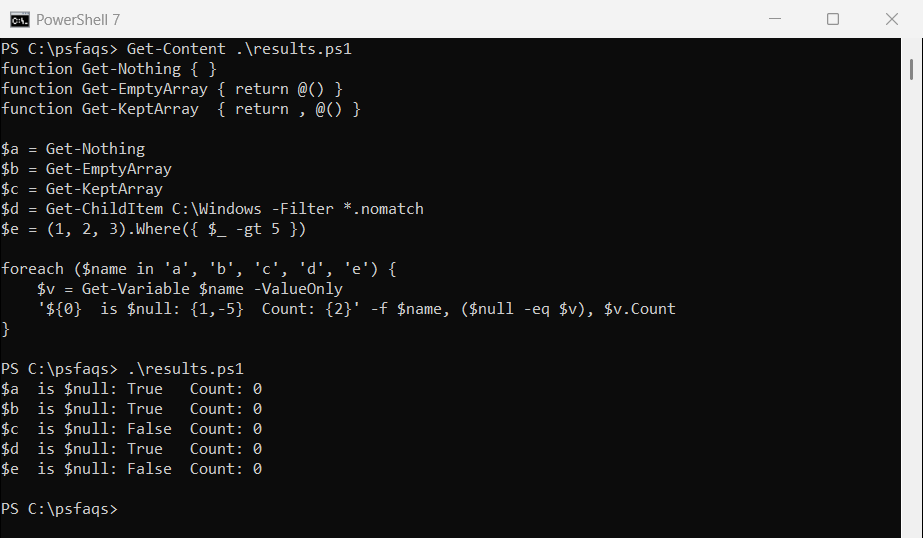
A silent function, return @() and a cmdlet with no matches all give you $null. Only return , @() and .Where() hand back a real empty collection.
Count is 0 in all five, so it’s the safest check. The return behavior is explained in PowerShell function return values.
Count on a single object: PowerShell 7 vs 5.1
When a command returns just one object, you get the object, not a one-item array. PowerShell 7 adds a Count of 1 to it, but Windows PowerShell 5.1 doesn’t do that for [pscustomobject]:
$user = [pscustomobject]@{ Name = 'Maria Lopez'; City = 'Austin' }

"Count:        [$($user.Count)]"
"@() Count:    [$(@($user).Count)]"
"Count -eq 1:  $($user.Count -eq 1)"
Output:
Count:        [1]
@() Count:    [1]
Count -eq 1:  True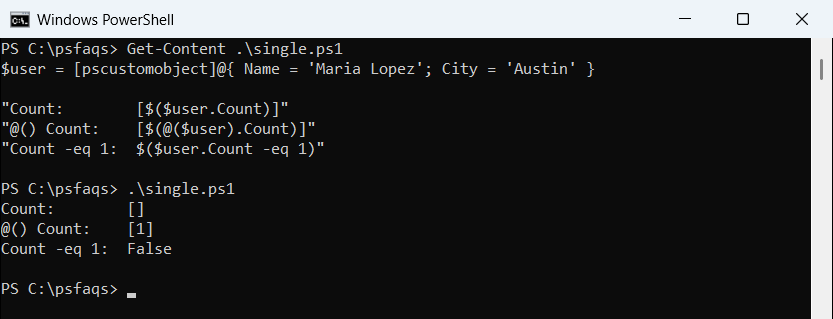
That’s PowerShell 7 above. In 5.1, $user.Count is blank and Count -eq 1 is False, as the screenshot shows.
W