
To find an element in a PowerShell array by value, use -contains to check if it’s there, IndexOf() to get its position, or .Where() to return the matching items:
$cities -contains 'Denver'      # True or False
$cities.IndexOf('Denver')       # position, or -1
$cities.Where({ $_ -eq 'Denver' })   # the matching items
They behave differently with upper and lower case, duplicates and objects. Below I show each one on the same city list. The output was identical in PowerShell 7 and 5.1.
Check if a value is in the array
-contains puts the array on the left and -in puts it on the right. Both ignore case:
$cities = 'Austin', 'Denver', 'Seattle', 'Boston', 'Denver'

"Has Denver:  $($cities -contains 'denver')"
"Denver in:   $('Denver' -in $cities)"
"Has Dallas:  $($cities -contains 'Dallas')"
Output:
Has Denver:  True
Denver in:   True
Has Dallas:  False
They compare whole items, so ‘Den’ doesn’t match Denver. For partial matches, use -match or -like, shown further down. More in PowerShell array contains.
Get the position with IndexOf
IndexOf returns the index of the first match, or -1 if there’s none. Unlike PowerShell operators, it’s case-sensitive:
$cities = 'Austin', 'Denver', 'Seattle', 'Boston', 'Denver'

"IndexOf('Denver'):  $($cities.IndexOf('Denver'))"
"IndexOf('denver'):  $($cities.IndexOf('denver'))"
$i = [array]::FindIndex([string[]]$cities, [Predicate[string]]{ param($c) $c -eq 'denver' })
"FindIndex, any case: $i"
Output:
IndexOf('Denver'):  1
IndexOf('denver'):  -1
FindIndex, any case: 1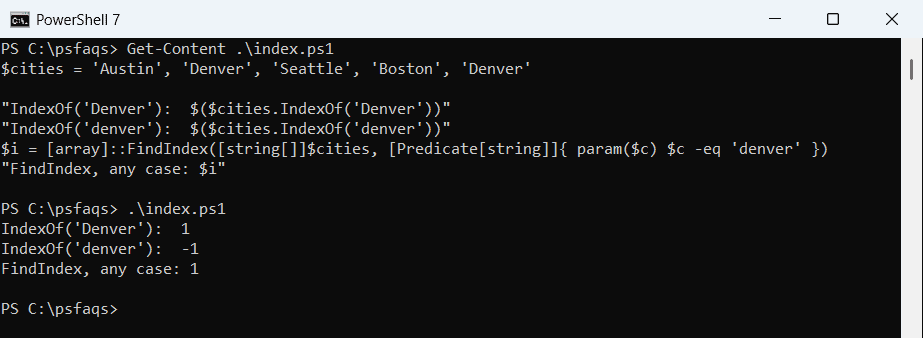
FindIndex takes a script block, so it uses PowerShell’s case-insensitive -eq. Both return the first match only. Case rules for text are covered in comparing strings.
Find every index of a value
Denver appears twice. Loop over the index numbers and keep the ones that match:
$cities = 'Austin', 'Denver', 'Seattle', 'Boston', 'Denver'

$indexes = (0..($cities.Count - 1)).Where({ $cities[$_] -eq 'Denver' })
"Denver is at index: $($indexes -join ', ')"
Output:
Denver is at index: 1, 4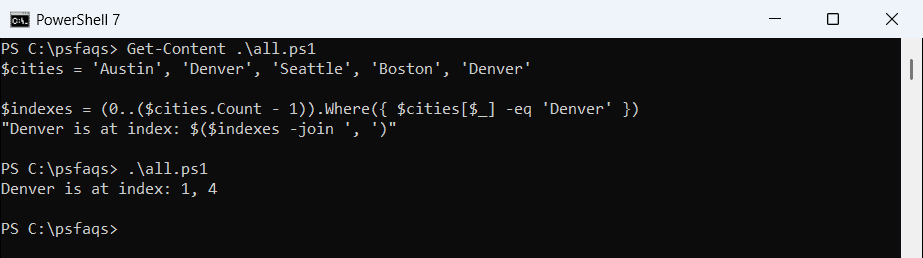
Indexes start at 0, so these are the second and fifth items. To remove duplicates instead, see removing duplicates from an array.
Return the matching items
With an array on the left, -eq and -match act as filters and return the matching items, not True or False. .Where() with ‘First’ stops at the first match:
$cities = 'Austin', 'Denver', 'Seattle', 'Boston', 'Denver'

"-eq returns:    $(($cities -eq 'Denver') -join ', ')"
"-match returns: $(($cities -match 'ston$') -join ', ')"
"First B city:   $($cities.Where({ $_ -like 'B*' }, 'First'))"
Output:
-eq returns:    Denver, Denver
-match returns: Boston
First B city:   Boston
-match uses regular expressions, so ‘ston$’ means ending in ston. More patterns are in PowerShell regex.
Find objects by a property value
Arrays of objects work the same way. Compare a property inside the script block:
$orders = @(
    [pscustomobject]@{ Id = 'ORD-1001'; City = 'Austin';  Total = 250 }
    [pscustomobject]@{ Id = 'ORD-1002'; City = 'Denver';  Total = 1200 }
    [pscustomobject]@{ Id = 'ORD-1003'; City = 'Seattle'; Total = 90 }
)

$order = $orders.Where({ $_.Id -eq 'ORD-1002' }, 'First')[0]
"Found $($order.Id): $($order.City), `$$($order.Total)"

$orders | Where-Object Total -GT 200 | Select-Object -Property Id, City
Output:
Found ORD-1002: Denver, $1200

Id       City
--       ----
ORD-1001 Austin
ORD-1002 Denver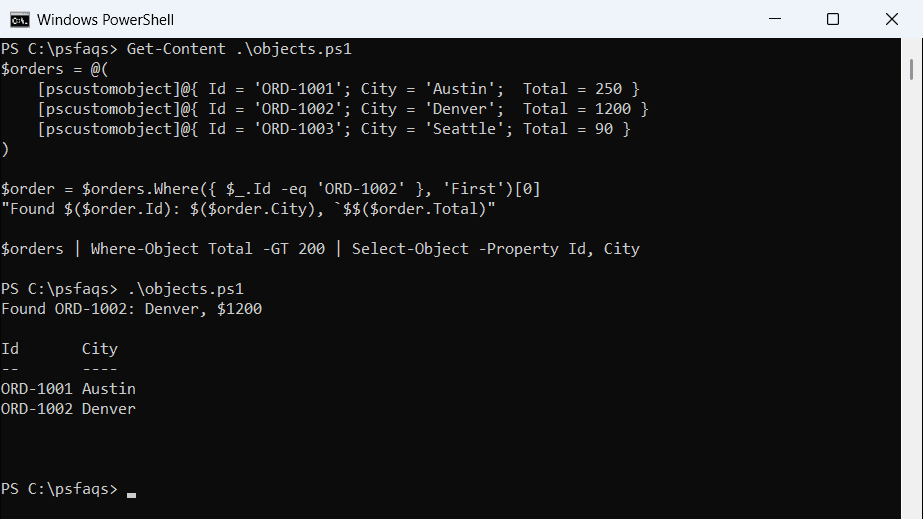
.Where() always returns a collection, so [0] takes the single order out. In the string, `$ prints a literal dollar sign before the total. For more filters, see PowerShell Where-Object.
Use a hashtable for many lookups
Searching a big array again and again is slow, because every search scans the whole list. Build a hashtable once, keyed by the value you look up, and each lookup is instant:
$orders = @(
    [pscustomobject]@{ Id = 'ORD-1001'; City = 'Austin';  Total = 250 }
    [pscustomobject]@{ Id = 'ORD-1002'; City = 'Denver';  Total = 1200 }
    [pscustomobject]@{ Id = 'ORD-1003'; City = 'Seattle'; Total = 90 }
)

$byId = @{}
foreach ($o in $orders) { $byId[$o.Id] = $o }

"ORD-1003 ships to $($byId['ORD-1003'].City)"
"Has ORD-9999: $($byId.ContainsKey('ORD-9999'))"
Output:
ORD-1003 ships to Seattle
Has ORD-9999: False
This is how I match records from two large CSV files. See dictionaries and hashtables in PowerShell for more.
Frequently Asked Questions
How do I check if an array contains a value in PowerShell?
Use $array -contains 'value' or 'value' -in $array. Both return True or False and ignore case. See about_Comparison_Operators.
How do I find the index of an element in a PowerShell array?
Use $array.IndexOf('value'). It returns -1 if the value isn’t found, and it’s case-sensitive, as the Array.IndexOf reference notes.