
To find null or empty values with Where-Object, test the property with [string]::IsNullOrWhiteSpace(). It catches $null, empty strings and values that are only spaces. Here it finds employees with no department in a CSV file:
Import-Csv -Path C:\psfaqs\employees.csv |
    Where-Object { [string]::IsNullOrWhiteSpace($_.Department) } |
    Select-Object -Property Name, Department
Output:
Name       Department
----       ----------
Bob Smith
Dan Miller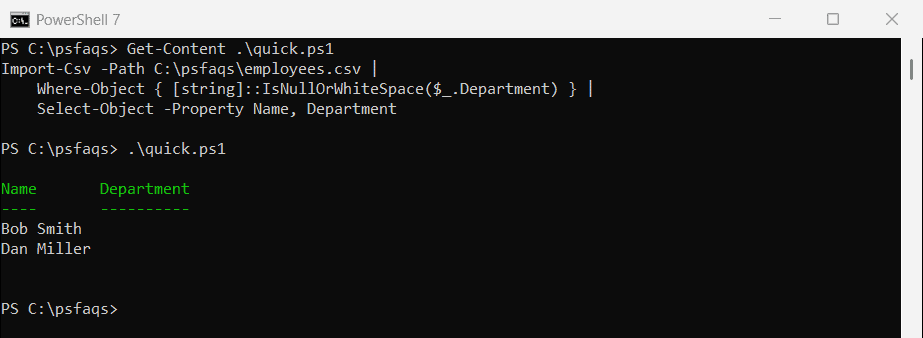
Dan’s department is two spaces, so it looks filled in but isn’t. To keep only the rows that have a value, add -not:
Import-Csv -Path C:\psfaqs\employees.csv |
    Where-Object { -not [string]::IsNullOrWhiteSpace($_.Department) } |
    Select-Object -Property Name, Department
Output:
Name          Department
----          ----------
Alice Johnson Sales
Carol Davis   Marketing
I ran every example in PowerShell 7.6 and Windows PowerShell 5.1. One shortcut works only in PowerShell 7, and I point it out below.
Why doesn’t -eq $null find blank CSV cells?
Import-Csv turns a blank cell into an empty string, not $null. So a -eq $null filter finds nothing:
$rows = Import-Csv -Path C:\psfaqs\employees.csv

"Bob's department is null:  $($null -eq $rows[1].Department)"
"Bob's department is empty: $($rows[1].Department -eq '')"
"Rows found with -eq `$null: $(@($rows | Where-Object { $_.Department -eq $null }).Count)"
Output:
Bob's department is null:  False
Bob's department is empty: True
Rows found with -eq $null: 0
The same goes for most text you read from files. That’s why I reach for IsNullOrEmpty or IsNullOrWhiteSpace rather than comparing with $null.
Null vs empty vs whitespace: which check to use
Each check catches a different set of values. Here are four common ones run against the same objects:
$items = @(
    [pscustomobject]@{ Name = 'Null';       Dept = $null }
    [pscustomobject]@{ Name = 'Empty';      Dept = '' }
    [pscustomobject]@{ Name = 'Spaces';     Dept = '   ' }
    [pscustomobject]@{ Name = 'Has value';  Dept = 'IT' }
)

$tests = [ordered]@{
    '$null -eq $_.Dept'          = { $null -eq $_.Dept }
    '-not $_.Dept'               = { -not $_.Dept }
    'IsNullOrEmpty($_.Dept)'     = { [string]::IsNullOrEmpty($_.Dept) }
    'IsNullOrWhiteSpace($_.Dept)' = { [string]::IsNullOrWhiteSpace($_.Dept) }
}

foreach ($test in $tests.GetEnumerator()) {
    $found = ($items | Where-Object -FilterScript $test.Value).Name -join ', '
    '{0,-29} {1}' -f $test.Key, $found
}
Output:
$null -eq $_.Dept             Null
-not $_.Dept                  Null, Empty
IsNullOrEmpty($_.Dept)        Null, Empty
IsNullOrWhiteSpace($_.Dept)   Null, Empty, Spaces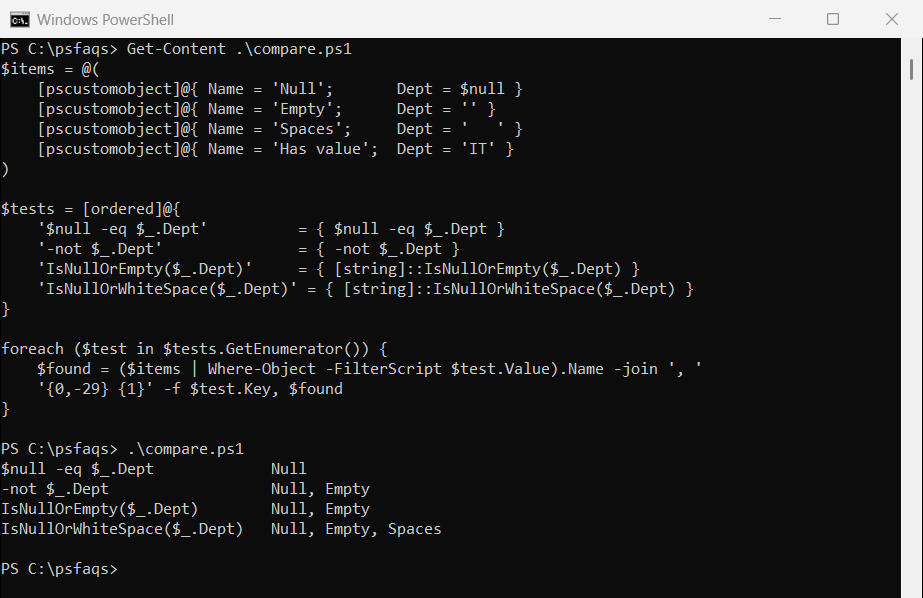
| Check | Catches | Use it when |
|---|---|---|
$null -eq $_.Prop | Only $null | The property is missing or never set |
-not $_.Prop | $null, empty string, 0, $false | You want a quick check on text |
[string]::IsNullOrEmpty() | $null and empty string | Spaces count as a real value |
[string]::IsNullOrWhiteSpace() | $null, empty and spaces only | User input, CSV and form data |
More detail on the two .NET methods is in IsNullOrEmpty vs IsNullOrWhiteSpace.
Careful with numbers: 0 is not empty
A plain truthy check like Where-Object { $_.Stock } treats 0 the same as $null. That quietly drops real data:
$products = @(
    [pscustomobject]@{ Name = 'Mouse';