
Get-FileHash is the built-in PowerShell cmdlet that calculates a file’s hash. Give it a path and you get a SHA256 hash; add -Algorithm MD5 when a download page lists an MD5 checksum:
Get-FileHash 'C:\Downloads\setup.zip'
Get-FileHash 'C:\Downloads\setup.zip' -Algorithm MD5
A hash is a fingerprint of a file’s content. Rename the file and the hash stays the same, but change a single character inside it and you get a completely different value.
I’ll cover the parameters, every algorithm, checksum checks, whole folders, comparing files and folders, strings, and what changed between PowerShell 7 and Windows PowerShell 5.1 when I tested it.
Create sample files to follow along
Open PowerShell in an empty test folder and run this. It makes a downloads folder with a few small files, a copy of one of them, and a checksum file:
New-Item -ItemType Directory .\downloads\backup -Force | Out-Null
[IO.File]::WriteAllText("$PWD\downloads\readme.txt", "Quarterly report for Austin office")
[IO.File]::WriteAllText("$PWD\downloads\invoice-2026-10.csv", "Customer,Amount`nMaria Lopez,1250`nTom Baker,980")
[IO.File]::WriteAllText("$PWD\downloads\readme.md5", "ce9bbe0a276ebc3f9bc1427549dcab7f *readme.txt")
Copy-Item .\downloads\invoice-2026-10.csv .\downloads\backup\invoice-copy.csv
Set-Content -LiteralPath .\downloads\report[final].txt -Value "final" -NoNewline

Get-ChildItem .\downloads -File -Recurse | ForEach-Object Name
Output:
invoice-2026-10.csv
readme.md5
readme.txt
report[final].txt
invoice-copy.csv
The text is written with fixed bytes, so you’ll get the same hashes I show. If you’re new to listing files, here’s how Get-ChildItem works.
Get-FileHash syntax and parameters
Get-FileHash has been built in since PowerShell 4.0, so there’s nothing to install. It has three ways to name the input and one switch for the algorithm:
| Parameter | What it does |
|---|---|
| -Path | One or more file paths. Wildcards like *.zip work. Accepts paths from the pipeline. |
| -LiteralPath | A path used exactly as typed, so [ ] and * are plain characters. Aliases: PSPath, LP. |
| -InputStream | A .NET stream instead of a file, for example text you turned into bytes. |
| -Algorithm | SHA1, SHA256, SHA384, SHA512 or MD5. SHA256 when you leave it out. |
It returns a FileHash object with three properties: Algorithm, Hash and Path. Other file properties, like size and dates, come from Get-Item and the file’s details.
Get the SHA256 hash of a file
Run Get-FileHash with just a path to get the default SHA256 hash. Piping it to Format-List keeps the long value on one line:
Get-FileHash .\downloads\readme.txt | Format-ListOutput:
Algorithm : SHA256
Hash      : DDD78667FF1591434F63EB4824B77656CF7C489013F923B6261008A6CDB4FEA2
Path      : C:\psfaqs\downloads\readme.txt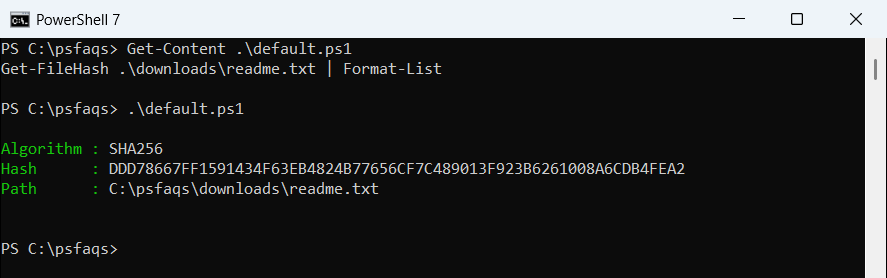
The hash is 64 hex characters in uppercase, and Path is always the full path. See Format-List in PowerShell for picking which properties to show.
Get the MD5 hash of a file with Get-FileHash
For MD5, add -Algorithm MD5. Add .Hash when you only want the value:
Get-FileHash .\downloads\readme.txt -Algorithm MD5 | Format-List

(Get-FileHash .\downloads\readme.txt -Algorithm MD5).Hash
Output:
Algorithm : MD5
Hash      : CE9BBE0A276EBC3F9BC1427549DCAB7F
Path      : C:\psfaqs\downloads\readme.txt

CE9BBE0A276EBC3F9BC1427549DCAB7F