
To extract text between two delimiters in PowerShell, match it with a regular expression and a capture group. The part in parentheses lands in $Matches[1]:
$text = 'Invoice [1042] shipped to [Austin, TX]'

if ($text -match '\[(.*?)\]') {
    "Between the first brackets: $($Matches[1])"
}
Output:
Between the first brackets: 1042The ? after .* matters more than it looks, and -match only returns the first match. Both are covered below. I ran every example in PowerShell 7.6 and Windows PowerShell 5.1, with the same results.
Greedy vs lazy: why you got too much text
.* grabs as much as it can, so it runs from the first bracket to the last one. .*? stops at the first closing bracket:
$text = 'Invoice [1042] shipped to [Austin, TX]'

if ($text -match '\[(.*)\]')  { "Greedy (.*):  $($Matches[1])" }
if ($text -match '\[(.*?)\]') { "Lazy (.*?):   $($Matches[1])" }
Output:
Greedy (.*):  1042] shipped to [Austin, TX
Lazy (.*?):   1042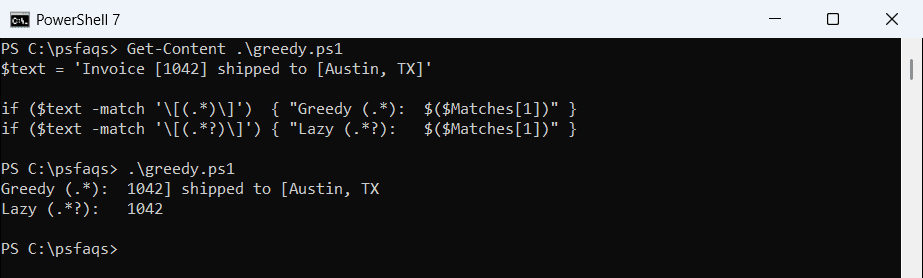
Another safe pattern is “anything except the closing delimiter,” like \[([^\]]*)\]. Brackets and parentheses need a backslash in regex because they have special meanings.
Greedy and lazy matching are part of regex in general, covered in PowerShell regex.
Get every match, not just the first
-match stops at the first match. [regex]::Matches() returns all of them, and Groups[1] is the captured text:
$text = 'Invoice [1042] shipped to [Austin, TX]'

[regex]::Matches($text, '\[(.*?)\]') | ForEach-Object { $_.Groups[1].Value }
Output:
1042
Austin, TX
Extract text between parentheses
The same idea works for parentheses. Here it pulls the area code out of US phone numbers:
$phones = '(212) 555-0147', '(415) 555-0199', '555-0123'

foreach ($phone in $phones) {
    if ($phone -match '\((\d{3})\)') { "$phone -> area code $($Matches[1])" }
    else                             { "$phone -> no area code" }
}
Output:
(212) 555-0147 -> area code 212
(415) 555-0199 -> area code 415
555-0123 -> no area code
Watch out: $Matches keeps its old value
When -match fails, it doesn’t clear $Matches. The previous result is still there:
foreach ($text in 'Order (1042)', 'No parentheses here') {
    $null = $text -match '\((\d+)\)'
    "$text -> $($Matches[1])"
}
Output:
Order (1042) -> 1042
No parentheses here -> 1042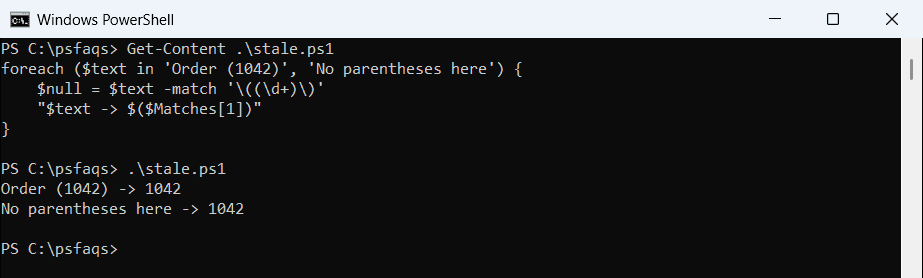
The second string has no parentheses, but it still printed 1042. Only read $Matches inside an if that checks the result of -match, as in the phone example.
Extract text without regex: IndexOf and Substring
For fixed delimiters in a predictable format, IndexOf() and Substring() work too:
$line = 'user=alice.johnson;dept=Sales;office=Austin'

$start = $line.IndexOf('dept=') + 'dept='.Length
$end   = $line.IndexOf(';', $start)
$line.Substring($start, $end - $start)
Output:
SalesIt’s more code than a regex, but there’s nothing to escape. Check that IndexOf didn’t return -1 before you call Substring, or the script will stop with an error.
Pull several parts out with named groups
Name each group with ?<name> and read it from $Matches by name. It’s clearer than counting groups:
$entry = '2026-09-28 14:05:12 [WARN] Disk C: is 91% full'

if ($entry -match '^(?<date>\S+) (?<time>\S+) \[(?<level>\w+)\] (?<message>.+)$') {
    "Level:   $($Matches.level)"
    "Message: $($Matches.message)"
}
Output:
Level:   WARN
Message: Disk C: is 91% full
about_Regular_Expressions covers groups, anchors and the other regex building blocks.
Extract lines between two strings in a file
To get the lines between two marker lines, loop through the file and switch a flag on and off:
$inside = $false
foreach ($line in Get-Content -Path C:\psfaqs\deploy.log) {
    if ($line -like '*END ERRORS*')   { $inside = $false }
    if ($inside)                      { $line }
    if ($line -like '*BEGIN ERRORS*') { $inside = $true }
}
Output:
09:01 Web01: timeout after 30 seconds
09:02 Web03: disk space low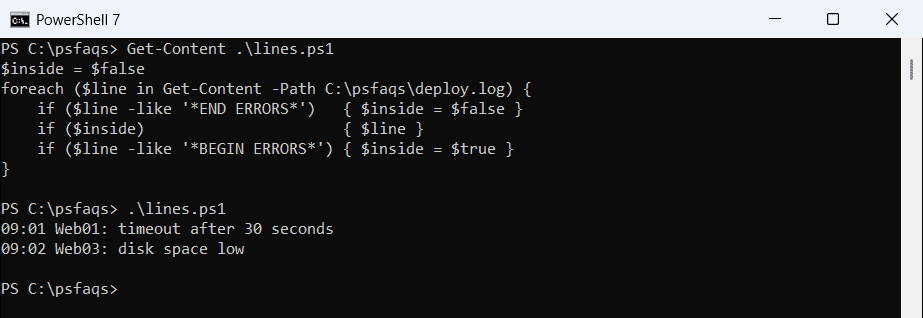
The order of the three checks keeps the marker lines themselves out of the result. It reads one line at a time, so it works on large logs too.
Or read the file as one string
With -Raw, the whole file is one string, and (?s)</