
To concatenate strings in PowerShell, put the variables inside double quotes, or join them with the + operator. The -f format operator works too:
$first = 'Alice'
$last  = 'Johnson'

"$first $last"
$first + ' ' + $last
'{0}, {1}' -f $last, $first
Output:
Alice Johnson
Alice Johnson
Johnson, Alice
All three give the same result here. The differences show up with numbers, dates, object properties and loops. I ran every example in PowerShell 7.6 and Windows PowerShell 5.1.
Concatenate a string and a number
With +, the value on the left decides what happens. A number on the left means addition, and a string on the left means joining text:
"1 + '2'   = $(1 + '2')"
"'1' + 2   = $('1' + 2)"
"'Order ' + 1042 = $('Order ' + 1042)"
Output:
1 + '2'   = 3
'1' + 2   = 12
'Order ' + 1042 = Order 1042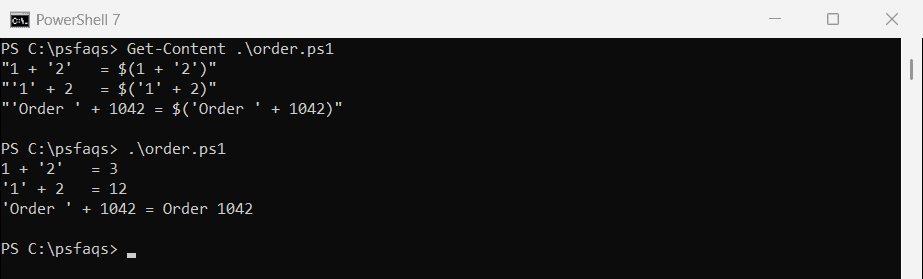
If you start with a string, PowerShell converts the number for you. Putting everything in double quotes avoids the question entirely: "Order $id".
Concatenate a string and a date
A string plus a date works, but a date plus a string doesn’t. Format the date yourself so you control how it looks:
$shipDate = [datetime]'2026-09-28 14:30'

'Report_' + $shipDate
'Report_' + $shipDate.ToString('yyyy-MM-dd') + '.csv'
try { $shipDate + '_Report' } catch { "Date first: $($_.Exception.GetType().Name)" }
Output:
Report_09/28/2026 14:30:00
Report_2026-09-28.csv
Date first: MethodException
PowerShell converts the date in the first line with a fixed format (month/day/year and 24-hour time), whatever your regional settings are. For file names, use .ToString('yyyy-MM-dd'), which sorts correctly.
Put object properties inside a string
Inside double quotes, PowerShell only expands the variable name, not the property after the dot. Wrap it in $():
$user = [pscustomobject]@{ Name = 'Alice Johnson'; City = 'Austin' }

"Wrong: $user.Name"
"Right: $($user.Name) from $($user.City)"
Output:
Wrong: @{Name=Alice Johnson; City=Austin}.Name
Right: Alice Johnson from Austin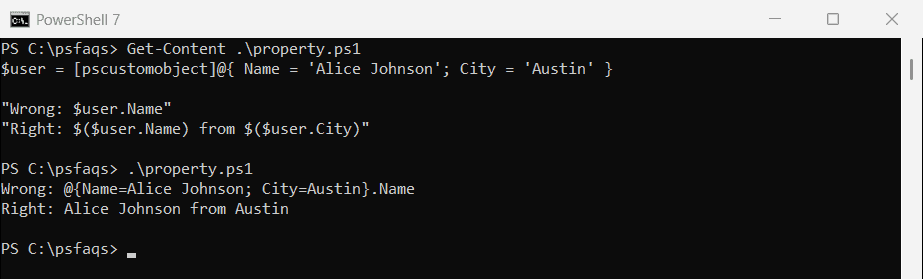
The same goes for method calls and math, like "Total: $($price * $qty)".
Format numbers and currency with -f
For decimals and dollar amounts, the -f operator gives you control over the format:
$price = 1234.5
$qty   = 3

"Plain:     $price"
'Two places: {0:N2}' -f $price
'Currency:  {0:C}' -f ($price * $qty)
Output:
Plain:     1234.5
Two places: 1,234.50
Currency:  $3,703.50
{0:N2} adds thousands separators and two decimal places. {0:C} formats currency using the computer’s regional settings, which is dollars on a US system.
Join a list with a delimiter
-join concatenates every item in an array, with the delimiter between them:
$states = 'Texas', 'California', 'Florida'
"Joined: $($states -join ', ')"

$names = 'Washington', $null, 'Lincoln', '', 'Roosevelt'
"With blanks:  $($names -join ' | ')"
"Blanks removed: $(($names | Where-Object { $_ }) -join ' | ')"
Output:
Joined: Texas, California, Florida
With blanks:  Washington |  | Lincoln |  | Roosevelt
Blanks removed: Washington | Lincoln | Roosevelt
Empty and $null items aren’t skipped. They become empty spots between delimiters, so filter them out first. Microsoft covers the operator in about_Join.
Join-String in PowerShell 7
PowerShell 7 also has Join-String, which can add quotes around each item as it joins:
'Texas', 'California', 'Florida' | Join-String -Separator ', ' -SingleQuoteOutput in PowerShell 7:
'Texas', 'California', 'Florida'Join-String doesn’t exist in Windows PowerShell 5.1. There, use -join. To join with line breaks instead of commas, see how to add a new line in a string.
Concatenate strings inside a loop
Adding to a string with += in a loop is the most common way, and the slowest. I built a 20,000-item string three ways:
$count = 20000

$plus = Measure-Command {
    $text = ''
    foreach ($i in 1..$count) { $text += "Line $i," }
}
$builder = Measure-Command {
    $sb = [System.Text.StringBuilder]::new()
    foreach ($i in 1..$count) { [void]$sb.Append("Line $i,") }
    $text = $sb.ToString()
}
$join = Measure-Command {
    $text = $(foreach ($i in 1..$count) { "Line $i" }) -join ','
}

'+= in a loop:   {0,6:N0} ms' -f $plus.TotalMilliseconds
'StringBuilder:  {0,6:N0} ms' -f $builder.TotalMilliseconds
'-join at end:   {0,6:N0} ms' -f $join.TotalMilliseconds
Output in PowerShell 7 (your times will differ):
+= in a loop:      727 ms
StringBuilder:     130 ms
-join at end:       23 ms
Output in Windows PowerShell 5.1:
+= in a loop:    2,069 ms
StringBuilder:      26 ms
-join at end:       33 ms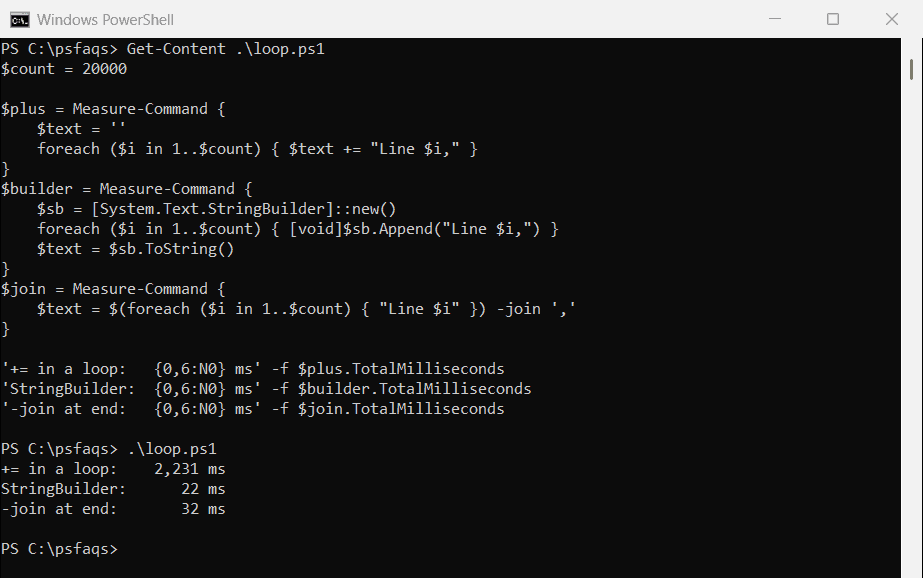
Each += copies the whole string, so the time grows quickly with the number of items. For a few dozen items, it doesn’t matter. For thousands, collect the items and -join them once, or use a StringBuilder.