
To find a carriage return in a string in PowerShell, look for the escape sequence “`r”. Contains() tells you whether it’s there, and IndexOf() tells you where:
$text.Contains("`r")
$text.IndexOf("`r")
Carriage returns are invisible, so they cause some of the most confusing bugs, like two strings that look the same but don’t match. Below I make them visible, count them, check the line endings of files and fix the classic stray carriage return.
Detect a carriage return
“`r” is the carriage return (CR) and “`n” is the line feed (LF). They only work inside double quotes:
$text = "Order ORD-1001`r`nShip to Austin"
"Contains CR:  $($text.Contains("`r"))"
"-match CR:    $($text -match "`r")"
"CR position:  $($text.IndexOf("`r"))"
Output:
Contains CR:  True
-match CR:    True
CR position:  14
IndexOf returns -1 when there’s no match. Other escape sequences are covered in escaping special characters.
Show the character codes
When something invisible is wrong, print every character with its code. CR is 13 and LF is 10:
$text = "Austin`r`nTX"
foreach ($char in $text.ToCharArray()) {
    $name = switch ([int]$char) { 13 { 'CR' } 10 { 'LF' } default { $char } }
    '{0,-6} {1,3}' -f $name, [int]$char
}
Output:
A       65
u      117
s      115
t      116
i      105
n      110
CR      13
LF      10
T       84
X       88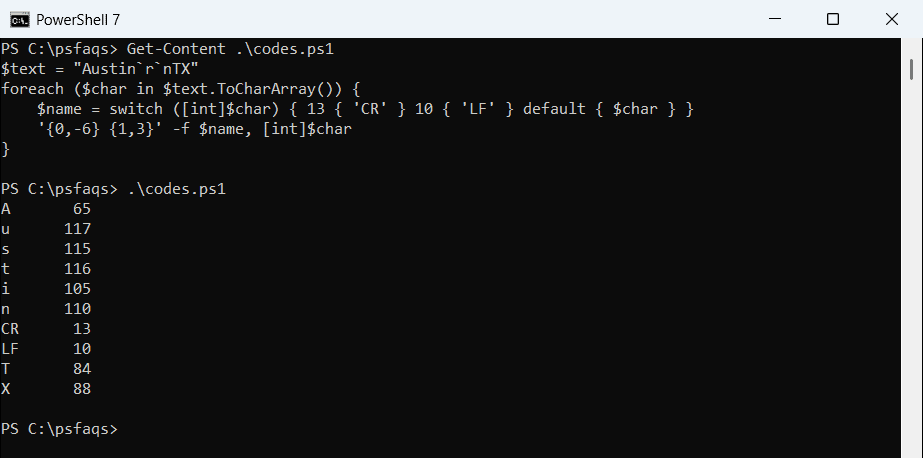
This is the quickest way to see whether a value has a hidden CR, a tab (9) or a non-breaking space (160). For visible characters, see finding a character in a string.
Count CR, LF and CRLF
[regex]::Matches counts every occurrence, which helps when a string mixes line endings:
$text = "Line 1`r`nLine 2`nLine 3`r`nLine 4`r"
"CR:   $(([regex]::Matches($text, "`r")).Count)"
"LF:   $(([regex]::Matches($text, "`n")).Count)"
"CRLF: $(([regex]::Matches($text, "`r`n")).Count)"
Output:
CR:   3
LF:   3
CRLF: 2
There are three CRs, but only two are part of a CRLF pair. One sits at the very end on its own, which is typical of text pasted from older systems. The same method appears in counting substrings.
Check a file’s line endings
Windows files use CRLF, Linux and macOS files use LF, and files edited on both often end up mixed. This function reports which one a file uses:
function Get-LineEnding ($Path) {
    $text = Get-Content -Path $Path -Raw
    $crlf = ([regex]::Matches($text, "`r`n")).Count
    $lf   = ([regex]::Matches($text, "(?<!`r)`n")).Count
    if ($crlf -and $lf) { 'Mixed' } elseif ($crlf) { 'Windows (CRLF)' } elseif ($lf) { 'Unix (LF)' } else { 'No line breaks' }
}
function Get-LineEnding ($Path) {
$text = Get-Content -Path $Path -Raw
$crlf = ([regex]::Matches($text, "`r`n")).Count
$lf = ([regex]::Matches($text, "(?<!`r)`n")).Count
if ($crlf -and $lf) { 'Mixed' } elseif ($crlf) { 'Windows (CRLF)' } elseif ($lf) { 'Unix (LF)' } else { 'No line breaks' }
}
foreach ($name in 'windows.txt', 'unix.txt', 'mixed.txt') {
'{0,-12} {1}' -f $name, (Get-LineEnding ".\Text\$name")
}Output:
windows.txt  Windows (CRLF)
unix.txt     Unix (LF)
mixed.txt    Mixed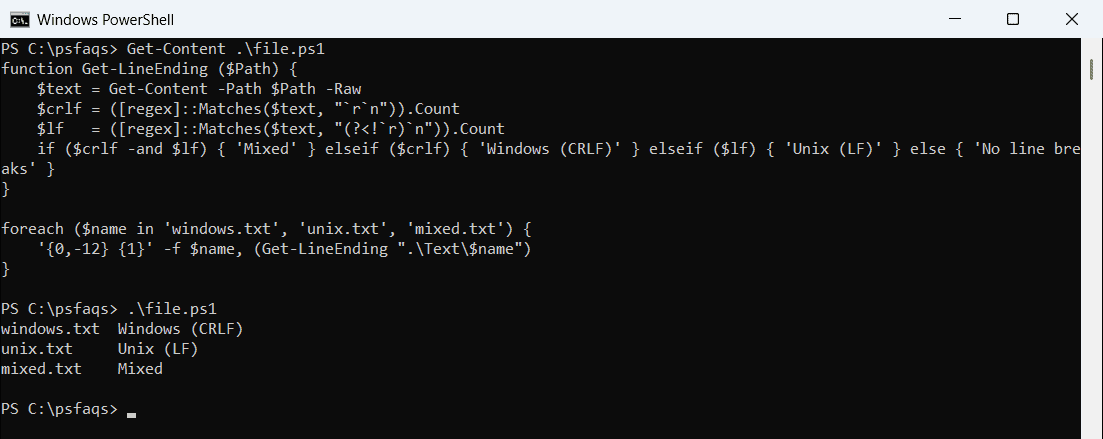
The (?<!`r)`n part matches an LF that isn’t preceded by a CR. Mixed files often break Git diffs and shell scripts.
Why Get-Content hides carriage returns
Get-Content splits a file into lines and removes the line endings, so you’ll never find CR in its output. Read with -Raw to keep them:
$lines = Get-Content -Path .\Text\windows.txt
"Get-Content lines contain CR: $(($lines | Where-Object { $_.Contains("`r") }).Count -gt 0)"

$raw = Get-Content -Path .\Text\windows.txt -Raw
"-Raw text contains CR:        $($raw.Contains("`r"))"
Output:
Get-Content lines contain CR: False
-Raw text contains CR:        True
For reading files without -Raw, see reading a file line by line.
The stray carriage return bug
Splitting a Windows file on “`n” alone leaves a CR at the end of every item. The values look right on screen but don’t compare equal:
$raw = Get-Content -Path .\Text\windows.txt -Raw
$cities = $raw -split "`n"

"Split on LF, Austin found:  $($cities -contains 'Austin')"
"First item length:          $($cities[0].Length)"
$fixed = $raw -split "`r?`n"
"Split on CRLF, Austin found: $($fixed -contains 'Austin')"
Output:
Split on LF, Austin found:  False
First item length:          7
Split on CRLF, Austin found: True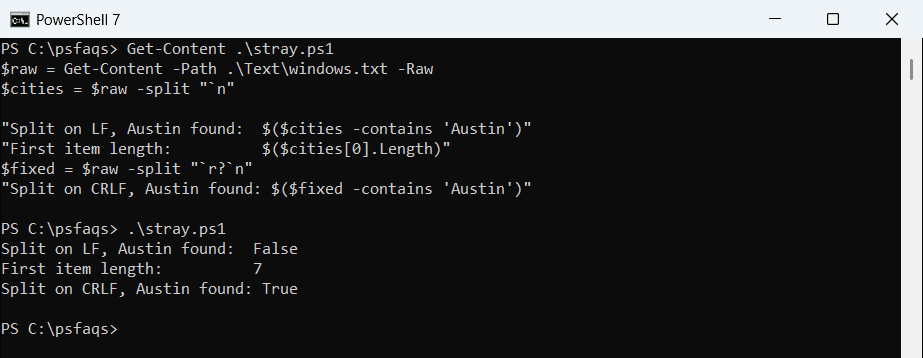
Splitting on “`r?`n” handles both kinds of line ending. To strip line breaks out entirely, see removing newlines from a string.
Frequently Asked Questions
How do I find a carriage return in a PowerShell string?
Use $text.Contains("`r") or $text.IndexOf("`r"). “`r” only works inside double quotes. See about_Special_Characters.
What is the difference between `r and `n?
`r is a carriage return (CR, code 13) and `n is a line feed (LF, code 10). Windows ends lines with both.