
“‘Install-Module’ is not recognized as an internal or external command” means you typed the command into Command Prompt, not PowerShell. Open PowerShell and run it there, or call it from cmd like this:
powershell -NoProfile -Command "Install-Module -Name SqlServer -Scope CurrentUser"If PowerShell itself says the term isn’t recognized, the cause is different. I reproduced each one below in PowerShell 7 and Windows PowerShell 5.1 and show the fix that worked.
Why Command Prompt says Install-Module is not recognized
Install-Module is a PowerShell cmdlet. Cmd.exe looks for a program or batch file with that name, finds none, and gives up. Here’s the exact message, captured by running cmd from PowerShell:
cmd /c "Install-Module -Name SqlServer" 2>&1 | ForEach-Object { "$_" }
"cmd exit code: $LASTEXITCODE"
Output:
'Install-Module' is not recognized as an internal or external command,
operable program or batch file.
cmd exit code: 1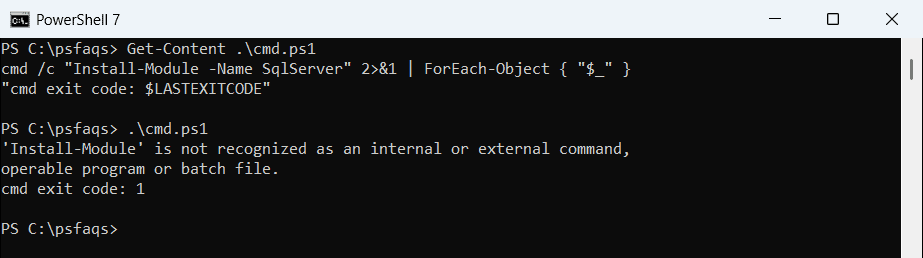
A prompt like C:\Users\alice> is cmd. PowerShell shows PS C:\Users\alice>. The differences between PowerShell and cmd go well beyond the prompt.
To fix it, press Windows+R, type powershell or pwsh, and press Enter. In Windows Terminal, open a PowerShell tab instead of a Command Prompt tab.
Check your PowerShell version and where Install-Module comes from
Install-Module ships in the PowerShellGet module and needs PowerShell 5.0 or later. Windows 10 and 11 include 5.1, so a missing command usually points to a broken setup. Check both things at once:
"PowerShell $($PSVersionTable.PSVersion) ($($PSVersionTable.PSEdition))"
$cmd = Get-Command Install-Module -ErrorAction SilentlyContinue
if ($cmd) { "Install-Module comes from $($cmd.Source) $($cmd.Version)" }
else      { 'Install-Module is not available in this shell' }
Output:
PowerShell 7.6.6 (Core)
Install-Module comes from PowerShellGet 2.2.5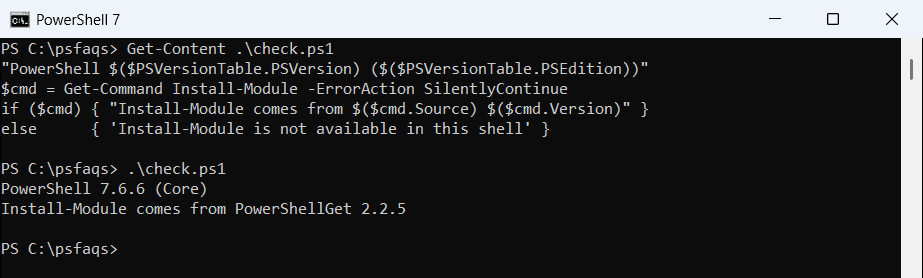
Run the same file in Windows PowerShell 5.1 to compare the two shells side by side:
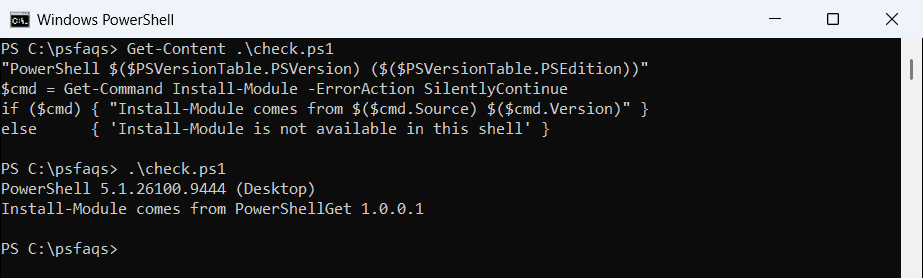
PowerShell 7 reported PowerShellGet 2.2.5. Windows PowerShell 5.1 reported 1.0.0.1, the version that ships with Windows. More ways to check the PowerShell version include $Host and the registry.
Is PowerShellGet installed? PowerShell 7 vs 5.1
List the package manager modules each shell can see:
$names = 'PowerShellGet', 'PackageManagement', 'Microsoft.PowerShell.PSResourceGet'
Get-Module -Name $names -ListAvailable |
    Sort-Object Name, Version -Descending |
    ForEach-Object { '{0,-36} {1}' -f $_.Name, $_.Version }
"Install-PSResource available: $([bool](Get-Command Install-PSResource -ErrorAction SilentlyContinue))"
Output:
PowerShellGet                        2.2.5
PowerShellGet                        1.0.0.1
PackageManagement                    1.4.8.1
PackageManagement                    1.0.0.1
Microsoft.PowerShell.PSResourceGet   1.2.0
Install-PSResource available: True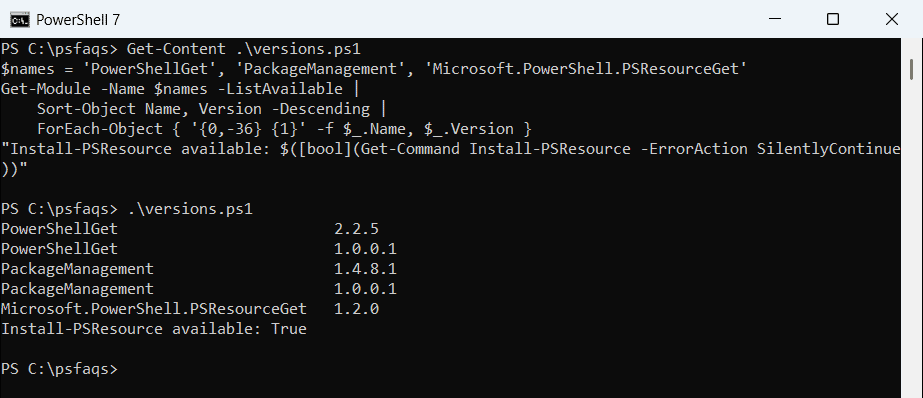
Now run the same check in Windows PowerShell 5.1:
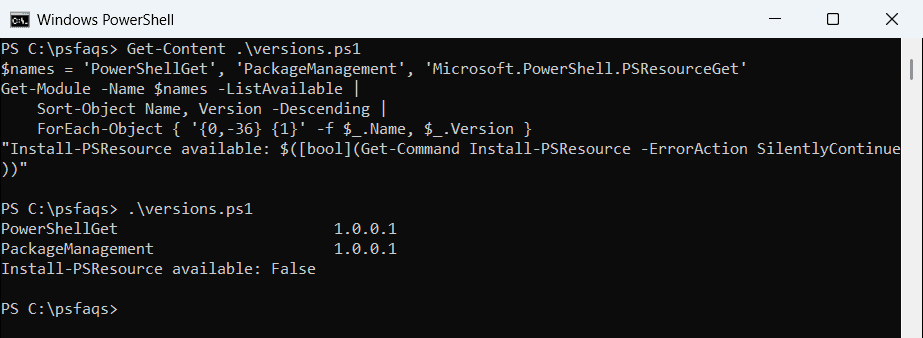
PowerShell 7 also lists the 1.0.0.1 copies, because its module path includes the Windows PowerShell folder. Windows PowerShell 5.1 only had 1.0.0.1 and no Install-PSResource. You can list every installed module the same way.
Microsoft says PowerShellGet 1.x is no longer supported, so update it in 5.1. Run this once in an elevated Windows PowerShell window:
[Net.ServicePointManager]::SecurityProtocol =
    [Net.ServicePointManager]::SecurityProtocol -bor [Net.SecurityProtocolType]::Tls12
Install-Module PowerShellGet -Repository PSGallery -Force -AllowClobber
The PowerShell Gallery requires TLS 1.2, and the old version may ask to install the NuGet provider first; answer Y. I didn’t run this on my test PC, because it changes the installed modules.
Module autoloading is turned off
PowerShell normally imports PowerShellGet the first time you call Install-Module. A profile or script that sets $PSModuleAutoLoadingPreference to None stops that, and you get the “not recognized” error:
$exe = (Get-Process -Id $PID).Path            # a new session of this PowerShell
& $exe -NoProfile -Command {
    $ProgressPreference = 'SilentlyContinue'
    $PSModuleAutoLoadingPreference = 'None'   # what a bad profile line does
    try   { Install-Module -Name SqlServer -WhatIf -ErrorAction Stop }
    catch { "Failed. $($_.Exception.Message)" }

    $PSModuleAutoLoadingPreference = 'All'    # the default
    "Fixed: Install-Module from $((Get-Command Install-Module).Source)"
}
Output:
Failed. The term 'Install-Module' is not recognized as a name of a cmdlet, function, script file, or executable program.
Check the spelling of the name, or if a path was included, verify that the p