
To get the first day of next month in PowerShell, build the first day of the current month, then add one month with AddMonths(1). Using .Date sets the time to midnight:
$today = Get-Date -Date '2026-09-29 14:05'

$firstOfNextMonth = (Get-Date -Year $today.Year -Month $today.Month -Day 1).Date.AddMonths(1)
$firstOfNextMonth.ToString('dddd, MMMM d, yyyy')
Output:
Thursday, October 1, 2026From that first day, every other month boundary is one step away. I used a fixed date of September 29, 2026, so the output stays the same, and ran each example in PowerShell 7.6 and Windows PowerShell 5.1.
First and last days of this, next and previous month
Start from the first of the current month. AddMonths moves whole months, and AddDays(-1) steps back to the last day of the month before:
$today = Get-Date -Date '2026-09-29 14:05'
$firstOfMonth = [datetime]::new($today.Year, $today.Month, 1)

'First day of this month:     {0:yyyy-MM-dd}' -f $firstOfMonth
'Last day of this month:      {0:yyyy-MM-dd}' -f $firstOfMonth.AddMonths(1).AddDays(-1)
'First day of next month:     {0:yyyy-MM-dd}' -f $firstOfMonth.AddMonths(1)
'First day of previous month: {0:yyyy-MM-dd}' -f $firstOfMonth.AddMonths(-1)
'Last day of previous month:  {0:yyyy-MM-dd}' -f $firstOfMonth.AddDays(-1)
Output:
First day of this month:     2026-09-01
Last day of this month:      2026-09-30
First day of next month:     2026-10-01
First day of previous month: 2026-08-01
Last day of previous month:  2026-08-31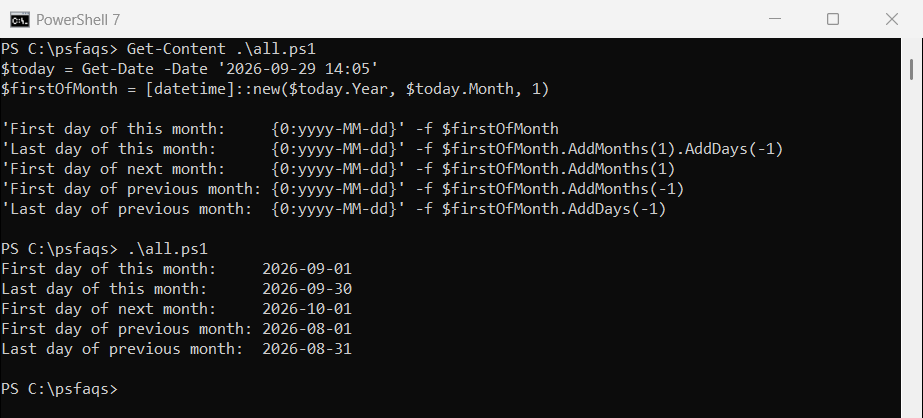
Starting from the 1st matters. AddMonths(1) on January 31 gives February 28, not March 3, so adding months to other days can land somewhere unexpected.
How many days are in a month
[datetime]::DaysInMonth answers it directly, including February in leap years:
foreach ($month in 1, 2, 9, 12) {
    '{0:MMMM} 2026 has {1} days' -f [datetime]::new(2026, $month, 1), [datetime]::DaysInMonth(2026, $month)
}
"February 2028 has $([datetime]::DaysInMonth(2028, 2)) days (leap year: $([datetime]::IsLeapYear(2028)))"
Output:
January 2026 has 31 days
February 2026 has 28 days
September 2026 has 30 days
December 2026 has 31 days
February 2028 has 29 days (leap year: True)
Clear the time with .Date
Get-Date includes the current time, and AddMonths keeps it. That matters when you compare dates, because 2:05 PM on October 1 is after midnight on October 1:
$now = Get-Date -Date '2026-09-29 14:05'

"Without .Date: $((Get-Date -Date $now -Day 1).AddMonths(1).ToString('yyyy-MM-dd HH:mm'))"
"With .Date:    $((Get-Date -Date $now -Day 1).Date.AddMonths(1).ToString('yyyy-MM-dd HH:mm'))"
Output:
Without .Date: 2026-10-01 14:05
With .Date:    2026-10-01 00:00
.Date sets the time to 00:00, which is what you want for date ranges and comparisons.
Get the last business day of the month
Start at the last day and step back until you reach a weekday that isn’t a holiday. Pass your own holiday list, since holidays vary by company:
function Get-LastBusinessDay {
    param([int]$Year, [int]$Month, [datetime[]]$Holidays = @())
    $day = [datetime]::new($Year, $Month, [datetime]::DaysInMonth($Year, $Month))
    while ($day.DayOfWeek -in 'Saturday', 'Sunday' -or $Holidays -contains $day) {
        $day = $day.AddDays(-1)
    }
    $day
}

foreach ($month in 1, 5, 10) {
    $d = Get-LastBusinessDay -Year 2026 -Month $month
    '{0:MMMM}: last business day is {0:ddd MMM d}' -f $d
}
$closed = [datetime]'2026-12-31'
'{0:MMMM}: with Dec 31 off, it is {0:ddd MMM d}' -f (Get-LastBusinessDay -Year 2026 -Month 12 -Holidays $closed)
Output:
January: last business day is Fri Jan 30
May: last business day is Fri May 29
October: last business day is Fri Oct 30
December: with Dec 31 off, it is Wed Dec 30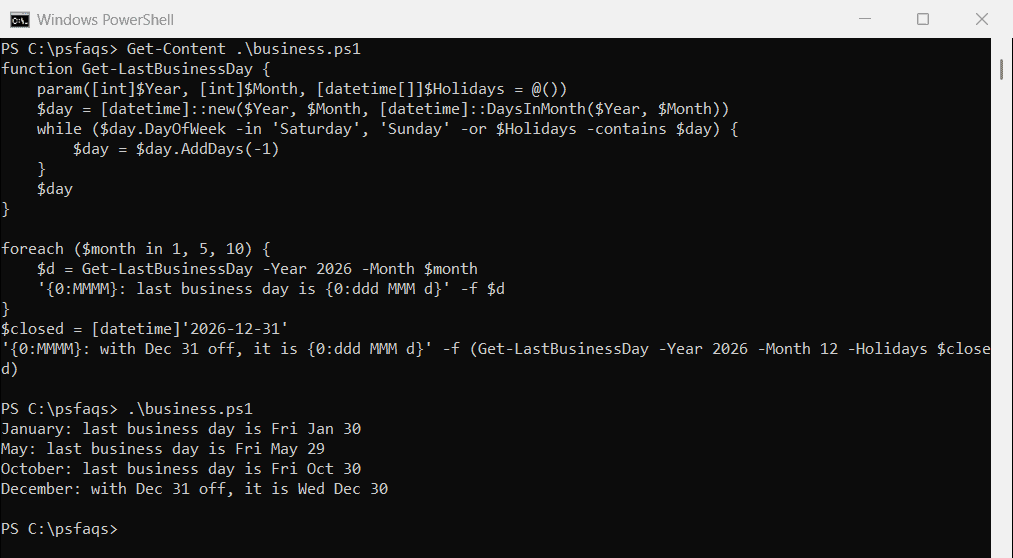
January 31, 2026 is a Saturday, so the last business day is Friday the 30th. -contains matches the holiday because both dates are at midnight.
Get the last Friday (or any weekday) of the month
Work out how many days the last day of the month is past the weekday you want, then subtract them. The % 7 keeps the result between 0 and 6:
function Get-LastWeekdayOfMonth {
    param([int]$Year, [int]$Month, [DayOfWeek]$DayOfWeek)
    $last = [datetime]::new($Year, $Month, [datetime]::DaysInMonth($Year, $Month))
    $last.AddDays(-(([int]$last.DayOfWeek - [int]$DayOfWeek + 7) % 7))
}

foreach ($month in 9, 10, 11, 12) {
    '{0:MMMM}: last Friday is {0:MMM d}' -f (Get-LastWeekdayOfMonth -Year 2026 -Month $month -DayOfWeek Friday)
}
Output:
September: last Friday is Sep 25
October: last Friday is Oct 30
November: last Friday is Nov 27
December: last Friday is Dec 25
December’s last Friday is Christmas Day in 2026, so combine this with a holiday check when it’s for payroll or deployments.
Get the first, second or nth weekday
The same idea works from the start of the month. Find the first matching day, then add weeks. This gives Patch Tuesday, Thanksgiving and Labor Day:
function Get-NthWeekdayOfMonth {
    param([int]$Year, [int]$Month, [DayOfWeek]$DayOfWeek, [int]$Nth)
    $first = [datetime]::new($Year, $Month, 1)
    $first.AddDays((([int]$DayOfWeek - [int]$first.DayOfWeek + 7) % 7) + 7 * ($Nth - 1))
}

'Patch Tuesday, October 2026:  {0:ddd MMM d}' -f (Get-NthWeekdayOfMonth 2026 10 Tuesday 2)
'Thanksgiving 2026:            {0:ddd MMM d}' -f (Get-NthWeekdayOfMonth 2026 11 Thursday 4)
'Labor Day 2026:               {0:ddd MMM d}' -f (Get-NthWeekdayOfMonth 2026 9 Monday 1)
Output:
Patch Tuesday, October 2026:  Tue Oct 13
Thanksgiving 2026:            Thu Nov 26
Labor Day 2026:               Mon Sep 7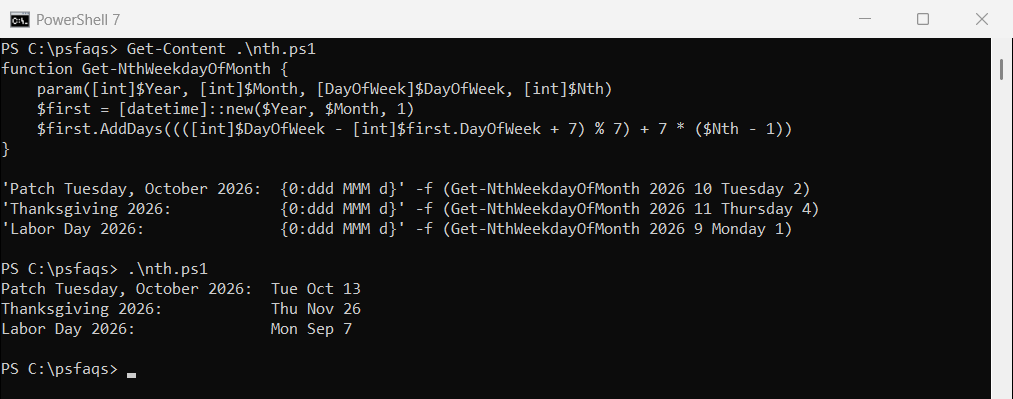
Microsoft releases security updates on the second Tuesday of each month, so this is handy for scheduling maintenance windows.
Use it for last month’s date range
Reports usually cover the whole previous month. Use the first of last month as the start, and the first of this month as the end, with -lt:
$today = Get-Date -Date '2026-09-29'
$start = [datetime]::new($today.Year, $today.Month, 1).AddMonths(-1)
$end = $start.AddMonths(1).AddDays(-1)

"Last month's report covers $($start.ToString('MMM d')) to $($end.ToString