
The PowerShell array vs ArrayList difference is size: an array is fixed, while an ArrayList grows. For new scripts, skip ArrayList and use a generic List. It grows too, stays quiet when you add items, and holds one type:
$array = @('web01', 'web02')
$list  = [System.Collections.Generic.List[string]]::new()
$list.Add('web01')
$list.Add('web02')

'Array: fixed size = {0}, type = {1}' -f $array.IsFixedSize, $array.GetType().Name
'List:  fixed size = {0}, type = {1}' -f $list.IsFixedSize, $list.GetType().Name
Output:
Array: fixed size = True, type = Object[]
List:  fixed size = False, type = List`1
Below I compare all three, measure the speed of +=, and show how to convert between them. I ran every example in PowerShell 7.6 and Windows PowerShell 5.1.
Arrays have a fixed size
An array’s size is set when it’s created. Its Add method always fails, and += works by building a brand-new array with the extra item:
$servers = @('web01', 'web02')

try { $servers.Add('sql01') }
catch { "Failed. $($_.Exception.InnerException.Message)" }

$before = $servers
$servers += 'sql01'
"After +=, count is $($servers.Count). Same array as before? $([object]::ReferenceEquals($before, $servers))"
Output:
Failed. Collection was of a fixed size.
After +=, count is 3. Same array as before? False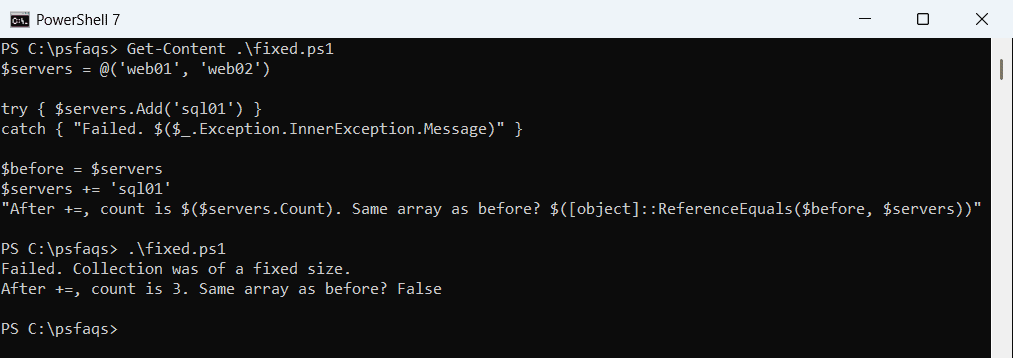
For a handful of items, += is fine. Adding items to an array covers += and its alternatives in detail.
ArrayList: growable, but noisy
System.Collections.ArrayList has a real Add method. It also returns the index of the new item, which ends up in your output or a function’s return value:
$servers = [System.Collections.ArrayList]::new()
$servers.Add('web01')
$servers.Add('web02')
'--- Silenced with [void] ---'
[void]$servers.Add('sql01')
"Count: $($servers.Count)"
Output:
0
1
--- Silenced with [void] ---
Count: 3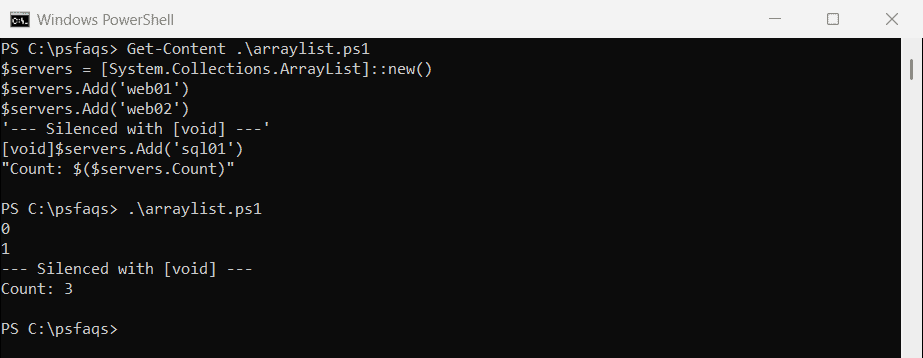
Cast each call to [void] or assign it to $null. Microsoft’s ArrayList documentation also says not to use ArrayList for new development and recommends the generic List instead.
List[T]: the one to use
A generic List works like an ArrayList, but Add returns nothing. It also has Insert, Remove, RemoveAt, Contains and AddRange:
$servers = [System.Collections.Generic.List[string]]::new()
$servers.Add('web01')
$servers.Add('web02')
$servers.AddRange([string[]]@('sql01', 'sql02'))
$servers.Insert(0, 'dc01')
[void]$servers.Remove('web02')
$servers.RemoveAt($servers.Count - 1)

"Count: $($servers.Count)"
"Items: $($servers -join ', ')"
"Contains sql01? $($servers.Contains('sql01'))"
Output:
Count: 3
Items: dc01, web01, sql01
Contains sql01? True
Remove deletes the first matching item, and RemoveAt deletes by position. Arrays have neither, so removing items from an array means building a new one.
A List holds one type
The type in brackets is enforced. PowerShell converts values when it can, like the text ‘8080’ to a number, and refuses when it can’t:
$ports = [System.Collections.Generic.List[int]]::new()
$ports.Add(443)
$ports.Add('8080')

try { $ports.Add('https') }
catch { "Failed. 'https' can't be converted to an int, so it wasn't added" }

"Ports: $($ports -join ', ')"
"Type of item 1: $($ports[1].GetType().Name)"
Output:
Failed. 'https' can't be converted to an int, so it wasn't added
Ports: 443, 8080
Type of item 1: Int32
Use [System.Collections.Generic.List[object]] when you need to mix types, like strings and numbers in one list.
Dynamic arrays: let the loop build the array
The fastest way to build an array doesn’t add anything at all. Assign the output of a loop to a variable, and PowerShell collects every value into an array for you:
$squares = foreach ($n in 1..5) {
    $n * $n
}

"Count: $($squares.Count), type: $($squares.GetType().Name)"
"Values: $($squares -join ', ')"
Output:
Count: 5, type: Object[]
Values: 1, 4, 9, 16, 25
This works with foreach, ForEach-Object, if blocks and functions. The foreach loop shows more patterns.
How fast is +=?
Here’s the same 20,000 items added three ways. Your times will differ, but the pattern holds:
$count = 20000

$direct = Measure-Command { $result = foreach ($i in 1..$count) { $i } }
$list   = Measure-Command {
    $result = [System.Collections.Generic.List[int]]::new()
    foreach ($i in 1..$count) { $result.Add($i) }
}
$plus   = Measure-Command {
    $result = @()
    foreach ($i in 1..$count) { $result += $i }
}

"PowerShell $($PSVersionTable.PSVersion.Major).$($PSVersionTable.PSVersion.Minor), adding $count items:"
'  Loop output   {0,8:N0} ms' -f $direct.TotalMilliseconds
'  List.Add      {0,8:N0} ms' -f $list.TotalMilliseconds
'  Array +=      {0,8:N0} ms' -f $plus.TotalMilliseconds
Output in PowerShell 7.6:
PowerShell 7.6, adding 20000 items:
  Loop output         22 ms
  List.Add           277 ms
  Array +=         1,271 ms
Output in Windows PowerShell 5.1:
PowerShell 5.1, adding 20000 items:
  Loop output         18 ms
  List.Add            23 ms
  Array +=        12,601 ms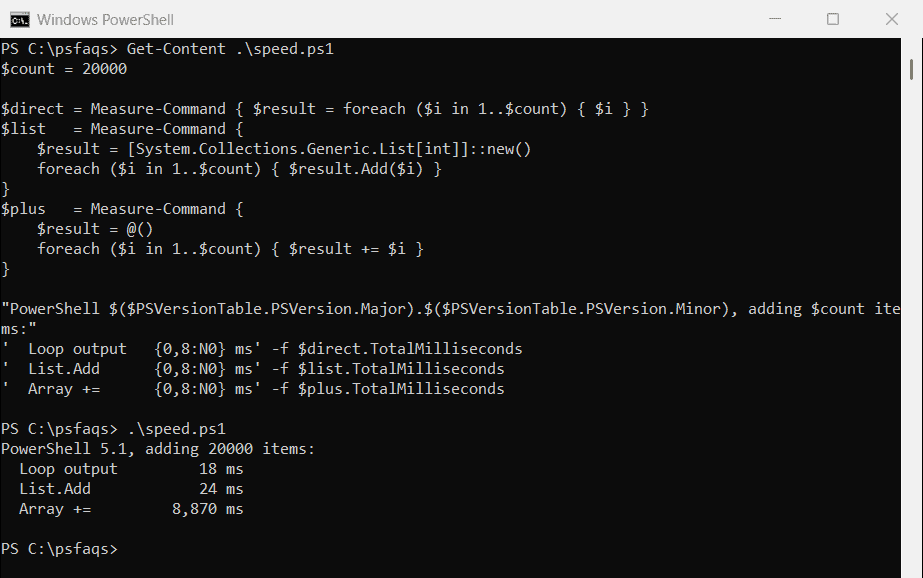
PowerShell 7.5 made += much faster, as Microsoft notes in What’s New in PowerShell 7.5. In 5.1 it slows down badly as the array grows, so use loop output or a List there.
Convert an ArrayList or List to an array
Call ToArray, or cast to a typed array. ToArray gives an Object[] unless you pass the element type:
$list = [System.Collections.ArrayList]@('web01', 'web02', 'sql01')

$a = $list.ToArray()
$b = [string[]]$list
$c = @($list)
$d = $list.ToArray([string])

'ToArray()         -> {0}' -f $a.GetType().Name
'[string[]] cast   -> {0}' -f $b.GetType().Name
'@() wrapper       -> {0}' -f $c.GetType().Name
'ToArray([string]) -> {0}' -f $d.GetType().Name
Output:
ToArray() -&