
A do-while loop in PowerShell runs its block once, then keeps repeating it as long as the condition after while is true. Because the check comes at the end, the block always runs at least one time:
$page = 0

do {
    $page++
    "Downloading page $page of 3"
} while ($page -lt 3)
Output:
Downloading page 1 of 3
Downloading page 2 of 3
Downloading page 3 of 3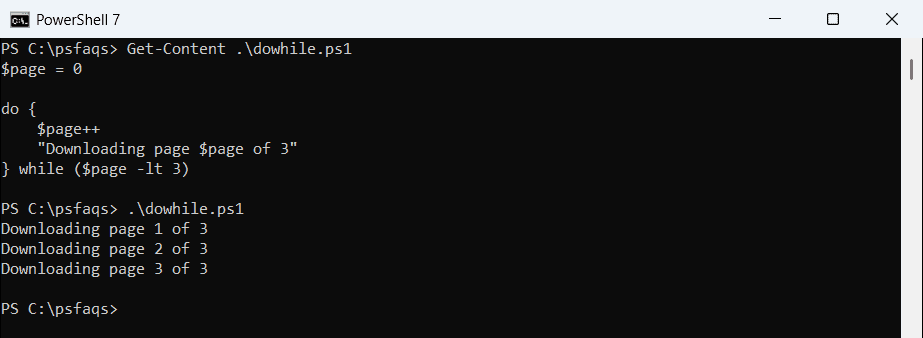
A plain while loop checks its condition first instead, so its block may never run. Below I’ll cover while, do-while and do-until, plus the mistakes that cause endless loops.
I ran every script here in PowerShell 7.6 and Windows PowerShell 5.1, and the results were the same.
PowerShell do-while loop syntax
The keyword do opens the block, and while plus a condition in parentheses closes it. The condition can sit on the line after the closing brace, as this array scan shows:
$x = 4, 8, 15, 0, 23
$i = 0

do {
    "Item $i is $($x[$i])"
    $i++
}
while ($x[$i] -ne 0)

"Stopped at index $i"
Output:
Item 0 is 4
Item 1 is 8
Item 2 is 15
Stopped at index 3
The loop stopped when it reached the 0 at index 3. The condition uses -ne, one of the PowerShell comparison operators, because symbols like < and > mean something else in PowerShell.
PowerShell while loop
A while loop puts the condition first. PowerShell checks it before every pass, including the first one:
$attempt = 1

while ($attempt -le 3) {
    "Checking the backup server, attempt $attempt"
    $attempt++
}
"Done after $($attempt - 1) attempts"
Output:
Checking the backup server, attempt 1
Checking the backup server, attempt 2
Checking the backup server, attempt 3
Done after 3 attempts
Don’t forget the line that changes the counter. Without $attempt++, the condition stays true and the loop never ends. Incrementing a variable in PowerShell covers ++ and += in detail.
while vs do-while vs do-until
| Loop | Checks the condition | Keeps running while | Runs at least once |
|---|---|---|---|
while (...) { } | Before each pass | The condition is true | No |
do { } while (...) | After each pass | The condition is true | Yes |
do { } until (...) | After each pass | The condition is false | Yes |
Here all three start with a condition that’s already met. Only the two do loops run their block:
$count = 10

while ($count -lt 5) {
    "while ran with count $count"
}

do {
    "do-while ran with count $count"
} while ($count -lt 5)

do {
    "do-until ran with count $count"
} until ($count -ge 5)
Output:
do-while ran with count 10
do-until ran with count 10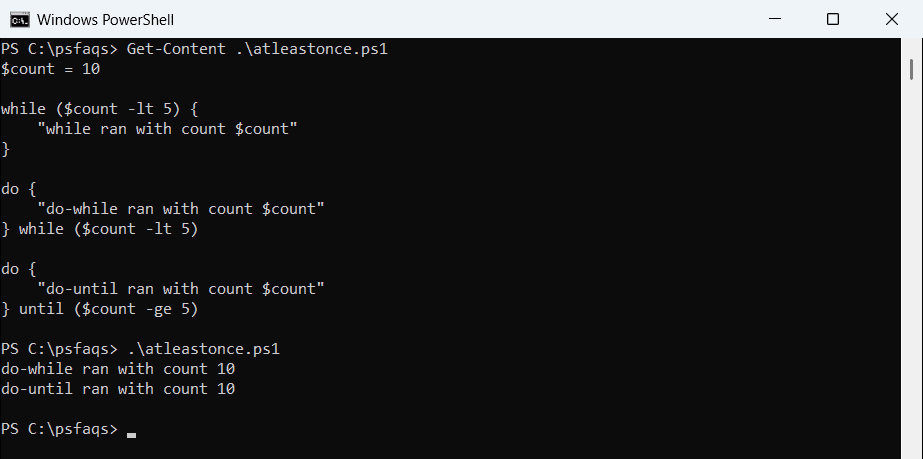
Use a do loop when the block has to run first, like asking for input before you can check it. When you know the count up front, a PowerShell for loop is usually clearer.