
A coworker wants your PowerShell report, but they live in Command Prompt and just want something to double-click. A small .bat file is the easiest way to hand it over.
Quick answer: to run a PowerShell script from a batch file, call powershell.exe (or pwsh.exe for PowerShell 7) with -File and the script path built from %~dp0, the batch file’s own folder:
powershell.exe -NoProfile -ExecutionPolicy Bypass -File "%~dp0Get-SalesSummary.ps1"In this tutorial, we’ll build that wrapper step by step and run powershell script from batch file the way it works in real life: arguments, paths with spaces, exit codes in %ERRORLEVEL%, PowerShell 7, a window that stays open, and admin rights.
What You Need Before You Start
You need Windows 10 or 11, Notepad (or any editor), and Windows PowerShell 5.1, which ships with Windows. PowerShell 7 is optional, and you can check which PowerShell version you have in a second.
We tested everything from a normal Command Prompt window. Our sample is a folder called Sales Reports, and yes, the space in its name is on purpose.
Step 1: Create and Test the PowerShell Script
Save this as Get-SalesSummary.ps1 in the Sales Reports folder. It prints regional sales for an Austin, Denver, Seattle or New York team, and it ends with exit code 2 when the region is unknown:
param(
    [string]$Region = 'Austin',
    [int]$Month = 10,
    [string[]]$Product,
    [switch]$Detailed
)
$sales = @{ Austin = 48250; Denver = 39900; Seattle = 52175; 'New York' = 61430 }
if (-not $sales.ContainsKey($Region)) {
    Write-Host "Failed. No sales data for region '$Region'."
    exit 2
}
$total = '$' + $sales[$Region].ToString('N0', [cultureinfo]'en-US')
$ver = "$($PSVersionTable.PSVersion.Major).$($PSVersionTable.PSVersion.Minor)"
Write-Host "PowerShell $ver | Region: $Region | Month: 2026-$('{0:D2}' -f $Month) | Sales: $total"
if ($Product) { Write-Host "Products: $($Product.Count) -> $($Product -join ' | ')" }
if ($Detailed) {
    Write-Host "Execution policy for this run: $env:PSExecutionPolicyPreference"
    Write-Host "Script folder: $PSScriptRoot"
}
Before writing any batch file, run the script once in PowerShell. If it fails here, the .bat won’t fix it:
Set-Location 'C:\psfaqs\Sales Reports'
.\Get-SalesSummary.ps1 -Region Denver
.\Get-SalesSummary.ps1 -Region Boston
"Exit code: $LASTEXITCODE"
Output:
PowerShell 7.6 | Region: Denver | Month: 2026-10 | Sales: $39,900
Failed. No sales data for region 'Boston'.
Exit code: 2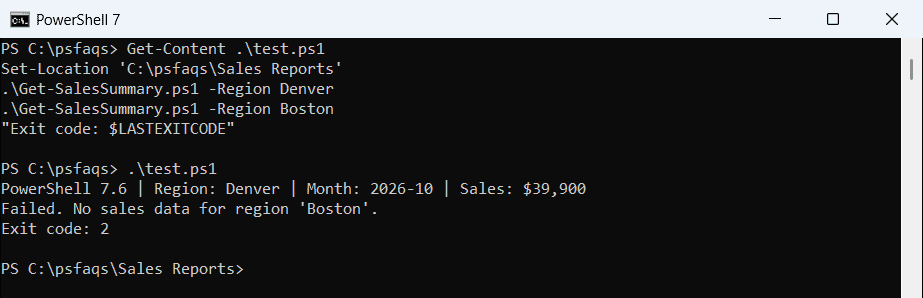
Windows PowerShell 5.1 printed the same lines, just with “PowerShell 5.1” in front. Our guide to running a script from the command line with parameters covers the PowerShell side in more depth.