
To encrypt a file with a password in PowerShell, turn the password into a key with PBKDF2 (Rfc2898DeriveBytes), encrypt the bytes with AES, and save the salt and IV with the file:
$kdf = New-Object System.Security.Cryptography.Rfc2898DeriveBytes($password, $salt, 600000, 'SHA256')
$aes = [System.Security.Cryptography.Aes]::Create(); $aes.Key = $kdf.GetBytes(32)
PowerShell has no built-in Encrypt-File cmdlet, so I wrapped the full recipe in two small functions. I tested them in PowerShell 7.6 and Windows PowerShell 5.1 on a sample payroll-2026.csv file with the demo password Spring-2026!Demo.
Encrypt a file with a password using AES and PBKDF2
Save these two functions as FileCrypto.ps1. Protect-FileWithPassword writes salt, IV, ciphertext and an HMAC tag into one file; Unprotect-FileWithPassword checks the tag before it decrypts anything:
function Protect-FileWithPassword {
    param([string]$Path, [string]$OutFile, [securestring]$Password, [int]$Iterations = 600000)
    $plain = [System.Net.NetworkCredential]::new('', $Password).Password
    $salt = New-Object byte[] 16
    [System.Security.Cryptography.RandomNumberGenerator]::Create().GetBytes($salt)
    $sha256 = [System.Security.Cryptography.HashAlgorithmName]::SHA256
    $kdf = New-Object System.Security.Cryptography.Rfc2898DeriveBytes($plain, $salt, $Iterations, $sha256)
    $keys = $kdf.GetBytes(64)                       # 32 bytes for AES, 32 for the HMAC

    $aes = [System.Security.Cryptography.Aes]::Create()   # AES-256, CBC, PKCS7, random IV
    $aes.Key = $keys[0..31]
    $data = [System.IO.File]::ReadAllBytes($Path)
    $cipher = $aes.CreateEncryptor().TransformFinalBlock($data, 0, $data.Length)

    [byte[]]$body = $salt + $aes.IV + $cipher
    $hmac = New-Object System.Security.Cryptography.HMACSHA256 (, [byte[]]$keys[32..63])
    [System.IO.File]::WriteAllBytes($OutFile, [byte[]]($body + $hmac.ComputeHash($body)))
}

function Unprotect-FileWithPassword {
    param([string]$Path, [string]$OutFile, [securestring]$Password, [int]$Iterations = 600000)
    $plain = [System.Net.NetworkCredential]::new('', $Password).Password
    $all = [System.IO.File]::ReadAllBytes($Path)
    $end = $all.Length - 33
    [byte[]]$salt = $all[0..15]
    [byte[]]$body = $all[0..$end]
    [byte[]]$tag = $all[($end + 1)..($all.Length - 1)]

    $sha256 = [System.Security.Cryptography.HashAlgorithmName]::SHA256
    $kdf = New-Object System.Security.Cryptography.Rfc2898DeriveBytes($plain, $salt, $Iterations, $sha256)
    $keys = $kdf.GetBytes(64)
    $hmac = New-Object System.Security.Cryptography.HMACSHA256 (, [byte[]]$keys[32..63])
    $check = $hmac.ComputeHash($body)
    $diff = 0
    for ($i = 0; $i -lt 32; $i++) { $diff = $diff -bor ($check[$i] -bxor $tag[$i]) }   # constant-time compare
    if ($diff -ne 0) { throw 'Wrong password, or the file was changed.' }

    $aes = [System.Security.Cryptography.Aes]::Create()
    $aes.Key = $keys[0..31]
    $aes.IV = $all[16..31]
    [byte[]]$cipher = $all[32..$end]
    $data = $aes.CreateDecryptor().TransformFinalBlock($cipher, 0, $cipher.Length)
    [System.IO.File]::WriteAllBytes($OutFile, $data)
}
The random 16-byte salt makes every key unique, and 600,000 SHA256 iterations make password guessing slow. The 64 derived bytes are split into an AES-256 key and a separate HMAC key. If dot-sourcing is new to you, see how PowerShell functions work.
Now encrypt the file twice with the same password:
. 'C:\psfaqs\t\encfile\FileCrypto.ps1'
$dir = 'C:\psfaqs\t\encfile'
$password = ConvertTo-SecureString 'Spring-2026!Demo' -AsPlainText -Force

Protect-FileWithPassword -Path "$dir\payroll-2026.csv" -OutFile "$dir\payroll-2026.csv.enc" -Password $password
Protect-FileWithPassword -Path "$dir\payroll-2026.csv" -OutFile "$dir\second-run.enc" -Password $password

"Original:  $((Get-Item "$dir\payroll-2026.csv").Length) bytes"
"Encrypted: $((Get-Item "$dir\payroll-2026.csv.enc").Length) bytes"
$h1 = (Get-FileHash "$dir\payroll-2026.csv.enc").Hash
$h2 = (Get-FileHash "$dir\second-run.enc").Hash
"Two runs give the same bytes: $($h1 -eq $h2)"
Output:
Original:  96 bytes
Encrypted: 176 bytes
Two runs give the same bytes: False
The 96-byte CSV became 176 bytes: 16 salt + 16 IV + 112 ciphertext + 32 HMAC. The two runs differ because the salt and IV are new each time, so nobody can tell that two files hold the same data.
In real scripts, read the password with Read-Host -AsSecureString instead of typing it into the script. Need a strong one? Use a PowerShell random password generator.
Decrypt the file and verify it with a hash
Decrypt with the same password, then compare SHA256 hashes of the original and the restored file:
. 'C:\psfaqs\t\encfile\FileCrypto.ps1'
$dir = 'C:\psfaqs\t\encfile'
$password = ConvertTo-SecureString 'Spring-2026!Demo' -AsPlainText -Force

$encrypted = "$dir\payroll-2026.csv.enc"
$restored  = "$dir\payroll-restored.csv"
Unprotect-FileWithPassword -Path $encrypted -OutFile $restored -Password $password

$before = (Get-FileHash "$dir\payroll-2026.csv" -Algorithm SHA256).Hash
$after  = (Get-FileHash $restored -Algorithm SHA256).Hash
"SHA256 match: $($before -eq $after)"
Get-Content $restored -TotalCount 2
Output:
SHA256 match: True
Name,Department,Salary
Maria Lopez,Finance,98500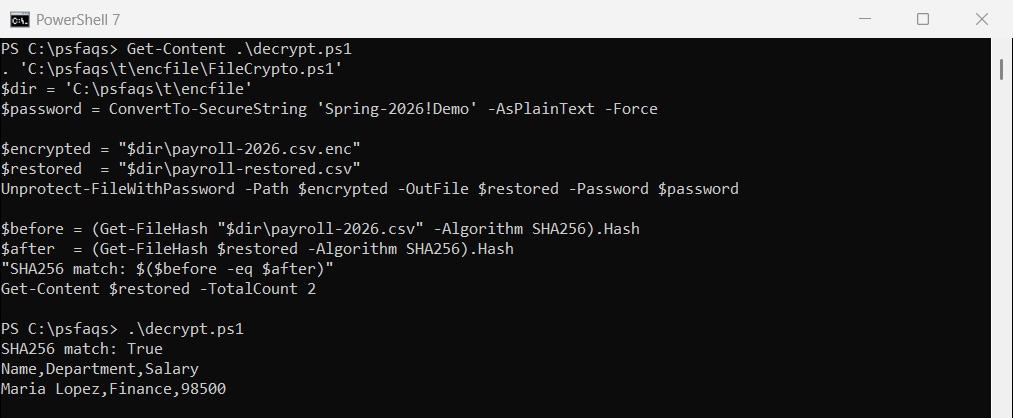
Matching hashes prove the round trip is byte-for-byte exact. More hash options are in getting the MD5 hash of a file.
What happens if the password is wrong?
I tried a password with the wrong letter case, then flipped a single bit inside the encrypted file:
. 'C:\psfaqs\t\encfile\FileCrypto.ps1'
$dir = 'C:\psfaqs\t\encfile'
$password = ConvertTo-SecureString 'Spring-2026!Demo' -AsPlainText -Force

$typo = ConvertTo-SecureString 'spring-2026!demo' -AsPlainText -Force
try   { Unprotect-FileWithPassword "$dir\payroll-2026.csv.enc" "$dir\x.csv" $typo; 'Decrypted' }
catch { "Typo in password: Failed. $($_.Exception.Message)" }

$bytes = [System.IO.File]::ReadAllBytes("$dir\payroll-2026.csv.enc")
$bytes[40] = $bytes[40] -bxor 1                     # flip one bit
[System.IO.File]::WriteAllBytes("$dir\payroll-2026.csv.enc", $bytes)
try   { Unprotect-FileWithPassword "$dir\payroll-2026.csv.enc" "$dir\x.csv" $password; 'Decrypted' }
catch { "One changed bit:   Failed. $($_.Exception.Message)" }
Output:
Typo in password: Failed. Wrong password, or the file was changed.
One changed bit:   Failed. Wrong password, or the file was changed.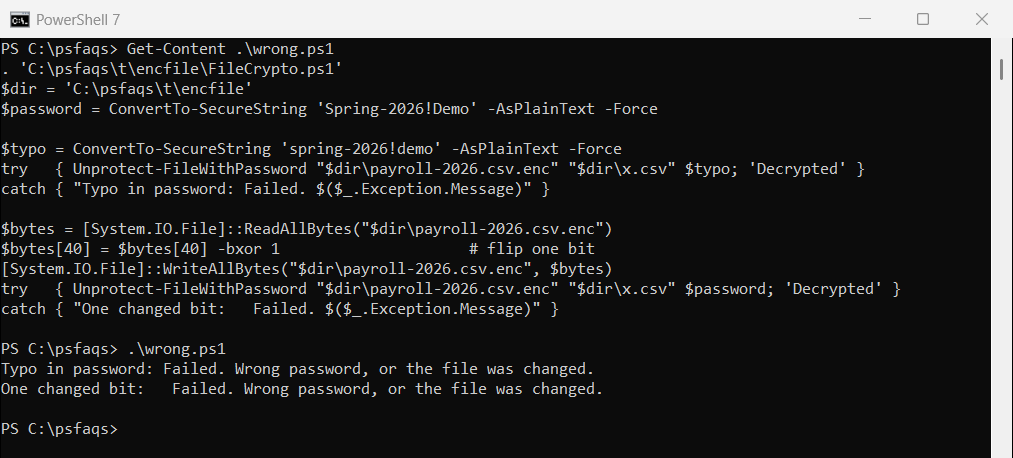
Both fail cleanly with the same message, in both versions. Without the HMAC, a wrong key usually throws a padding error, and that kind of error is exactly what padding oracle attacks feed on. Catch it with try/catch in PowerShell.
Rfc2898DeriveBytes in PowerShell 7 vs Windows PowerShell 5.1
The func