
To import an Excel file in PowerShell, install the ImportExcel module and run Import-Excel. It reads the first worksheet into an array, one object per row, with the header row as property names:
$staff = Import-Excel -Path 'C:\Data\staff.xlsx'If Excel is installed and you’d rather skip the module, the Excel COM object gives you a two-dimensional array through UsedRange.Value2.
I tested both routes on real workbooks in PowerShell 7 and Windows PowerShell 5.1, including the errors you’ll hit and a trap that only shows up in 5.1.
Import an Excel file in PowerShell with Import-Excel
My sample workbook, staff.xlsx, has a Staff sheet with Name, Department, City, Salary and StartDate columns, plus a one-row Projects sheet. Here’s the first sheet imported into a variable:
$staff = Import-Excel -Path .\staff.xlsx

"Type: $($staff.GetType().Name)  Rows: $($staff.Count)"
"Salary in row 1: $($staff[0].Salary) ($($staff[0].Salary.GetType().Name))"
$staff | Format-Table Name, Department, City
Output:
Type: Object[]  Rows: 3
Salary in row 1: 72500 (Double)

Name        Department City
----        ---------- ----
Maria Lopez Finance    Austin
Tom Baker   IT         Denver
Dana Reyes  IT         Seattle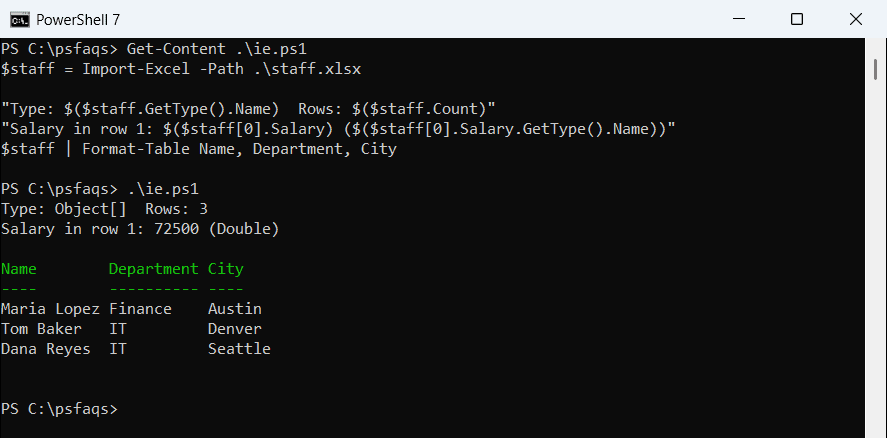
The result is a normal Object[] array of PSCustomObject rows, so everything you know about arrays works on it. To build that kind of array by hand, see creating an array of objects in PowerShell.
Install and load the ImportExcel module
ImportExcel is a free community module on the PowerShell Gallery. It reads .xlsx files directly, so Excel doesn’t need to be installed. Install it once for your own account, which needs no admin rights:
Install-Module -Name ImportExcel -Scope CurrentUserIf PowerShell says the command isn’t found, fix the Install-Module not recognized error first. Then check what you have:
$module = Get-Module -ListAvailable -Name ImportExcel | Select-Object -First 1
"Installed: $($module.Name) $($module.Version)"

Import-Module -Name ImportExcel
"Import-Excel comes from: $((Get-Command -Name Import-Excel).Source)"
Output:
Installed: ImportExcel 7.8.9
Import-Excel comes from: ImportExcel
PowerShell 7 and Windows PowerShell 5.1 keep separate module folders, so my 5.1 shell reported 7.8.6 instead of 7.8.9. Import-Module is optional, because PowerShell loads the module the first time you run Import-Excel.
To see every module a shell can load,