
Import-Csv is the PowerShell cmdlet that reads a CSV file and turns every row into an object. The column headers become property names, so you can sort, filter and loop through the data without parsing text:
Import-Csv -Path .\customers.csv | Format-TableOutput:
Id   Name          Company    State Total
--   ----          -------    ----- -----
1001 Alice Johnson Acme, Inc. TX    1250
1002 Bob Smith     Contoso    CO    980
1003 Carol Davis   Fabrikam   WA    15000
1004 Dan Miller    Northwind  FL    425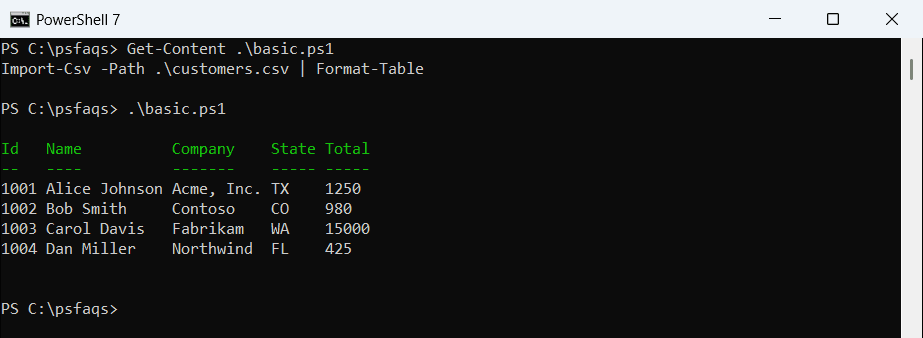
The file customers.csv holds four US customers with the columns Id, Name, Company, State and Total. I use it all the way through, along with a few small files for the edge cases.
I ran each script in PowerShell 7.6 and Windows PowerShell 5.1. Where the two versions disagree, I show both results.
What does Import-Csv return in PowerShell?
Each row is a PSCustomObject, and each column is a NoteProperty on it. Get-Member shows something people often miss:
$customers = Import-Csv -Path .\customers.csv
$customers[0] | Get-Member -MemberType NoteProperty | Format-Table -Property Name, Definition
Output:
Name    Definition
----    ----------
Company string Company=Acme, Inc.
Id      string Id=1001
Name    string Name=Alice Johnson
State   string State=TX
Total   string Total=1250
Every value is a string, even Id and Total. That matters as soon as you sort or compare numbers, which I cover below. The Format-Table cmdlet only changes how rows look, never the data.
Import-Csv syntax and parameters
The basic form is Import-Csv -Path <file>. These are the parameters you’ll actually use:
| Parameter | What it does |
|---|---|
-Path | The CSV file to read. You can pass several paths separated by commas. |
-LiteralPath | Same as -Path, but brackets and other wildcard characters are taken literally. |
-Delimiter | The separator character. The default is a comma. |
-Header | Your own column names, for files with no header row. |
-Encoding | The file’s encoding, when special characters come out garbled. |
-UseCulture | Uses your Windows list separator as the delimiter. |
-UseCulture reads the list separator from (Get-Culture).TextInfo.ListSeparator. It’s handy for files saved by Excel in Europe, where the separator is often a semicolon. The short alias for the cmdlet is ipcsv.
Loop through CSV rows with foreach
To process each row, store the result in a variable and use a foreach loop. The loop variable holds one row, and you read columns as properties:
$customers = Import-Csv -Path .\customers.csv

foreach ($customer in $customers) {
    "$($customer.Name) from $($customer.State) spent `$$($customer.Total)"
}