
Got a block of text that won’t fit on one line? A PowerShell multiline string is easiest as a here-string: put @" at the end of a line, your text below it, and "@ at the start of the last line:
$message = @"
Hello Maria,
Your order ships today.
"@
Use @' '@ instead when variables inside should stay as plain text.
In this tutorial, I’ll show you how a PowerShell multiline string works, the two marker rules that cause most errors, JSON and HTML templates, line endings, splitting into lines and the 7 vs 5.1 differences.
Here-string syntax: @” “@ vs @’ ‘@
A here-string is a string wrapped in at signs. The double-quoted kind expands variables and $() expressions; the single-quoted kind keeps every character exactly as typed:
$customer = 'Maria Lopez'
$city = 'Austin'

$expandable = @"
Order for $customer
Ship to: $city, TX
Total: $(1250 + 480) USD
"@

$literal = @'
Order for $customer
Ship to: $city, TX
Total: $(1250 + 480) USD
'@

$expandable
'-----'
$literal
Output:
Order for Maria Lopez
Ship to: Austin, TX
Total: 1730 USD
-----
Order for $customer
Ship to: $city, TX
Total: $(1250 + 480) USD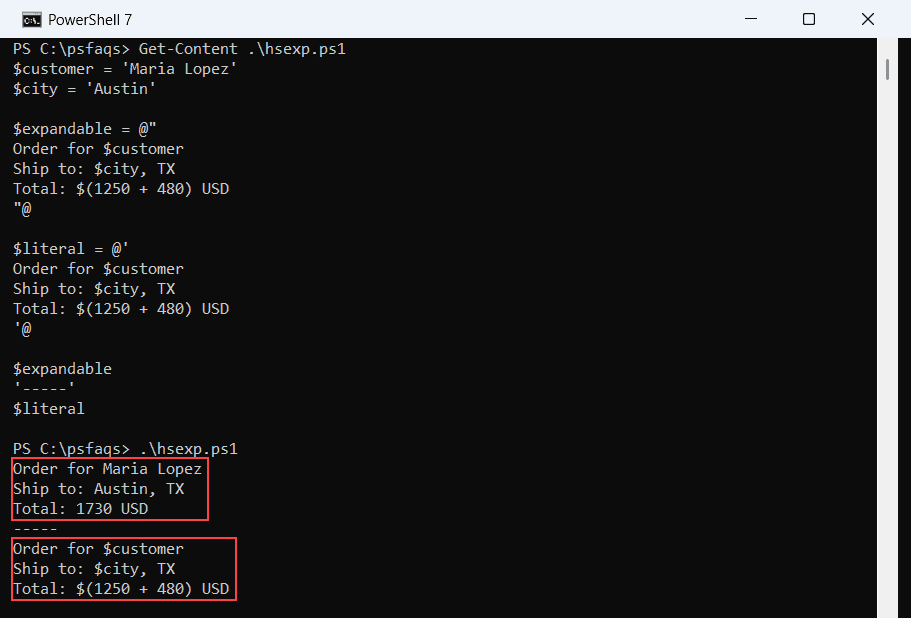
The first block got Maria’s name, Austin and the sum. The second printed $customer and $(1250 + 480) as literal text.
The expansion rules are the same ones you use to combine a string and a variable on a single line.
What are the rules for the opening and closing markers?
PowerShell is strict about two things. The opening @" must be the last thing on its line, and the closing "@ must be the very first thing on its line.
Here’s the first rule broken, with text right after the header:
$note = @" Ship to Austin
Call Tom Baker first
"@
$note
Both versions refused to run it: “No characters are allowed after a here-string header but before the end of the line.” Trailing spaces after @" were fine in my tests, though.
Why does an indented closing marker fail?
This one bites inside functions, where you naturally indent everything. I indented the closing marker to match the code around it:
function Get-ShippingNote {
    $note = @"
    Your order ships today.
    "@
    $note
}
Get-ShippingNote