
Dana Reyes runs IT for Saguaro Family Clinics in Phoenix, and she keeps her laptop inventory scripts in one small module. Import-Module loads a PowerShell module into your current session, by name or by path:
Import-Module -Name .\InventoryToolsIn this tutorial, I’ll build Dana’s InventoryTools module from scratch and use Import-Module in PowerShell to load it, reload it, trim it and unload it.
I ran every step in PowerShell 7.6 and Windows PowerShell 5.1. Where they differ, you’ll see both results.
What the finished InventoryTools module does
Here’s the end result. One Import-Module line loads three commands that read a laptops.csv file stored next to the module:
Import-Module -Name .\InventoryTools
Get-InventoryValue
New-AssetTag -Number 105
Get-InventoryItem -AssignedTo 'Dana*' | Format-Table -Property Asset, AssignedTo, Model, CostUSD
Output:
Total laptop value: $5,387.49
PHX-0105

Asset    AssignedTo Model            CostUSD
-----    ---------- -----            -------
PHX-0103 Dana Reyes Surface Laptop 7 1499.99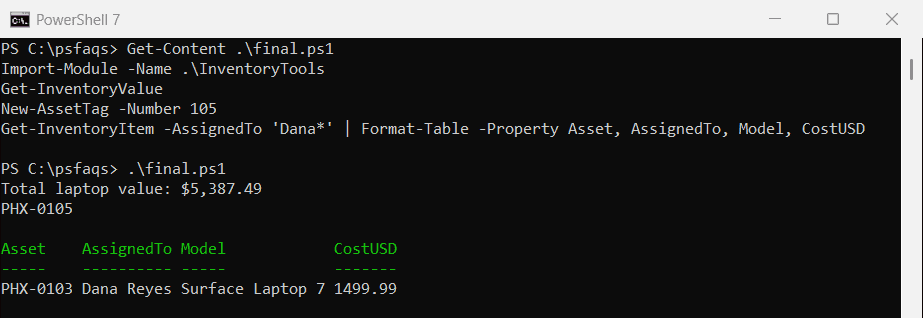
Windows PowerShell 5.1 printed the same lines. If you’ve never written a module, the steps below are a quick version of creating a PowerShell module from scratch.
Step 1: Build the InventoryTools script module (.psm1)
A script module is a plain text file with a .psm1 extension that holds PowerShell functions. Dana creates a folder named InventoryTools and saves this file in it as InventoryTools.psm1:
# InventoryTools.psm1 - laptop inventory helpers for the Phoenix office
function Read-InventoryFile {
    Import-Csv -Path (Join-Path -Path $PSScriptRoot -ChildPath 'laptops.csv')
}

function Get-InventoryItem {
    param([string]$AssignedTo = '*')
    Read-InventoryFile | Where-Object -Property AssignedTo -Like $AssignedTo
}

function Get-InventoryValue {
    $total = (Read-InventoryFile | Measure-Object -Property CostUSD -Sum).Sum
    'Total laptop value: ${0:N2}' -f $total
}

function New-AssetTag {
    param([Parameter(Mandatory)][int]$Number)
    'PHX-{0:D4}' -f $Number
}

Export-ModuleMember -Function Get-InventoryItem, Get-InventoryValue, New-AssetTag
Next to it, she saves the inventory as laptops.csv:
Asset,AssignedTo,Model,PurchaseDate,CostUSD
PHX-0101,Maria Lopez,Latitude 7450,2026-01-12,1349.00
PHX-0102,Tom Baker,ThinkPad T14,2026-02-03,1189.50
PHX-0103,Dana Reyes,Surface Laptop 7,2026-03-18,1499.99
PHX-0104,Alex Wilber,Latitude 7450,2026-06-22,1349.00
$PSScriptRoot is the module’s own folder, so the CSV is found no matter where you run from. Export-ModuleMember publishes three functions and keeps the Read-InventoryFile helper private.
Why doesn’t PowerShell find my module automatically?
Since PowerShell 3.0, installed modules load on their own the first time you use one of their commands. That’s module autoloading. Microsoft.PowerShell.Archive isn’t loaded in a new session, but asking for one of its commands loads it: